
Write something

20h •
Shop feedback
Hi everyone! 😊 I'm a fairly new Etsy seller and would really appreciate some honest feedback on my shop. If anyone has a few minutes, would you mind taking a look at my listings and letting me know what you think? I'd love any suggestions on things like my photos, titles, descriptions, pricing, or anything else that stands out. I'm also wondering whether Etsy Ads are worth using for a new shop. Have they worked well for you, or would you recommend focusing on improving listings and SEO first? I'd really appreciate any advice or constructive criticism. Thanks so much in advance! 💛 https://www.etsy.com/uk/shop/Calderandcoprints?ref=shop_profile&listing_id=4436513500

16h •
SEO Question
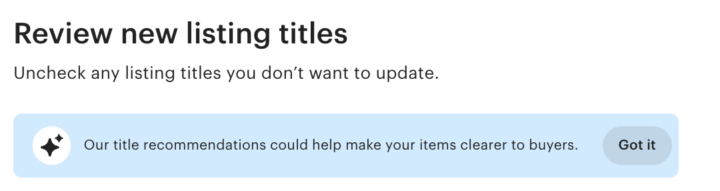
Hi guys. Just posted my first listing and Etsy have suggested I make my title less wordy, but this goes against the theory of using as many keywords as possible in your title to have the best possible chance to reach browsing customers. Just wondered if any seasoned sellers had any advice for this - whether if its I should just ignore it or if I should take Etsy's advice since it is their algorithm I'm trying to comply with! Thanks.

1d •
How long did it take you to get your first sale?
How long did it take you to get your first sale? How many times had you have listed?

16h •
Gloabal / Domestic Pricing
Hi all, I have finally managed to update all my listings to include the framing option which I am very happy about with help from Evlista. I had to manually disable global pricing on each listing (luckily only. 74 listings so didn’t take too long), but now I would like to re add it on if possible? Is there a quick way of doing this or will I have to do this manually for each listing? Many thanks in advance
1-30 of 933

skool.com/printshrimp
Welcome to PrintShrimps Poster Skool!
This community will guide you through the process of building a legitimate business through selling posters!
Leaderboard (30-day)
1

+188
2

+113
3

+63
4

+53
5

+48
Powered by