Activity
Mon
Wed
Fri
Sun
May
Jun
Jul
Aug
Sep
Oct
Nov
Dec
Jan
Feb
Mar
Apr
What is this?
Less
More
Memberships
87 contributions to Assistable.ai

10d •
Community Feedback
How many members have their Voice Orb doing these things and consistently: 1.) Pulling in contact details (name, email, phone), not "guest1847364837272" 2.) Booking Appointments (consistently, not once out of a thousand tries in 2 years lol) 3.) Using Custom Tools & Tags 4.) Triggering actions/workflows in GHL (based on tools and tags etc.) Also, I'm not talking to the members who are using any other tool to make this work lol. I'm referring to the native Orb tool within Assistable. I know this has been coming for years and I understand there are more important things but I would love to get this working. After 2+ years, trying any suggestions by Jordan and other members, it just doesn't work like a normal chat & voice assistant. I know the Assistable orb does all of that but still not seeing any members works. Least none in my community. If you got this working consistently, doing all of those things, using the native tool, drop your website below or a Loom showing the rest of us lol.

0 likes • 3h
@Justin Daughenbaugh & @Jorden Williams did this ever get shared? I have some pretty large deployments that would benefit greatly from this as the orb has been more of a party trick than a functional usable virtual scheduling assistant.
10d •
✅ How to Save & Reuse Your Prompts the Smart Way
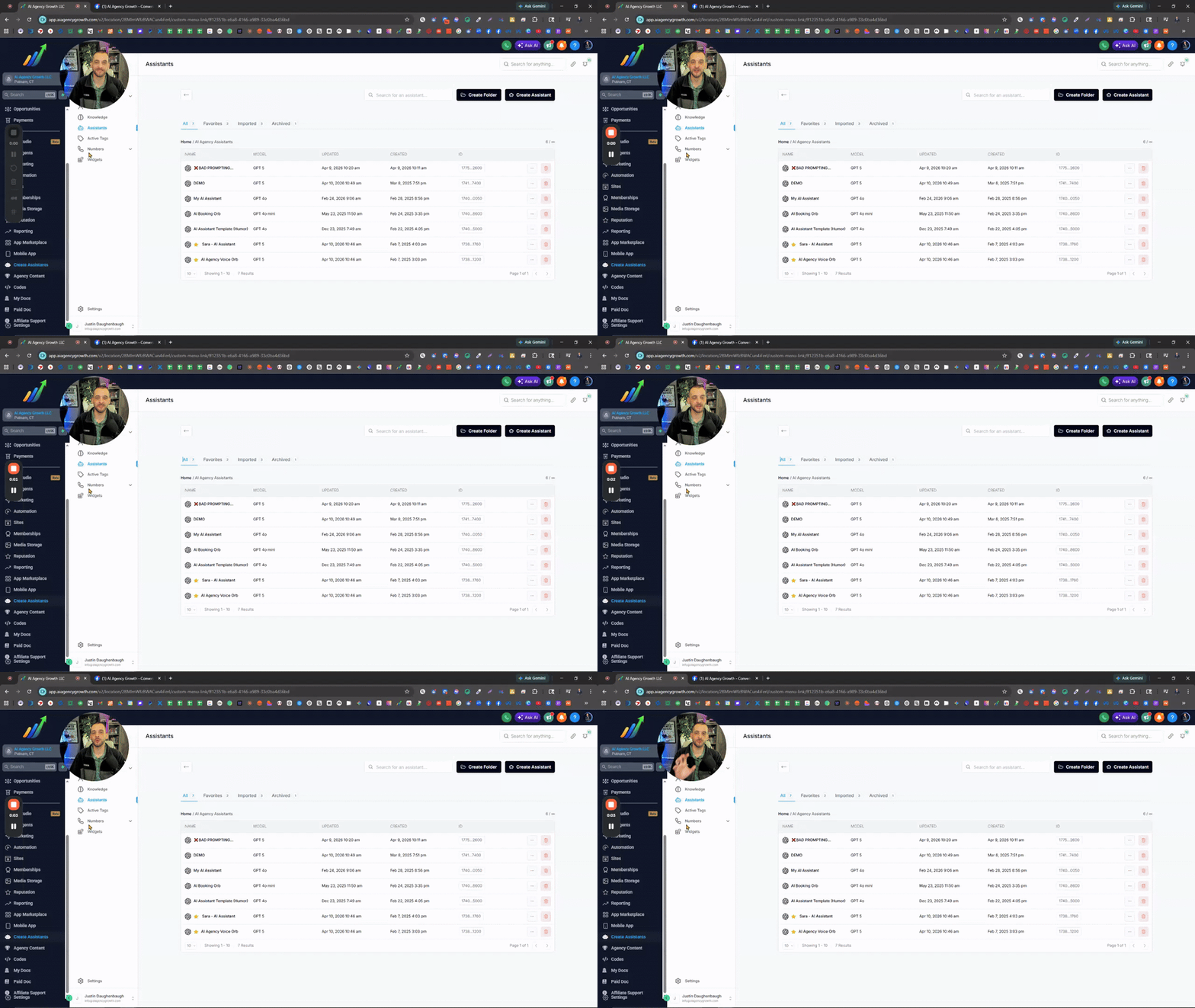
If you’re still copying and pasting parts of your prompts (or full prompts) between assistants… there’s a simpler way to do it. Yes, we can just copy the assistant ID or duplicate the assistant for the full setup. Most people completely miss this, but custom snippets are the simple solution. Instead of rebuilding prompts or digging through old ones every time, just save the parts you reuse. Stuff like tone, personality, structure, tasks, booking process, after hours, spam & scam protection, off-topic conversation handling, etc… Snippets let you separate all that so you can plug things in without starting over every time. Think of your prompt like different sections that make the entire prompt. Save each one once, and now you’ve got building blocks instead of one giant prompt. Quick tip too, name your snippets clearly. Even better if you use emojis so you can spot them instantly without opening each one. And this isn’t just for prompts. Same idea applies to your GHL SMS & Email snippets… if you’re writing something more than once, turn it into a snippet. Once you start doing this, everything gets faster, cleaner, and way more consistent.
1 like • 3h
I love it. Thanks for putting this on my radar Justin, I didn't even realize this was added. 💪🏻
7d •
AI SMS Appointment count
Quick question, is there a way to easily report the number of appointments assistable's AI SMS booked in GHL? Trying to report the full value of it to my users and this would help.
1 like • 6d
That doesn't include sms
Mar 18 •
Chat Follow-up - Infinite SMS campaign issue
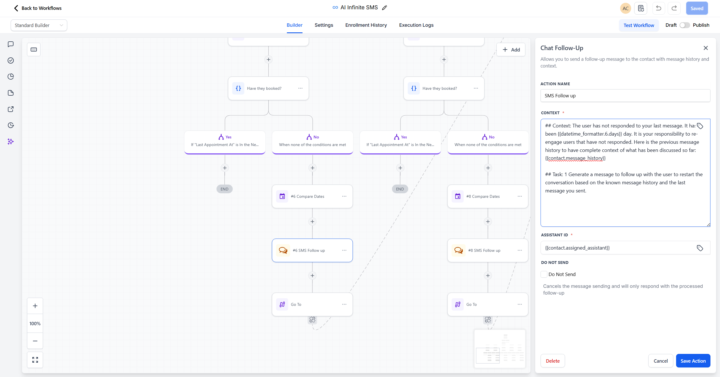
@Jorden Williams @Mike Copeland I recently deployed the following Chat follow-up, and it looks like the follow up message is simply going through the next task in the global prompt with each iteration, resulting in it ultimately booking an appointment for people when it gets to that task even when they have never responded yet. Anyone have any suggestions on how to prevent that within the "Chat Followup" tool? Here is my context within GHL: ## Context: The user has not responded to your last message. It has been {{datetime_formatter.6.days}} day. It is your responsibility to re-engage users that have not responded. Here is the previous message history to have complete context of what has been discussed so far: {{contact.message_history}} ## Task: 1 Generate a message to follow up with the user to restart the conversation based on the known message history and the last message you sent.

Mar 6 •
Chat Widget (finally) Coming Out Of Beta
We have been working on this very heavy. The chat widget that is in the portal is marked as beta because that is what it was at the end of the day - a way to test the use case if it was worth it over GHL widgets. As the horizons expand, and use cases continue to grow, the need for a omni-channel widget integrated with / and modularly decoupled from GHL comes up more and more. So, we can expect that chat widget goes into official production with proper support and caching within the next week - will be omni channel, voice and chat, and configuration with prompts.
1 like • Mar 18
Hey @Jorden Williams, how is this coming along, and will calendar integrations and booking finally work with the new widgets?
1-10 of 87

Active 2h ago
Joined Aug 17, 2025
ENTJ
Powered by