Activity
Mon
Wed
Fri
Sun
May
Jun
Jul
Aug
Sep
Oct
Nov
Dec
Jan
Feb
Mar
What is this?
Less
More
Memberships
AV
AI-Powered Virtual Assistants
49 members • Free
AI Automation Agency Hub
306.3k members • Free
AI Automation Society
311.7k members • Free
AI Pioneers
8.4k members • Free
Agency Flywheel Hub
4.6k members • Free
AIpreneurs (Free)
10.3k members • Free
Amplify Views
28.3k members • Free
Brendan's AI Community
23.9k members • Free
Content Academy
14k members • Free
28 contributions to Content Academy

👑
2d •
How to Use Claude Code for FREE
Hey Academy, For support join the AI Architects. The $200 subscriptions and API fees make it hard to get started with AI coding—so I built a solution that runs Claude Code 100% free on your computer using local models. In this video I'll walk you through a live demo of the full setup: free local models through Ollama, budget-friendly alternatives like DeepSeek and MiniMax, and a flexible interface that supports multiple coding agents including Claude Code, Gemini CLI, and OpenAI Codex. You'll see how to switch between chat mode and interactive mode, configure any LLM provider you want, and use the complete development environment with a built-in editor and shell. I'll also walk through the entire installation step by step so you can get up and running today—whether you're a complete beginner or an experienced developer looking to cut costs.

1 like • 12h
Love this

10d •
I Run 10 YouTube Channels. I Don't Make a Single Video. Here's what that actually looks like
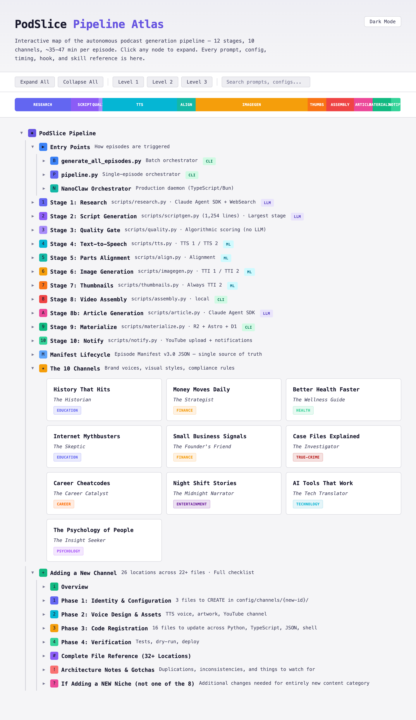
I woke up this morning to 10 fresh podcast episodes. Fully researched. Scripted. Narrated. Visuals timed to every beat. Published to YouTube, RSS, and my own website. I didn't make any of them. A machine on my desk did. While I slept. I launched these channels at the end of February. It hasn't been a month yet. Some channels are pulling 1,000+ views and gaining subscribers - with zero ads, zero promotion, zero outreach. But here's what I need you to understand: this is not a prompt. When people hear "automated content," they picture someone typing a topic into a chatbox and hitting publish. That's not what this is. That's not even close. What I built is a multi-stage production pipeline. Not a single generation step - a sequence of independent systems, each with its own job, its own rules, and its own quality bar. Every stage has to pass before the next one starts. If something isn't good enough, it gets caught, flagged, and redone automatically. Here's what that actually means in practice: Every episode starts with real research. Not "summarise this topic." Actual source-finding, fact-checking, angle evaluation. The kind of editorial groundwork a good producer would do before writing a single word. Most automated content skips this entirely. Mine can't - the pipeline won't let it move forward without it. Then there's the writing. And this is where I spent most of my 45 days. I didn't just generate scripts - I built an entire set of rules around how spoken language works differently from written language. How rhythm changes when someone is listening instead of reading. How a pause lands. How a transition should feel. Early versions sounded like a textbook. Now they sound like someone talking to you. After the writing comes the part most people don't think about: quality control. Every script gets evaluated across multiple dimensions before it moves on. There's a hard pass/fail threshold. I've watched the system reject its own output dozens of times and come back with something genuinely better. Nothing mediocre gets through. That's not a nice-to-have - it's the reason the content performs.
0 likes • 6d
This is next-level
23d •
How I got AI chatbots to recommend my product (before I launched)
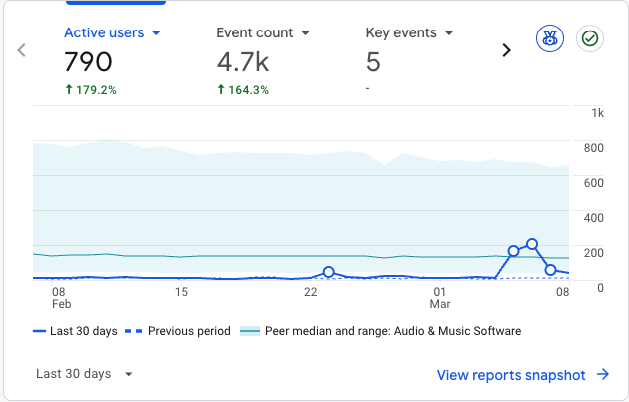
Your product is probably invisible to a growing segment of buyers. Not because your SEO is bad. Because they're not using Google. A growing number of people search by asking ChatGPT, Gemini, or Perplexity a question. The AI gives them a ranked list. They research from there. If your product isn't in that answer, you don't exist. I realised this early and did something most founders skip entirely: I built the layer of my website that AI models can actually read and cite. Before writing a single ad or social post, I spent weeks on what I call the "AI-readable layer." Here's what that looked like: 1. llms.txt files at the site root. These are plain-text documentation files designed for AI crawlers. Not a robots.txt. A structured brief that tells AI models what your product is, what it does, who it's for, and how it compares. Think of it as a pitch deck for machines. 2. 62 blog posts before launch. Not SEO filler. Honest comparison posts — my product vs each major competitor. Use-case deep dives. Technical explainers. FAQ content written in the natural question-answer format that AI models actually cite. 3. JSON-LD structured data on every page. FAQPage schema on the homepage, feature pages, use case pages, blog posts. This is the metadata AI models parse when they build their knowledge base. 4. Dedicated pages for every use case and feature. Not just a features list on the homepage. Individual pages at /for/podcasters, /for/game-developers, /features/ voice-cloning. Each with its own structured FAQ. 5. Competitor comparison content that's fair. Not "why we're better." Honest trade-off breakdowns. AI models prefer balanced, cited content over marketing copy. When the AI ranked my product third — not first — that's actually more credible than ranking it #1. This approach has a name: GEO — Generative Engine Optimization. It's early. Most founders haven't heard of it. Most AI tool builders haven't optimised for it either, which is ironic. The core insight: AI models don't read your marketing
1 like • 13d
This is brilliant
👑
Feb 14 •
New PopeBot Web Interface for Your 24/7 Agent is Here
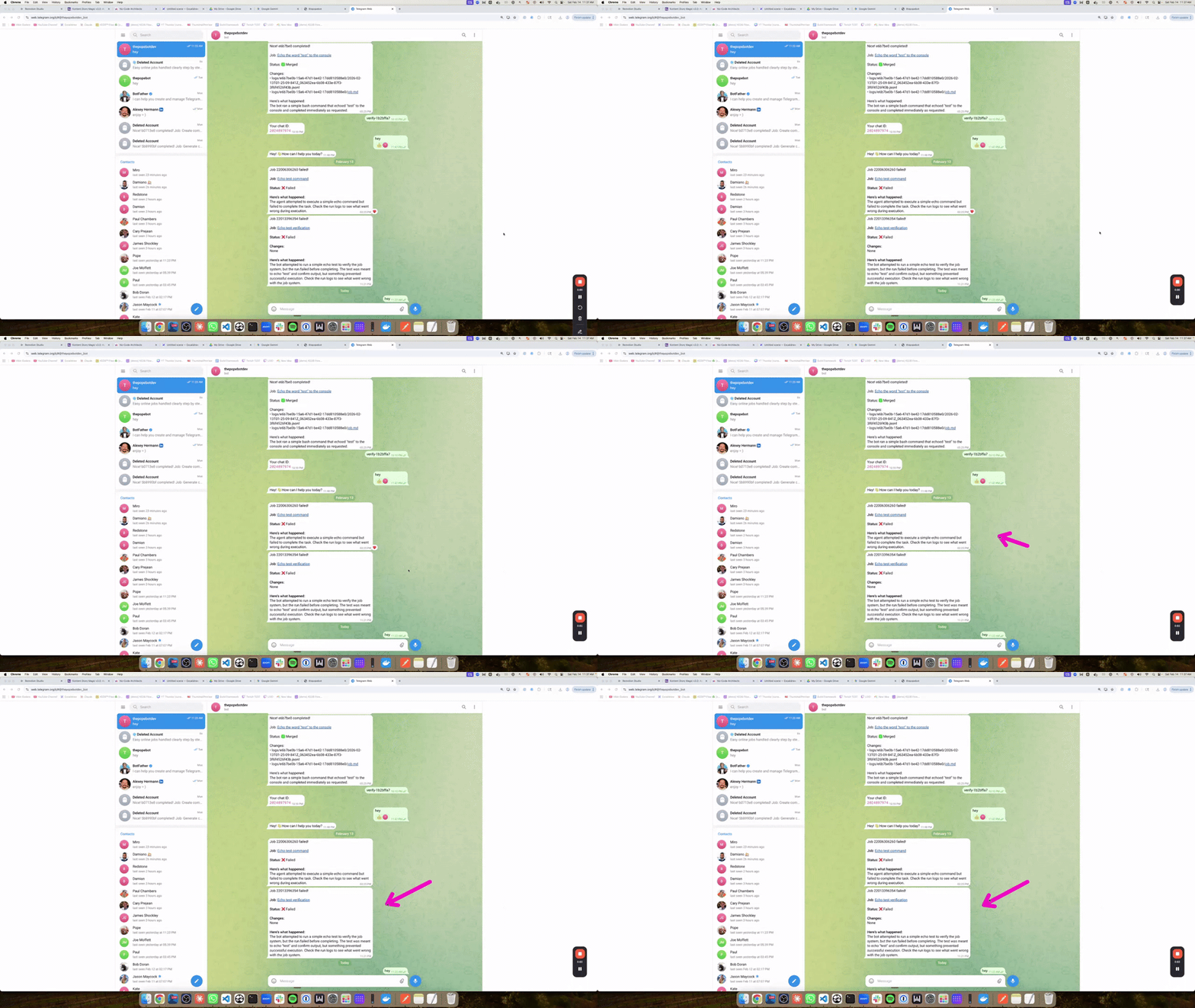
If you saw the recent video showing the Telegram-based 24/7 agent interaction, here's the next evolution — a brand new web interface with a dynamic live chat. What's New Streaming Chat UI — Unlike Telegram, this web chat streams responses in real-time, just like you'd expect from a modern AI agent. It's a much smoother experience. Notifications Dashboard — Get live notifications for everything happening across your swarm so you're always in the loop. Process Monitoring — View and manage all running processes, cron jobs, and scheduled tasks in one place. See what's enabled, what's running, and the differences between them. Triggers & Webhooks — A new triggers system lets you set up webhooks that feed into your event handler, or have it send webhooks on your behalf. If you've dug into the Pokebot at all, this opens up a lot of automation possibilities. Want Early Access? Jump into the No Code Architects community. Members will get early access to these releases in beta. And I'll go deeper into how it's made and the tools behind it, which I think is truely valuable. No one online talks about that. A lot of the time, its the tool BEHIND that tool, that's really magic. Like Clawdbot, its cool, but the real tool behind it is pi-mono. If you're the type who wants to take advantage of these ground breaking tools, help shape feature, give feedback, and stay on the bleeding edge — that's where it's happening. If you want to be part of building this — the No Code Architects is the place.
1 like • Feb 17
This upgrade looks seriously powerful
👑
Jan 18 •
20X Your Development Speed (Copy My Vibecoding Setup)
Hey Academy! Join the No-Code Architects to access the new vibe coding course. This is the ultimate vibe coding setup for building SaaS apps with Claude Code. I'll show you how to set up a complete development workflow: Next.js for your framework, Git and GitHub for version control, and Vercel for automatic deployments. You'll learn how to create production, staging, and preview environments so you can develop safely without breaking your live site. The real power comes from Claude Code's background tasks. By adding an ampersand before your prompt, you can spin up multiple features simultaneously in the cloud—then monitor and manage them from your phone. I'll show you how to "teleport" sessions between local and cloud, handle commits automatically, and use pull requests to merge your work into production. Whether you're at your desk or on the go, this workflow keeps you building.
1 like • Jan 27
Love this!
1-10 of 28
@adam-smith-2645
Pay-per-performance AI Optimization Expert - More Leads, More Sales, More Revenue. No upfront costs.
Active 12h ago
Joined Nov 25, 2024
Powered by