
Pinned

⭐
Aug '25 •
🤝Welcome to Media Valley School! Introduce yourself 📢
Salam everyone, Welcome to Media Valley School! I am so happy that you’re here * Please read this post or watch this video till the end to know How to get most out of this community * This community is all about helping you with All stages of life specially with Money making, Healthy Mindset and Healthy Body, Not only these topics we are planning to add more topics like How to find Love of your life and get married, have kids and raise Beautiful human beings and make this world a better place together. 𝗛𝗘𝗥𝗘'𝗦 𝗪𝗛𝗔𝗧 𝗬𝗢𝗨 𝗡𝗘𝗘𝗗 𝗧𝗢 𝗞𝗡𝗢𝗪: 1. The Goal Our goal is simple – to help you with Money Making, Growing your mind and character and taking care of your body. 2. The Community - This is a space for like-minded people to connect, share ideas, and support each other. Stay active and engage! 3. The Classroom - Find valuable resources and lessons inside the classroom to help you take action and start seeing results. If you need video resources on a specific topic then you can post in the community and we will provide those resources to you. 4. The Calendar - We host Weekly / Monthly workshops and Q&A calls in the community. Check the calendar so you never miss out Important Events! ______________________________________________________________________________________________________ 𝗖𝗢𝗠𝗠𝗨𝗡𝗜𝗧𝗬 𝗥𝗨𝗟𝗘𝗦: 1. Be positive – Disagreements are fine, but keep it constructive and respectful. We need your help to make this community THE BEST COMMUNITY so help us by giving us feedback in a positive way. 2. Make an effort – Post in the right category, stay on-topic, and add value. 3. No promotions – No self-promoting, ads, or links to your content. Violating this will get you banned. 4. No DM-ing other members to sell anything or to invite them to another community/group. Please note that scammers will use chats and other groups to communicate with you as we cannot track their activity there. 5. No low-quality posts/spam. Let's work together to make this community a valuable space for everyone.
Pinned

Aug '25 •
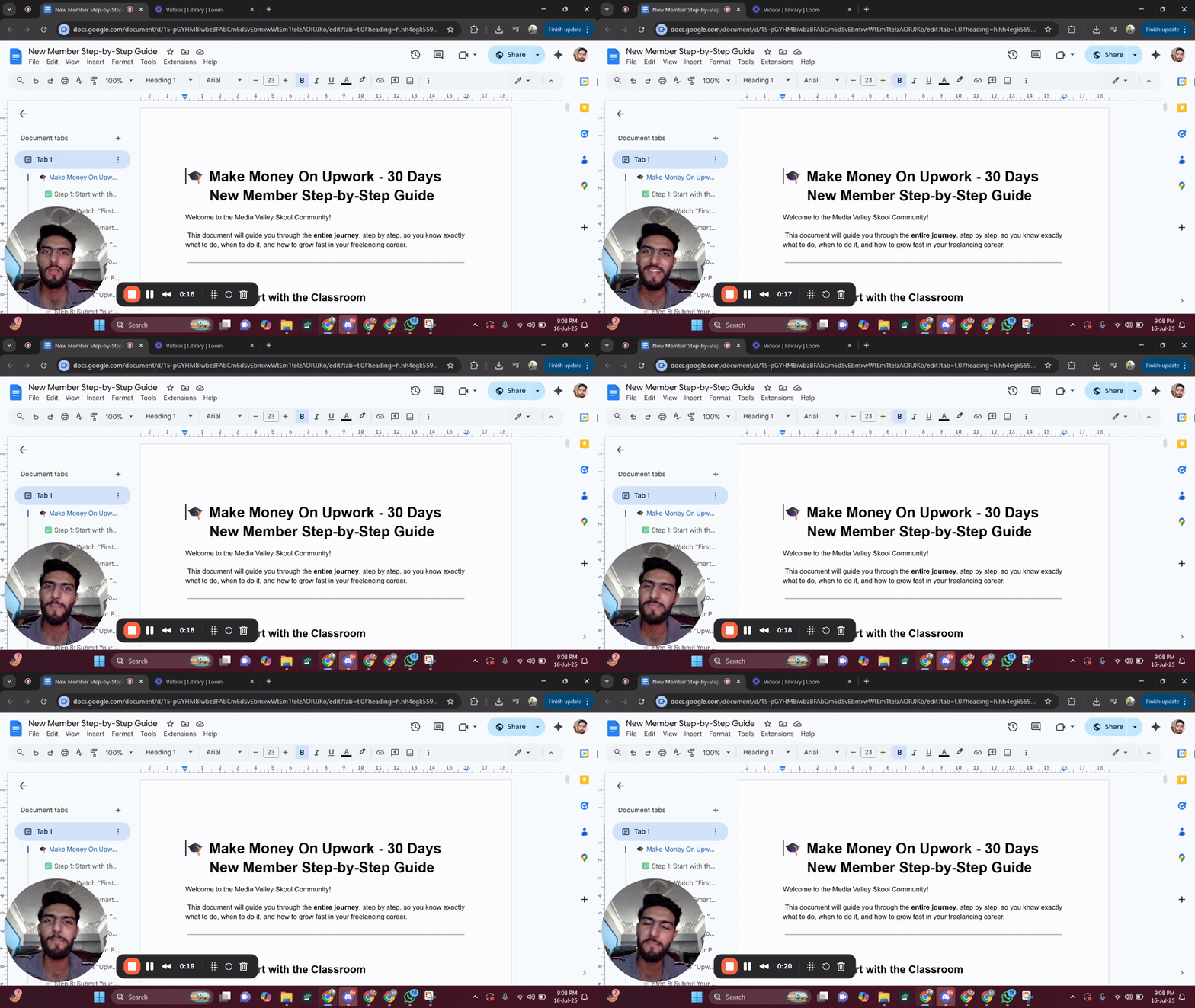
📌 Step-by-Step Guide for New Members..... Must Watch
Welcome to the community! 👋 I’ve created a step-by-step guide specially for all the new members who are just joining our Skool community. In this guide, I’ve explained: 🔹 What steps to follow when you first join 🔹 Which video/lecture to watch first and what to watch next 🔹 How to get the most value out of the community and content 🔹 How to properly engage and grow inside the platform 📹 I’ve also recorded a video walkthrough to make it even easier to follow and attached it with this post. Everything mentioned in the video is also written clearly in the linked document. https://docs.google.com/document/d/15-pGYHMBiwbzBFAbCm6dSvEbmxwWtEm1telzAORJJKo/edit?usp=sharing 🎯 Whether you're just starting or want to reset your learning path this guide is a must watch. 📝 Note: No one is allowed to make a post asking for likes or comments just to level up. If you want to level up, you need to engage meaningfully share your learning, provide value in comments, and interact with others’ posts. That’s how the system works. We reward real contribution, not shortcut requests 🚫 Let’s keep the quality of the community high and support each other through genuine engagement 💬💡
Pinned

Nov '25 •
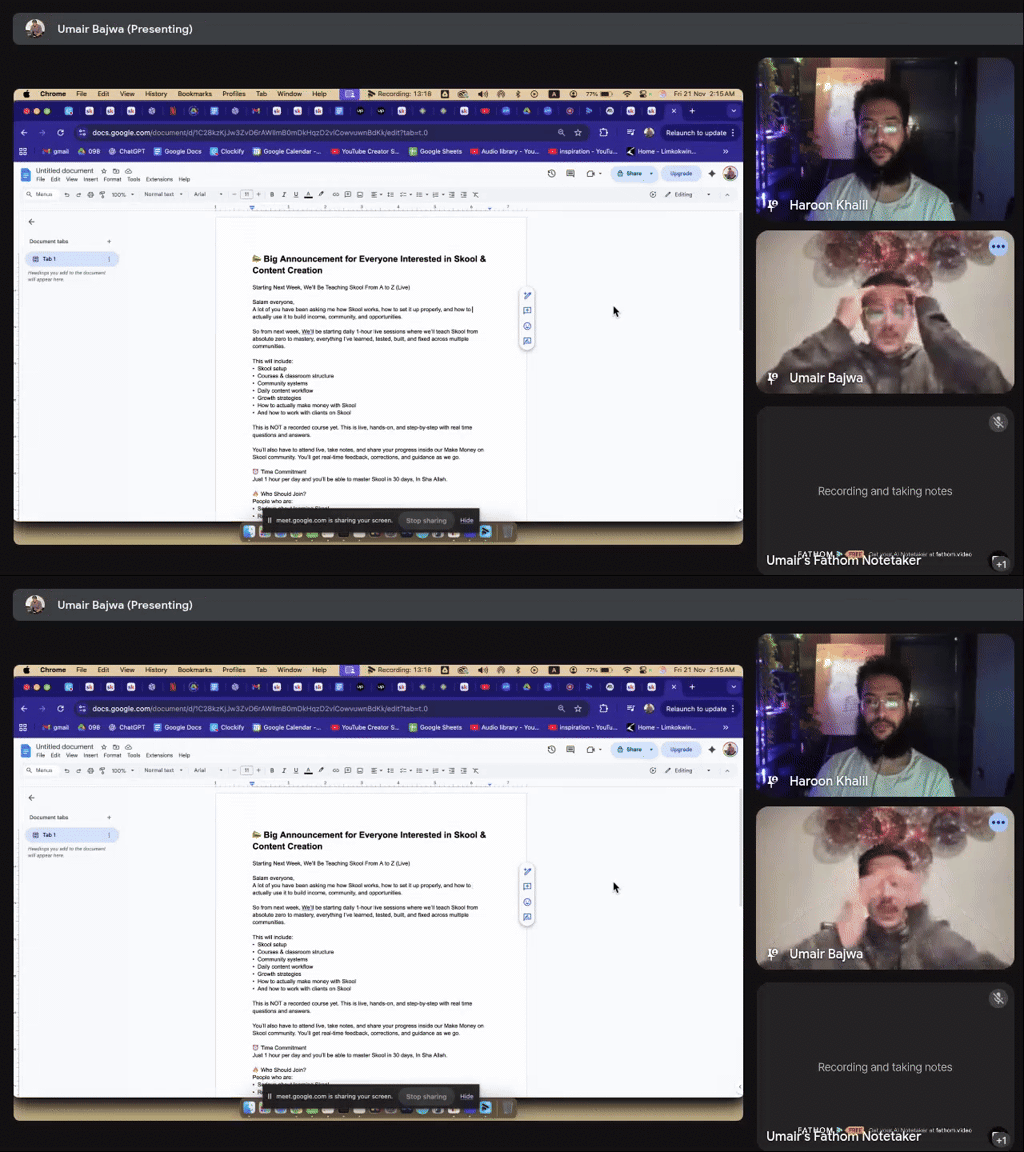
📣 Important Skool & Content Creation Announcement
Starting Next Week Monday, We’ll Be Teaching Skool & Content Creation From A to Z (Live) Salam everyone, A lot of you have been asking me how Skool works, how to set it up properly, and how to actually use it to build income, community, and opportunities. So from next week, We’ll be starting daily 1-hour live sessions where we’ll teach Skool from absolute zero to mastery, everything I’ve learned, tested, built, and fixed across multiple communities. This will include: • Skool setup • Courses & classroom structure • Community systems • Daily content workflow • Growth strategies • How to actually make money with Skool • And how to work with clients on Skool This is NOT a recorded course yet. This is live, hands-on, and step-by-step with real time questions and answers. You’ll also have to attend live, take notes, and share your progress inside our Make Money on Skool community. You’ll get real-time feedback, corrections, and guidance as we go. ⏰ Time Commitment Just 1 hour per day and you’ll be able to master Skool in 30 days, In Sha Allah. 🔥 Who Should Join? People who are: • Serious about learning Skool • Ready to attend live sessions • Willing to take action • Open to sharing progress • Determined to build a real skill 💲 How to Join It’s only $3, this price is not for money. It’s only to filter in the people who are actually committed and want to learn properly. 👉 Join Here: https://www.skool.com/skool-coaching-classes-7316/about?ref=0bd4776d784249258ff5d57ed06e23a0 If you’ve ever wanted to understand Skool deeply or build your own community in the future, this is the best time to start. See you inside. Bismillah.

2m •
📌 Resource & Tips — ToolFK.com (Utility Toolkit You Should Bookmark)
I explored ToolFK.com, an all-in-one online toolbox packed with free browser utilities that can save you time across coding, media editing, conversions, and creative tasks. ✨ What It Is ToolFK.com is basically a web-based utility suite offering hundreds of tools you can access instantly without installing software or signing up. It’s lightweight, quick, and covers a huge range of tasks — perfect for on-the-fly workflows. 🧰 Developer & Productivity Tools Online Code Compilers & Runners — Run JS, Python, C++, Java, Ruby, etc., directly in your browser. Diff/Text Compare Tools — Quickly compare text or code snippets. Base64/Encoding Utilities — Encode/decode strings, files, images. Network/Dev Helpers — HTTP simulator, SQL designer, IP lookup. 🖼 AI & Media Tools AI Image Generator & Video Tools — Create visuals or videos from text/images fast. Background Remover & Beautifier — Remove backgrounds, enhance photos without Photoshop. Text-to-Speech & OCR — Convert text to voice or extract text from images. 💡 General Utility Tools PDF, CSV, Text Converters — PDFs to images, CSV to JSON, PPT to PDF, etc. URL Shortener & QR Code Generator — Quick sharing helpers. 🔐 Safety & Practical Use Most safety scans indicate ToolFK.com is safe for general utility use — no malware or shady redirects detected — though you should avoid uploading highly sensitive data to any free online service. 🎯 Tips for Use Bookmark the site as a “go-to toolbox” for quick jobs. Use compiler/formatter tools for code snippets when you don’t want a full IDE. Try AI image/video tools for fast drafts before refining in heavier software. https://www.toolfk.com/
1
0

18h •
Common Freelancing Terms🌟
Assalam o alikum I hope you are all doing well These are the most commonly used terms for freelancing: ✨Freelancer A self employed person who provides services to multiple clients rather than working for one boss ✨Client The person or business who pays you to do a job. Think of them as your customer ✨Gig A single job or project. "I just landed a writing gig" means you got a new project ✨Pay Rate How much you charge. It’s usually an Hourly Rate (pay per hour) or a Flat Fee (one price for the whole job) ✨Deadline The date and time you must hand in your work. Don't be late! ✨Portfolio A collection of your best work (like a digital scrapbook) that you show to new clients to prove you're good ✨ Invoice A simple bill you send to the client so they know how much to pay you and where to send the money ✨Revision When a client asks for a small change or fix to the work you just sent them ✨Draft An unfinished version of your work. You might send a First Draft to get feedback before finishing ✨Deposit Money the client pays you upfront (before you start) to show they are serious 📌Quick Tip for Freelancing: Always get it in writing. Even if it's just an email, make sure you both agree on the Pay Rate and the Deadline before you start working
1-30 of 23,422
powered by

skool.com/make-1k-5k-in-30-days-8449
Media Valley School is the fastest way to hit $1K/month with freelancing or agency work. Guaranteed.
Land your first $1K month in 30 days
Suggested communities
Powered by