
Write something

Apr '23 •
GPT-4 Excel VBA Macro Hallucinations
Hello all. I've been experimenting with creating a macro that would help me consolidate our ecom orders that would eventually be imported into our Xero for bookkeeping. The prompting seems to work just fine with the eventual sample data and tables that chatgpt shows are just what we want to achieve. However, when it comes to the actual vba code it seems to have missed out a lot of details which would result in the macro not working in reality. Is this the norm with coding whether it is vba or any other languages from GPT-4 especially?

22d •
API token tracking per key & dynamic file syncing in Assistants API
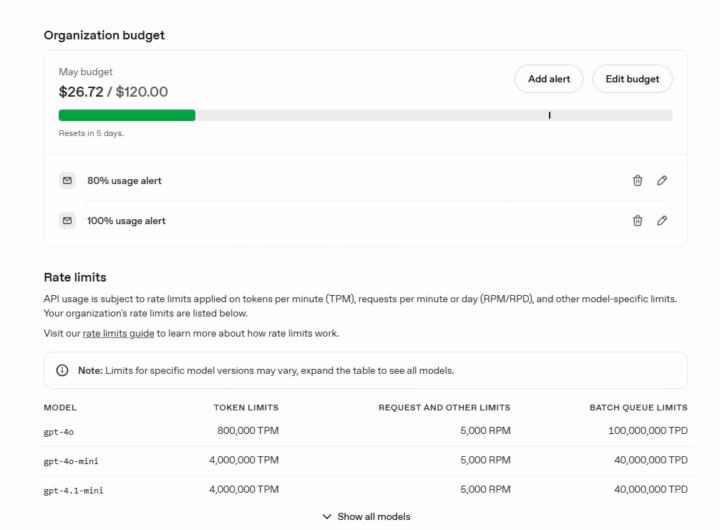
Hi everyone! 👋 I’m looking for some advice on optimizing my OpenAI API workflow and would appreciate your insights on two specific issues. Question 1: Tracking Token Usage per API Key How can I accurately track token consumption for each specific API key? Is there a built-in dashboard feature to see exactly how many tokens a single key is burning daily, or does this require a custom logging setup? Question 2: Dynamic File Updates for Assistants I’m using the Assistants API (platform.openai.com/assistants/) but facing a bottleneck with File Search. I frequently need to make minor, real-time edits to the reference documents. What is the current best practice/pipeline for this? Are there any out-of-the-box tools or integrations for seamless syncing (e.g., editing a Google Doc and having it auto-update in the Vector Store)? Or is the only viable route to write a custom script that triggers the deletion of the old Document ID and pushes the new one? Thanks in advance for the help! Pavel

Sep '25 •
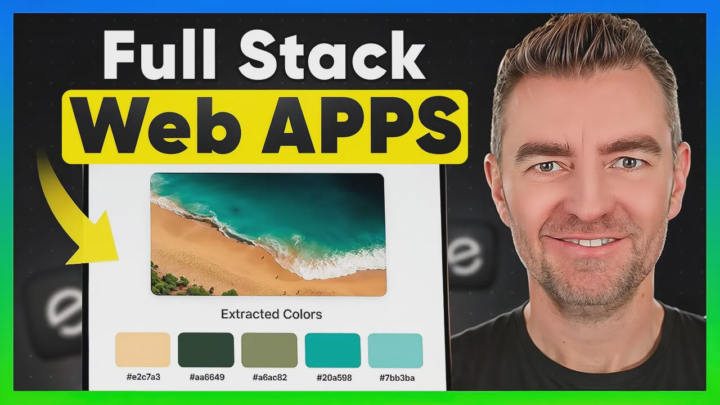
Build an AI Web App with ZERO Coding! Emergent Demo 🚀
Hi Everyone! I’ve just put out a new video showing how I built a working web app using Emergent, and I didn’t write a single line of code. In the demo, I created a “Color Palette Extractor” app from scratch — it lets users log in, upload an image, pull out the color palette, export it, and share it. All done by just typing what I wanted the app to do. Here’s what I cover in the video: ✅ How Emergent’s interface works and how it compares to other no-code tools ✅ Step-by-step of me building the app by describing what I want (no giant prompts needed) ✅ How Emergent asked clarifying questions, added features, and even tested its own code ✅ Updating the app in real time by just typing changes like “add login” or “fix drag & drop” ✅ Deployment, pricing, and whether this could realistically replace hiring a developer 🎥 Check it out here: Build a Web App with Emergent in Minutes Curious to know — if you could skip the coding part, what would be the first app you’d build? Drop your ideas below 👇 Cheers Jason

Feb 20 •
Quick Intro / Friday Update / MVP Feedback Request
Hey everyone, I've been into AI for a while now and have to say that Claude Sonnet 4.6 is pretty insane (especially considering the cost per token). I've recently participated in building a solution for all the non-technical people who also want to use OpenClaw securely without having to buy a mac mini etc. I also does Reverse Prompting and even tells you what prompts are relevant for you. Would love to hear your feedback on it, what could be improved, if you would pay for it etc (just testing as a beta with free access, my DMs are open, happy to chat with fellow AI builders): https://cerebro.vip
4
0
Nov '25 •
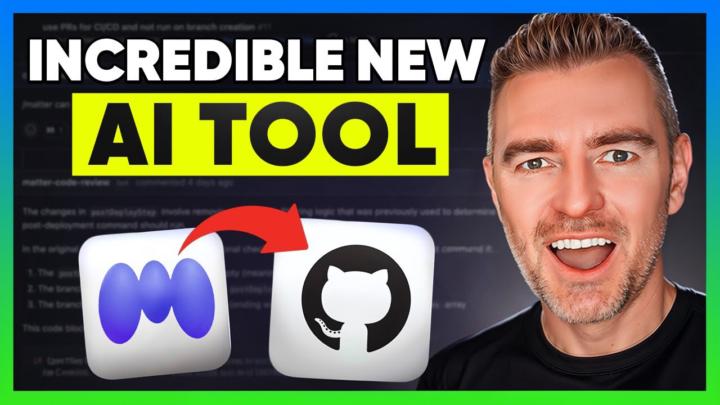
A Simple Way to Edit GitHub Repos Without Touching VS Code
Most of us have been in that spot where we want to tweak some code in a GitHub repo but the whole setup feels like more hassle than it's worth.Pulling it locally, figuring out dependencies, breaking something, fixing it, breaking something else... it gets old fast. I just posted a new video showing a tool called Matter that solves this exact problem. It pulls any GitHub repo into its own cloud workspace and lets you adjust the code just by describing what you want. In the video I show: ✅ Pulling in an open source ChatGPT web app ✅ Letting Matter detect the environment and build everything automatically ✅ Making UI changes just by typing out what I want• Pushing those changes back to GitHub when finished ✅ How it works even if you’re not a coder If you ever wanted to experiment with repos, customise open source apps, or collaborate on changes without the usual setup pain, this is honestly worth a look. Cheers Jason 🙌
1-30 of 73

skool.com/chatgpt
A home for entrepreneurs who use ChatGPT to discuss, discover, and connect with others using this incredible AI technology. ⭐️ Invite your friends ⭐️
Leaderboard (30-day)
1

+38
2

+29
3

🔥
+23
4

+22
5

🔥
+17
Powered by