Activity
Mon
Wed
Fri
Sun
Apr
May
Jun
Jul
Aug
Sep
Oct
Nov
Dec
Jan
Feb
Mar
What is this?
Less
More
Memberships
Learn Power Apps
2.5k members • Free
46 contributions to Learn Power Apps

Aug '24 •
Does This Link Work for You?
I've had some tell me that the link to our web site doesn't work for them. I've checked it on my side and it works, but I want to make sure it works for everyone across the globe. Please comment below if it works for you or not, and what country/state you're in. I need to give this information to my web host so they can fix the problem. Thanks so much, guys! 😊👍 - https://superpowerlabs.co/


1 like • Aug '24
Works, but took a little bit to load
May '24 •
See Your Fellow Students Worldwide!
See Your Fellow Students Worldwide! Add your pin and see others! - https://super-power-labs.skoolmap.io/

1 like • May '24
Done!

May '24 •
help with code
i am trying to use some IF statements and nested options i want to query 2 variables, and if blank, show message and stop processing the form continues on even when blank variables what am i missing here? Set( gblShowLoadingSpinner, true ); // Concat the team members to store in SQL //Set(varConcatenateTeam, Concat(TeamComboBox.SelectedItems, DisplayName & ", ")); Set( varConcatenateTeam, Concat( TeamComboBox.SelectedItems, DisplayName & If( CountRows(TeamComboBox.SelectedItems) > 1, ", ", "" ) ) ); // to not have a , if multiple aren't selected // Check for table size being selected If( IsBlank(varTableSize) || IsBlank(gblRashMapTableSize),// query the tablesize variable, set by clicking the button ; or if an item has been selected and it has a table value set already UpdateContext({ShowMessage: true}); // Save or update record in SQL Notify("Please ensure all fields are filled before saving.", NotificationType.Warning, 1000); Exit(), // No further actions will be taken after this point If( IsBlank(gblOpenItems.ID),// New record to be saved to SQL Patch( 'VDC.LogBook', Defaults('VDC.LogBook'), { Shift: ddlShift.Selected.Value, Date: DatePickerCanvas1.SelectedDate, Crew: ddlCrew.Selected.Value, Team: varConcatenateTeam, Caster: CasterComboBox.Selected.DisplayName, CastNo: CastNo.Value, PETCode: PETCode.Value, Grade: Value(Grade.Value), 'BilletsLost<1m': Value('Billets<1'.Value), 'BilletsLost>1m': Value('Billets>1'.Value), CastChecks1: CastChecks1Combo.Selected.DisplayName, CastChecks2: CastChecks2Combo.Selected.DisplayName, CastChecks3: CastChecks3Combo.Selected.DisplayName, Comments: Comments.Value, Status: "In Progress", SubmittedDateTime: Now(), Submitter: User().FullName } ), Patch( 'VDC.LogBook', LookUp( 'VDC.LogBook', ID = gblOpenItems.ID ),//perform update method in SQL for the ID selected { Shift: ddlShift.Selected.Value, Date: DatePickerCanvas1.SelectedDate,
1 like • May '24
If there is a “Submit” or “Save” button involved, you could just change its Display Mode to Disabled until all fields are filled. I might be missing something here though
2 likes • May '24
@Brad Johnson So I whipped up a quick form and the data cards have built in error messages that you can customize to your own needs. In my example, using Title_DataCard1, it includes ErrorMessage1, which will usually be just below the text input box. If you want to set error messages for empty fields, this would be the place to do so. Unlock Title_DataCard1 (or whatever card(s) you need error messages). Then, set the Required field of Title_DataCard1 to "true". Then, set the Visible property of ErrorMessage1 to IsBlank(DataCardValue1.Text) . Last, set the Text property of ErrorMessage1 to whatever you wish to prompt the user. In my case, I chose to say "This item cannot be blank". If the field is blank, it should automatically prompt the user with the error message. Combine this with the "Submit" or "Save" button DisplayMode.Disabled I spoke about earlier, and your users will have to satisfy all criteria before submitting the form.
May '24 •
Suitable Free Alternatives to Bing Maps…
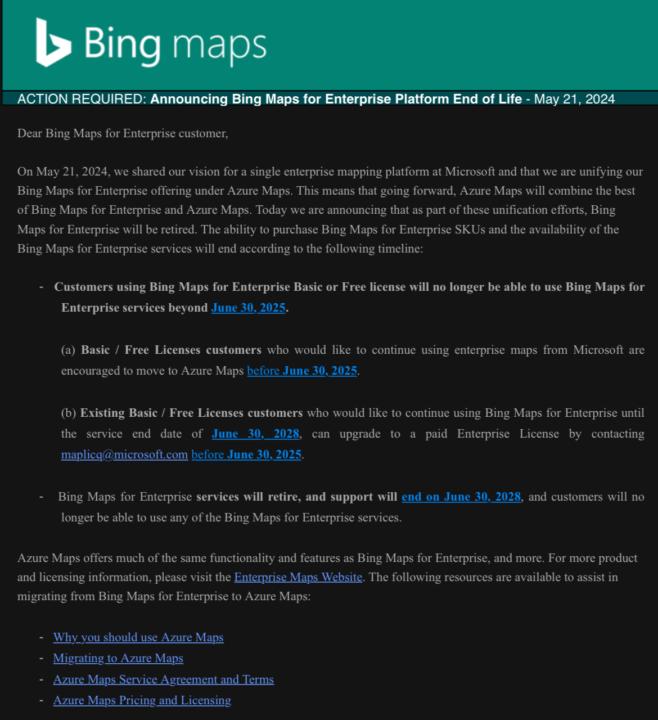
Hey y’all! I was recently made aware that Bing Maps for Enterprise is being folded into Azure Maps. This is a huge bummer for me since Azure Maps requires a subscription. I’d love to be able to get the permission for the sub, but I have to pick and choose my battles with the Finance department. So my question is: what free API’s are y’all aware of that are suitable replacements for Bing Maps, and can be used with a government M365 license? I’ve been looking into a couple of options, but the restrictions of a government M365 license doesn’t allow for normal geospatial plotting.

May '24 •
Combine an image and pen input
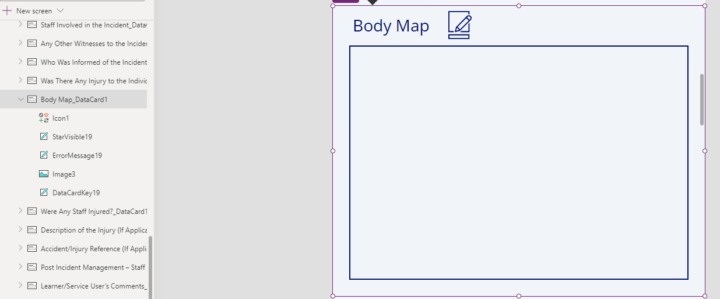
Hi Power Appr's I have an edit form to submit data back to my SharePoint list, one of the data cards is an image. For this image is it possible to combine an image and pen input to show and submit in the form? So a body image has a pen input overlayed to mark up an injury area and combined together to save in the image. Do you have any solutions or recommended way to achieve this ? Any help or direction appreciated. Many thanks
1 like • May '24
Shane Young did a tutorial on this very thing: https://youtu.be/RFZfvTuDmP0?si=mxgcplFqN_MNXKch
1-10 of 46

@wes-benson-4213
Fledgling Power Apps builder looking to expand my knowledge base.
Active 569d ago
Joined Oct 14, 2023
Myrtle Beach, SC
Powered by