
Write something


Jan 21 •
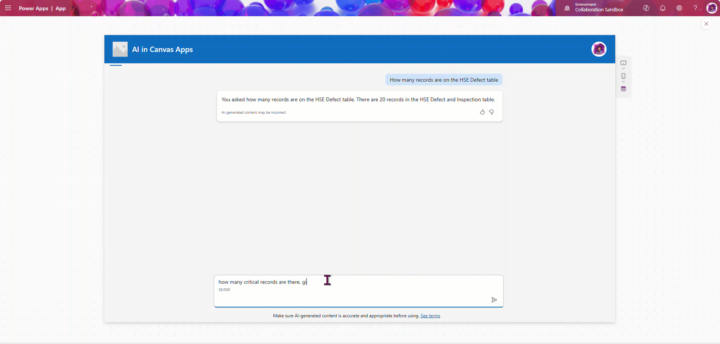
New Content Notification: Use Copilot Chatbot in Canvas Apps
Hi guys 👋, I wanted to share something really cool with you today. You can now start using the Copilot AI chatbot directly inside your PowerApps Canvas Apps—and the best part is that it only takes three simple steps to get up and running. Check out the guide here to see how to set it up: Copilot in Canvas Apps - Power Apps Cookbook · Learn Power Apps
2
0
Jan 20 •
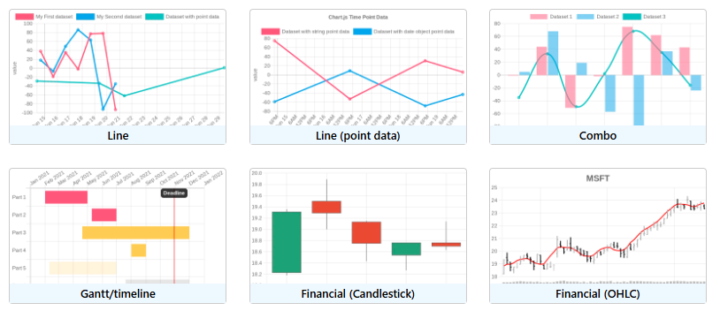
New way to quickly build charts in powerapps (just incase you missed it)
PowerBI isn't the only way to build cool charts in powerapps, check out this API.. See how i create cool charts here in powerapps: 👉 https://www.skool.com/learn-power-apps/classroom/dad31542?md=605176ae0ede4d98b22266ed8ba7b300 Modern Charts In PowerApps

Jan 19 •
Full Stack / No Coding Required [Claude Code] Bug Tracking App
🐞 Building a Bug Tracker with AI (Claude Code + Blazor + Docker) In this video, I build a **real-world bug tracking web application from scratch**—but with a twist: I use **AI (Claude Code)** as my planning and development partner. Instead of rushing into code, I show a **planning-first, intent-driven workflow** that professional developers actually use when they want projects to scale, survive, and ship. Are you working with canvas Power Apps or some other AI development?
Poll
10 members have voted
Jan 19 •
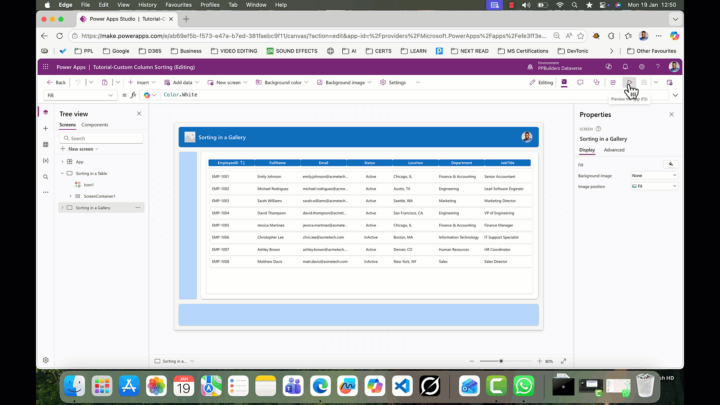
New Content Notification: Custom Column Sorting
HI Guys, we just added a new content on our PowerApps Cookbook module. This session shows you an easy way to get around the limitations with modern table controls in PowerApps. I recently ran into a frustrating issue in Power Apps when using the modern table control: clicking column headers to sort the data works great when the gallery was directly connected to a data source (like SharePoint or Dataverse), but it completely failed—or only sorted one way—when using a collection. Follow the link below to see how I overcame this with using PowerApps gallery with some syntactic sugar code🙂. Download the sample file at the end of the guide. 🫳🫳 Custom Column Sorting - Power Apps Cookbook · Learn Power Apps
2
0
1-30 of 232

skool.com/learn-power-apps
A community of people who are enthusiastic about and trying to learn about Microsoft's Power Apps!
Leaderboard (30-day)
1

+7
2

+2
3

+2
4

+1
5

+1
Powered by