Activity
Mon
Wed
Fri
Sun
Dec
Jan
Feb
Mar
Apr
May
Jun
Jul
Aug
Sep
Oct
What is this?
Less
More
CG Python Academy
1.4k
Free
33 contributions to CG Python Academy

Jul 6 •
Hello enthusiasts,
I am Asim, from Skardu, a remote yet naturally beautiful region of Pakistan—the city that serves as the gateway to K2, the world's second-highest mountain, which you may have heard of. I’ve been learning Blender for about a month through another resource, but I recently discovered this platform and was excited to see that it combines both Python and Blender. I have a degree in Bioinformatics and a basic to intermediate understanding of programming. My goal is to become an expert programmer so I can build advanced and meaningful projects. Since childhood, I’ve been fascinated by 3D animation and computer graphics. Unfortunately, when I was younger, I had little to no access to the resources needed to learn these skills. Now, I finally have the opportunity to pursue that dream, and I’m determined to make the most of it. I’m looking forward to learning from this community and exploring everything this platform has to offer in Python and Blender. Newcomer, Asim. Wish me good luck ☺️.


1 like • Jul 6
Good Luck Asim!😁
Jan 31 •
Finally a Late December Mini-Challenge Project Good Enough to Share
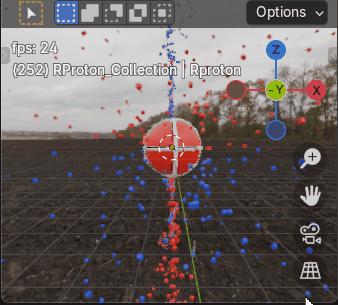
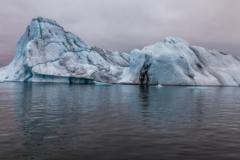
Here’s my late December Mini-Challenge Project. Originally Charge field 'Tornado and Debris’, now a Blender python Charge field physics, Proton with Charge Recycling model that contains top and bottom charge and anti-charge intake vortices, that I developed with ChatGPT help, good enough to share. All matter constantly recycles charge and anti-charge. It may not look like it at the moment, the animation shows a red, right spinning proton in Earth’s northern hemisphere’s vertical emission field, with a downward spiraling vortex of blue, left spinning anti-charge cubes (CW toward -z) entering the proton’s top spin axis pole while a vortex of red, right spinning cubes (charge) spirals upward (CW toward +z) into the proton’s bottom pole. After some delay, both charge and anti-charge is re-emitted by the spinning proton back into space, radially outward from the proton’s opposite hemisphere’s 40deg latitude, closer to the proton’s higher angular momentum equator. At this scale, with respect to the proton, I believe most charge would be too small to see, although electrons are essentially overgrown charge. Take it from this old has been engineer, Miles Mathis' Charge field physics makes much more sense than Quantum Theory, The proton spins with a driver function, add_continuous_rotation(thank you Victor). There are four particle systems, two with handlers and two without. HDRI functions are included, again thank you Victor (not to mention a gif), you’d need to provide a properly located hdri image to use them. The ps’ settings could use some changes. Please enjoy.
Jan 11 •
Where to start? Python or Blender?
Should I Learn Python before embarking on my journey here?
2 likes • Jan 12
Welcome Keith Alan. Of course where to start depends on your own interests. Learning both Blender and python together can be a perfectly good way to find out. The easiest way forward hen may be to start in the 'Classroom' tab's, 'Start Here' section. If you've got any special interests, feel free to share them so others here might provide some useful advice, I started learning Python from a free MIT Computer Science Python Course I found on youtube a few years ago. But since Blender's got all kinds of special ways to do things Blender's still new and complicated to me.

Dec '25 •
Struggles in duplicating an object with a Follow Path constraint
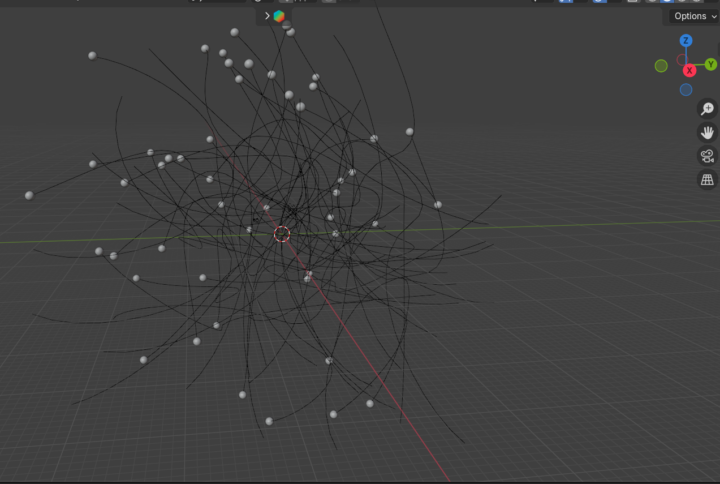
In my short film about fungi, I need lots of spores randomly floating around the scene. So I made one original spore with a Follow Path constraint targeting a Bezier curve. This would allow it to be animated using the Offset Factor in the constraint panel. I thought I’d then make copies by writing a script to duplicate the original spore. Not so easy! It took forever to get it right. One each try, the spore copy was displaced somewhere on the screen and not lined up at the start of the curve copy as it should be. This is what I had to do (also documented in the script file): Steps: 1. Select the spore and flight path for duplication 2. Duplicate the spore and flight path objects 3. Disable the Follow Path constraint 4. Centre copied spores at world origin (0, 0, 0) 5. Move the duplicates to a new location 6. Enable the Follow Path constraint on the copied spore I’ve attached the blend file and the python script. The spores are now ready for animation. Next step - maybe I’ll try to animate using a script. I’m using Blender 4.5.
0 likes • Jan 1
Hi David, I believe the period between 'flying' and 'spore' gives the blend file a bad name(?).
Dec '25 •
December Mini-Project Challenge - Make a Charge field Tornado
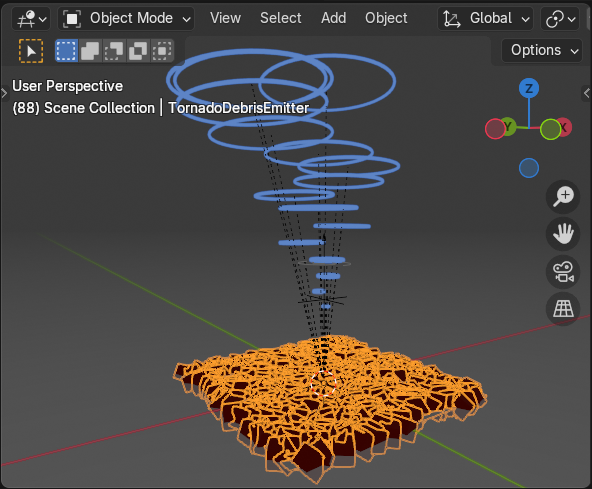
I asked ChatGPT to provide a Charge field description of a Tornado.ChatGPT did so. After which ChatGPT wrote. If you’d like, I can also give you: * A **diagram-style explanation** * A **side-by-side comparison** of Mathis vs mainstream tornado formation * A **step-by-step animation logic** for Blender, if you want to model a tornado using his charge-field ideas Me, An excellent suggestion, I agreed to a Blender python tornado model, understood to be charge-field inspired motions and not true charge field physics. I've been working with it over the last week. The animation works, at least on my machine, but the particles are still moving too fast to track.
1 like • Jan 1
Turns out, Tornadoes are way too complicated for me to model at this time. The motion of the vertical array of 20+ spinning rings was nice enough, but it did not make any legitimate charge field sense. Better to try learning Blender particle systems by converting it into a project containing a half dozen or more particle systems. Unfortunately, this special December project will definitely take another month or more to finish, I think its a good start. The hdri section still woks. Descriptions are in the files.
0 likes • Jan 1
Happy New Year!
1-10 of 33
Active 3h ago
Joined Apr 2, 2025
Powered by