
Write something
Pinned

Jun 20 •
Build a Blender Add-on Using a 100% FREE AI Agent
Using a 100% free AI agent inside VS Code, I built a Blender Python script from scratch, turned it into an operator + UI panel, and packaged it as a proper Blender extension, no paid AI tools required.
Pinned
Jan '25 •
Blender Python for Artists course
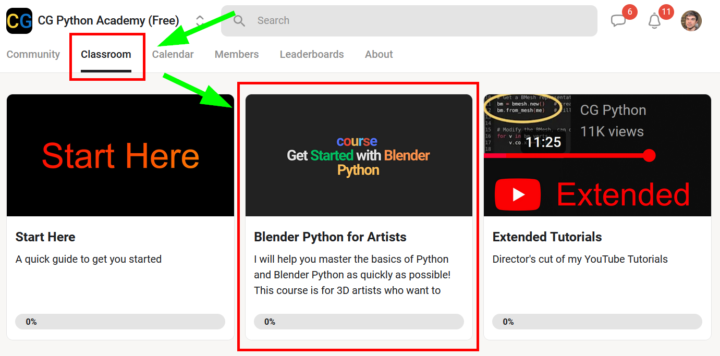
You can find the course in the Classroom tab. Please let me know if you have any questions or if you run into any issues!
Pinned
Nov '24 •
Introduce Yourself
Make sure to create an Introduction post. 🥳 I would love to say hello! 👋 I created an introduction template post for you if you need some help https://docs.google.com/document/d/1NL4RUnbrlplwKCTnrdos3IgyJbTMmO_EcLD6QmegG8w/edit?usp=sharing


7d •
Metaball animation YT tutorial
I am trying to follow the YT tutorial below made by @Victor Stepanov but the code only works for older versions of Blender. I am slowly bomping into bugs and managing to fix them. I am starting this Accountability thread to, not only finish the tutorial, but to learn as much as possible from it. I hope to find answers and explanantions to how and why things do and don't work. Let's go!
7d •
Chico from Brasil, Salvador, Bahia
Hi everyone. I have found this forum through Victor's YT channel. I am new to Python but have a good experience with Blender. Now, my goal is to learn as much Py for Blender as I can since I see it as an amazing tool to create procedural 3d art, improve my workflow with custom automations and also to improve my skills with Python coding. My current goal is to finish this tutorial: https://www.youtube.com/watch?v=rIhXHSdMWmc&list=PLB8-FQgROBmm-2f6Vyos6rbnjZeEScrX1 which was made before a big API change in Blender 4.4 (I think). The code returns many errors and I'm slowly solving them one by one (mostly through trial and error) but I not only want to get to the result. I want to learn as much as possible from the tutorial. I'm happy I found this forum. It can't get more specific than that. Thanks @Victor Stepanov for providing this channel directly towards you and to gather a community around it. I'll start an accountability thread for my current mission with the aforementioned tutorial!
1
0
1-30 of 398

Leaderboard (30-day)
1

+8
2
+3
3

+3
4

+3
5

+1
Powered by