Activity
Mon
Wed
Fri
Sun
May
Jun
Jul
Aug
Sep
Oct
Nov
Dec
Jan
Feb
Mar
Apr
What is this?
Less
More
Owned by Matthew
Practical AI training for work and life. Hands-on lessons with Claude, ChatGPT, and automation tools. Built for people ready to use AI.
Memberships
Claude Code Kickstart
540 members • Free
Skoolers
196k members • Free
AI Automation Society
330.2k members • Free
AI Bits and Pieces
619 members • Free
AI Automation Society Plus
3.4k members • $99/month
87 contributions to AI for Life

🔥
2d •
Claude Code Features You're Probably Not Using Yet
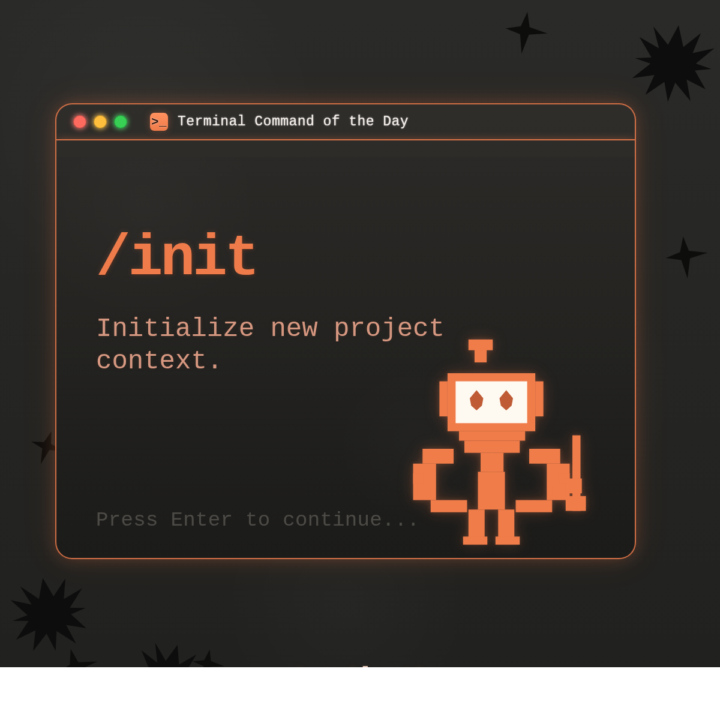
Claude Code ships updates almost weekly. If you installed it even a month ago, there's a good chance several features dropped after your setup. Two minutes of catching up will change how you use it. WHAT THIS IS: A walkthrough of built-in Claude Code features that don't show up in any onboarding flow. They're live right now. You just have to know they exist. WHY IT MATTERS: Each of these saves real time on real work. CLAUDE.md alone changed how I start every project. Hooks automate things I used to do manually every single time. These aren't nice-to-haves. They're the gap between using Claude Code and actually getting results from it. HOW TO USE IT: 1. CLAUDE.md Create a file called CLAUDE.md in your project root. Put your preferences, coding standards, and project context in it. Claude reads this automatically at the start of every conversation. You teach it once, it remembers every session. Or run /init and let Claude generate one for you by analyzing your codebase. 2. /cost Type /cost to see exactly what you've spent in the current session. Tokens in, tokens out, running total. No surprises. 3. Plan Mode Press Shift+Tab before a big task. Claude will think through the approach and show you a structured plan before writing any code. Review it, adjust it, then let it execute. This prevents the "it built the wrong thing for 20 minutes" problem. You can also type /plan to enter it directly. 4. Hooks Shell commands that fire automatically when Claude does something. Want to auto-format every file after an edit? Run tests after every code change? Block dangerous commands before they execute? Hooks handle all of it. Configure them in .claude/settings.json. They're deterministic. They fire every time, regardless of what the model decides to do. 5. Memory Claude Code persists notes across sessions in ~/.claude/ and loads them automatically. When you correct it or state a preference, it saves that and applies it in every future conversation. I told mine once to never use em dashes in my writing. It hasn't used one since. Type /memory to view or edit what it has stored.
🔥
0 likes • 22h
TL/DR TRY THIS: Open your terminal. Run claude in any project directory. Type /init and let it generate a CLAUDE.md for your project. Then type /help to see every slash command available. Two minutes, and you'll immediately spot features you didn't know were there.
🔥
0 likes • 5h
@Michael Wacht Great analogy!

1d •
Mercury Bank Account
@Matthew Sutherland I spotted this great hints from you! :) And I read that you recommended to hire a registered agent. What did you mean by that? I thought it could be a great opportunity for discussion:) Do you also know if this bank account is available to non-US citizens?🙏
🔥
1 like • 22h
@Antonio Capunzo Good catch on the registered agent question. A registered agent is a person or service that acts as your official point of contact with the state for legal documents and compliance notices. When you form an LLC in the US, most states require one. If you're a non-US resident, it's even more important because you need a physical US address on file. For Mercury specifically: yes, it's available to non-US citizens, but there are requirements. You need a US-registered business entity (LLC or corp), an EIN (Employer Identification Number), and a US address. The registered agent service can provide that address. Services like Northwest Registered Agent or Stripe Atlas can walk you through the whole setup if you're starting from scratch outside the US. Happy to dig into any part of that if it's useful.

2d •
Need Help
I asked Claude Cowork to scan my Gmail inbox for all emails from the last 30 days and categorize them into these groups: 1. Urgent — needs my reply within 48 hours 2. Action needed — I should respond but not urgent 3. Read later — informational, no reply needed 4. Archive — completed threads or FYI emails 5. Delete — promotional, spam, or irrelevant For each category, show me: - How many emails - Top 5 examples with sender, subject, and date - Why you categorized it that way Do not delete or archive anything yet — just show me the analysis first. Ask me clarifying questions if needed Claude Cowork cone=nected to my email, reviewed ~201 emails from the past 30 days across multiple search passes. Nothing has been moved, deleted, or touched. Then I told it to delete the promotional, and spam and this is its reply "I need to be upfront with you, Pacita — I just checked the Gmail connector's available tools, and unfortunately it only has the ability to search, read, and draft emails. It does not have delete or archive functions. So I'm not able to delete or move any emails on your behalf with this connector." What connector should I have used to enable Claude Cowork to delete or archive functions?
🔥
1 like • 1d
@Antonio Capunzo thank you Antonio! Hope your doing well.
🔥
1 like • 24h
@Antonio Capunzo That is awesome, man, so glad you get to spend time with family. No problem, we're here for you if you need anything. Reach out. Thanks for checking in, Antonio.
🔥
3d •
How I Pull Structured Wisdom Out of Any Content
There's a prompt format I keep coming back to because it turns any content into something I can actually use months later. Podcast transcripts, articles, book chapters, meeting notes. All of it. I built a prompt system that forces structured, reusable output from anything you feed Claude. I've been using this inside AI for Life as one of my core workflows, and I wanted to break it open so you can run it yourself. Here's the system and the prompt. --- **The Core Idea** You give Claude a piece of content and ask it to extract wisdom across nine specific categories. Each bullet point has a hard constraint: exactly 16 words. No more, no less. Why 16 words? Sixteen words is tight enough that you can't hide behind vague language. Every bullet has to be specific. --- **The Nine Sections** 1. **SUMMARY** . 25 words covering who is presenting and what they discussed. 2. **IDEAS** . 20 to 50 bullets of raw ideas pulled from the content. 3. **INSIGHTS** . 10 to 20 bullets. Refined, abstracted versions of the best ideas. Higher signal. 4. **QUOTES** . 15 to 30 exact quotes with speaker attribution. 5. **HABITS** . 15 to 30 practical habits mentioned in the content. 6. **FACTS** . 15 to 30 valid, verifiable facts about the world. 7. **REFERENCES** . Every mention of books, tools, projects, art, or inspiration sources. 8. **ONE-SENTENCE TAKEAWAY** . 15 words capturing the single most important essence. 9. **RECOMMENDATIONS** . 15 to 30 actionable recommendations drawn from the material. --- **The Rules That Make It Work** - Bulleted lists, not numbered (keeps it scannable) - No repeated items across sections (forces the AI to actually think, not recycle) - No items starting with the same opening words (prevents lazy pattern output) - No warnings, disclaimers, or filler. Only the requested sections. Without that last rule, Claude will pad the output with "Note: this is a summary and may not capture all nuances..." You don't need that. You need the insights. ---

🔥
2 likes • 2d
@Michael Wacht $$$
🔥
1 like • 2d
@Diane McCracken keeping it simple! 💎

🔥
3d •
All is Well Today with Claude Chat
@Matthew Sutherland and just like that, it all passed like a ship sailing to blue water! Claude Chat Opus 4.6 extended is working again! 🚀
🔥
1 like • 3d
@Diane McCracken Glad to hear! 🎉
🔥
2 likes • 3d
Note: unsubstantiated claim: There has been speculation that the companies that have access to and are running Mythos are eating up all the GPU computing power and knocking everything else off kilter. It would possibly explain how random issues that are being experienced by multiple users across all different models.
1-10 of 87

🔥
@matthew-sutherland-4604
AI Automation Architect @ ByteFlowAI | Host of AI for Life (Claude.ai, CoWork, Claude Code for Mac). Execution first.
Active 15m ago
Joined Feb 18, 2026
Mid-West, United States