Activity
Mon
Wed
Fri
Sun
May
Jun
Jul
Aug
Sep
Oct
Nov
Dec
Jan
Feb
Mar
Apr
What is this?
Less
More
Memberships
AI Automation Society Plus
3.5k members • $99/month
AI for Life
28 members • $297
AI Marketing Factory
51 members • Free
AEO - Get Recommended by AI
1.6k members • Free
WavyWorld
48.1k members • Free
Free Skool Course
66k members • Free
VIP Academy
192 members • Free
Fruitarianism
356 members • Free
Synthesizer: Free Skool Growth
40.9k members • Free
26 contributions to AI for Life

🔥
3d •
Claude Code just shipped /ultrareview. Here is the practitioner breakdown.
Anthropic dropped a new slash command called /ultrareview in Claude Code v2.1.111, and it quietly changes how I review my own code before I ship it. Here is what it does, when to use it, when to hold back, and the catch most people are glossing over. What it actually is /ultrareview runs a full code review in the cloud using parallel reviewer agents while you keep working locally. - Type /ultrareview with no arguments. It reviews your current branch. - Type /ultrareview 123. It pulls PR #123 from GitHub and reviews that. By default it fires up 5 reviewer agents in parallel. Configurable up to 20. Each agent independently scans your diff for real bugs, and the command only surfaces a finding after it has been reproduced and verified. No "you might want to use const" noise. No lint-style nagging. Verified findings only. When to pull the trigger Spend a run when the cost of a missed bug is real: - Payment code - Auth changes - Database migrations - Large refactors touching many files - Any pre-merge review on a business-critical branch Do not burn a run on a one-line typo fix. The value lives in wide, high-stakes diffs where a human reviewer would take an hour and still miss something. The catch Users are reporting three free runs total on Pro and Max plans. Not three per month. Three, period. After that it meters against your plan. Treat them like good steakhouse reservations. You do not book one to show up and order a side salad. How I am using it 1. Finish a feature branch. 2. Run my own tests locally. 3. Fire /ultrareview before I open the PR. 4. Read the findings. Fix what matters. Push. 5. Only then ask a human to review. It does not replace a human reviewer. It does catch the things your eyes stopped seeing three hours ago. Try it Update Claude Code to 2.1.113 or later. Inside a git repo with real changes, type /ultrareview. Watch the fleet spin up. Come back in a few minutes. Feel free to share your initial result in the comments. I’m curious to see what it revealed about the code you deemed clean.


1 like • 2d
Ciao super-Matt! Thanks for this tip!!:) If you had to compare this function against the gsd:review-code and superpowers:requestinng-code-review, how would you evaluate and rate them?
1 like • 1d
@Matthew Sutherland Thanks, I will use that wisely:) 🙏🏻🔥
9d •
Mercury Bank Account
@Matthew Sutherland I spotted this great hints from you! :) And I read that you recommended to hire a registered agent. What did you mean by that? I thought it could be a great opportunity for discussion:) Do you also know if this bank account is available to non-US citizens?🙏
1 like • 8d
@Matthew Sutherland thanks Matt 🙏🏻 all clear.

10d •
Need Help
I asked Claude Cowork to scan my Gmail inbox for all emails from the last 30 days and categorize them into these groups: 1. Urgent — needs my reply within 48 hours 2. Action needed — I should respond but not urgent 3. Read later — informational, no reply needed 4. Archive — completed threads or FYI emails 5. Delete — promotional, spam, or irrelevant For each category, show me: - How many emails - Top 5 examples with sender, subject, and date - Why you categorized it that way Do not delete or archive anything yet — just show me the analysis first. Ask me clarifying questions if needed Claude Cowork cone=nected to my email, reviewed ~201 emails from the past 30 days across multiple search passes. Nothing has been moved, deleted, or touched. Then I told it to delete the promotional, and spam and this is its reply "I need to be upfront with you, Pacita — I just checked the Gmail connector's available tools, and unfortunately it only has the ability to search, read, and draft emails. It does not have delete or archive functions. So I'm not able to delete or move any emails on your behalf with this connector." What connector should I have used to enable Claude Cowork to delete or archive functions?
1 like • 9d
@Matthew Sutherland this work-around is great! 🙏🔥
1 like • 9d
@Matthew Sutherland I am spending the month of April in Italy with my family and the only time for coding is during my 9-5 job when I run CC while I join meetings, write emails and handle excel files XD sorry for not being much around. I am still trying to watch video, learn and read the posts in the community! So much to soak! :D I hope you are doing well too, senpai! 🫂
🔥
17d •
The Anatomy of a Plan
In prompt engineering, there are specific components that separate a great prompt from a mediocre one. Planning works the same way. Most people write to-do lists and call them plans. A real plan is a model of reality that produces a specific outcome under specific conditions. Here are the 10 components that make it work. 1 Objective The single outcome the plan exists to produce. Not a list of things to do — one measurable end state. If you cannot write it in one sentence, the plan is not scoped yet. Everything else in the plan exists to serve this one thing. 2 Constraints What the plan must not violate. Time, budget, tools, dependencies, non-negotiables. Constraints defined upfront prevent the mid-execution pivots that collapse a plan entirely. A plan without constraints is a wish with steps attached. 3 Context What is true right now that the plan has to account for. The current state of the system, the environment, relationships, known blockers. A plan built without context is not a plan — it is a guess formatted to look like one. 4 Assumptions What you are treating as true but have not yet verified. Explicit assumptions are recoverable when they turn out to be wrong. Implicit assumptions are landmines — they detonate mid-execution when you least expect them. Write them down. Every one of them. 5 Sequenced steps Ordered actions with clear dependencies — not a flat list, but a chain where each step has a defined input and a defined output. The sequence is what makes a plan executable instead of just readable. If the order does not matter, you do not have steps, you have a checklist. 6 Decision points Forks in the path where the next action depends on an outcome. Good plans identify these in advance so you are not improvising under pressure when reality diverges. If your plan has no decision points, you are assuming the path is linear. It never is. 7 Success criteria How you know each step is complete, and how you know the whole plan is done. Without this, "done" is subjective and execution drifts. Criteria must be observable — something you can point to and verify, not something you feel your way toward.

2 likes • 15d
Thanks super Matt! This is so valuable for the newbbies like me! And maybe even more valuable for the more experienced ones! Do you think GSD somehow is able to cover all of this? By the way I will take this amazing hint and brainstorm it with my CC:) thanks again!
2 likes • 15d
@Matthew Sutherland this is amazing! ;D thank you senpai!
🔥
16d •
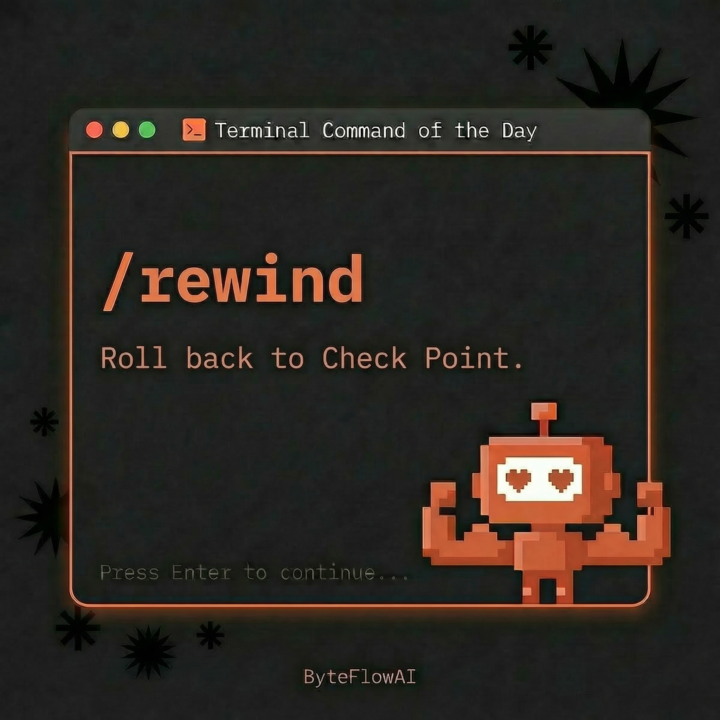
/rewind Terminal Command of the Day
Tonight Claude was about to do exactly the right thing. I typed /rewind to stop it. I was working on Athena, my executive assistant agent. The plan was already built. I wanted to run Ultra Plan against it (a hardening pass that stress-tests an existing plan instead of generating a new one). Claude misread the room and started executing the original plan from scratch. Not broken. Not hallucinating. Doing the wrong job confidently. Old me would have let it finish and untangled the duplicate work after. Or killed the terminal and lost the context. Tonight I typed /rewind, picked the checkpoint from before Claude started executing, changed directories, opened the right agent, and ran the hardening pass instead. 30 seconds, total recovery. Here's the shift in my head: confident wrong work takes twice as long to clean up as it took to generate. /rewind is the cheapest insurance policy in the entire Claude Code interface, and most people are still treating it like a panic button instead of a steering wheel. Three things worth knowing about /rewind: 1. Double-tap Esc does the same thing. Slash command or keystroke, your call. 2. When you pick a checkpoint, you get three restore options: code + conversation, conversation only, or code only. The conversation-only option is the sleeper. It rewinds the messages while keeping good file edits Claude made on the wrong path. Redirect the conversation without losing the work. 3. It does not track files touched by bash commands (rm, mv, cp) or manual edits outside the session. Direct Claude edits only. Plan accordingly. Three states every Claude Code session lives in: - Exploring: you don't know what you want yet - Building: you know exactly what you want - Redirecting: Claude is about to do the wrong right thing /rewind collapses redirecting from "stop, explain, re-prompt, hope" into one command and a checkpoint pick. I run 6 to 10 Claude Code sessions a day building client automations. The biggest unlock of the last three months wasn't a new model or a new MCP server. It was learning to redirect inside a session instead of restarting one.
1 like • 15d
Love this one! it makes me feel like prince of persia and the sends of time lol!
1-10 of 26

@antonio-capunzo-8515
Process Engineer.
Optimizing systems and winning time back.
Active 4h ago
Joined Mar 8, 2026
INFJ
Frankfurt