Activity
Mon
Wed
Fri
Sun
May
Jun
Jul
Aug
Sep
Oct
Nov
Dec
Jan
Feb
Mar
Apr
What is this?
Less
More
Memberships
KDP Publishers by PublishFlow
136 members • Free
Driven Publishers
4.2k members • Free
All-In Etsy Master Community
1.1k members • $97/m
10 contributions to KDP Publishers by PublishFlow

15d •
Hardbacks
Hey hey ... I'm sat very happily looking at my PublishFlow manuscript for my paperback - Very Happy indeed! Quick Question though so I don't take up even more of Roman's time on the live chat - is there anything in the format + export function that allows me to export the paperback as a hardback with the required margins etc? If so, a follow up, is there a setting in visuals that allows me to download a correctly sized hardback version as I do for my paperbacks? Apologies in advance if I've overlooked a very obvious setting - quite likely! Thanks Paul

2 likes • 11d
@Carl Constantine I told Roman about it. Hopefully, they can fix it
0 likes • 24h
@Pamela Henkels Best to send a chat message or email Roman. My docx and e-pub never got fixed

10d •
Recap: DPE London Event X PublishFlow
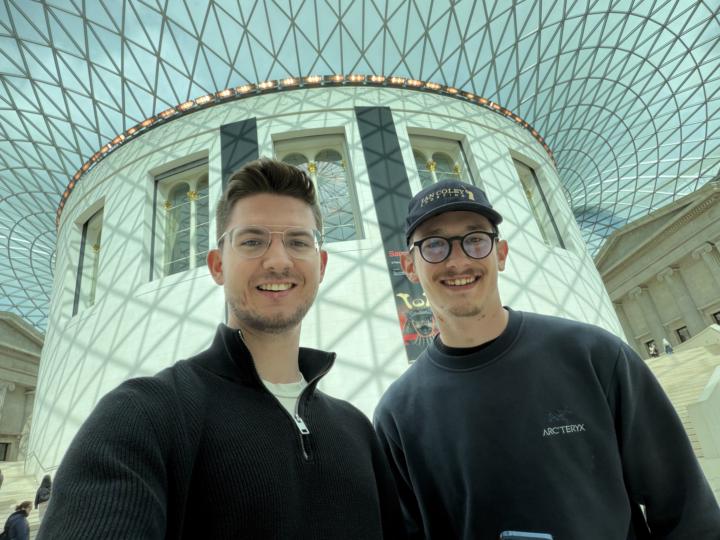
We weren’t super active the last 5 days, because we were at the Driven Publishers Elite London Event. 🏙️ Around 100 Self Publishers in one room for 2 full days. The highest level of KDP knowledge you can find. And we had the honor to lead two workshops there! We showed: - Our niche and positioning tool And - Our Visuals tools. And the feedback was great! 🎉 We also deployed a new Visuals update yesterday to optimize many tools inside the Magic Studio. And we collected a big list of more small improvements and features the we will work on and release in the next 1-2 weeks! From tomorrow starting we are also back full in the support chats, so for all people who are waiting for a response the last 2-3 days, we will get back to you asap. Thanks for all people who joined us there, we were over 15 PublishFlow users and it was great to meet you in person! 🙌🏼
3 likes • 10d
Great pics! Too many 'yang', need more 'yin' 😁☯️

13d •
Sources not generating
Has anyone else has problems with sources not generating? I believe that using the fact checking tool triggers the system to generate the sources for the end of the book, but it is not working for me. Just wondering if anyone has found a way to get it working?
1 like • 12d
Hi, mine has created the Sources page but on exporting the file it lost its formatting. So I removed it for now (toggled it off, kind of). Try and redo the fact checking on one chapter, see if it works. If it didnt pull information from any sources it wont create any, i believe.
2 likes • 11d
@Lee Lee Have you reported this to Roman? There seems to be quite a few probs with the tool.

19d •
Suggestions for future updates
1st: let us upload images that the visuals tool can actually work with, like taking an image and using it as background or illustration within the cover design thingy 2nd: let us upload a complete cover that will be usable like it is for creation of backcover/A+ Content as this seems right now to be tied to having finalized a cover for a book 3rd: The Formatting Tool/Preview needs work, the preview lets say for a 6x9 book shows the page breaks at completely different spots than the export has, that makes adjustments pretty time consuming because i cannot trust the preview and constantly have to export to check if what i did actually made sense 4th: let us tinker with formatting of the Table of Content. example; for my first book i have the very last entry take up an entire page on its own and i have no option to somehow make the font of the thing one step smaller so it might fit better on 2 pages intead of being a single line on page 3
1 like • 12d
Hi, editing My Custom Template at the formatting stage. Every time I want to change something I´m creating a new template. Also the text body size in rem is hard to understand. I had to use an external converter to figure it out. I hope you can add a tutorial on how to customize before exporting. One more please: Running headers. Can we have the book title on one page and the chapter title on the other page. Thank you for your hard work. Cheers!

17d •
AI corrections
Very pleased with the AI correcting itself. I found a term in my manuscript that was being used gratuitously. I mentioned it to the AI bot and it went through the entire book and replaced them with similar but appropriate terms. :) So good!
0 likes • 12d
Interesting. Thanks for sharing
1-10 of 10

@marisa-caruana-8358
Enthusiastic entrepreneur delving into digital commerce
Active 16m ago
Joined Mar 27, 2026
Spain
Powered by