Activity
Mon
Wed
Fri
Sun
Apr
May
Jun
Jul
Aug
Sep
Oct
Nov
Dec
Jan
Feb
Mar
What is this?
Less
More
Owned by Benjamin
Helping visionary entrepreneurs heal their broken relationship with abundance. There's enough for everyone: All Cups Runneth Over.
A place to talk about skiing, ski boots, and climate change. Goddamn right with a Z.
Memberships
The Human Practice 💕
249 members • Free
Skoolers
189.9k members • Free
Stealth Founders Club
1.4k members • Free
Evergreen Foundations
594 members • Free
Resolve School
204 members • Free
𝙂𝙊𝙊𝙎𝙄𝙁𝙔 🍓🐛🦋🌈⭐️🩷
11.6k members • Free
🪷 Sovereign
398 members • Free
AuthorityCam
226 members • Free
The Content Revenue Lab
666 members • Free
19 contributions to Resolve School

18d •
📅 Feb 16th - MONDAY RESET: TRY ONE NEW THING
Editing can easily turn into “just get it done.” Another timeline. Another export. Another round of fixes. So here’s the nudge for this week: Try one new thing in Resolve. Not because you need it. Not because it’s efficient. Just because it’s interesting. Find a tutorial you’ve never tried. Test a feature you normally ignore. Experiment with an effect you’ve been curious about. Learning keeps editing from feeling mechanical. And sometimes the thing you try “just for fun” ends up becoming part of your real workflow later. COMMUNITY SHARE If you try something new this week, drop it below: • What tutorial did you follow? • What feature did you test? • What surprised you? Link it if you want. Let’s build a thread we can all pull ideas from. WINS FROM LAST WEEK @Benjamin Lanin built a custom arrow in Fusion after following a tutorial, even though he usually avoids Fusion because it can turn into a rabbit hole. @Neil Dasgupta committed to setting a clear editing goal for the next couple of months to stay accountable in his learning. Trying. Showing up. Taking one step forward. That’s real progress. THIS WEEK INSIDE RESOLVE SCHOOL Nothing heavy scheduled. No live calls. Later today, I’ll post a separate thread with three film frames you can vote on. I’ll recreate the winning look (color grade), record the process, and share the PowerGrade so you can experiment with it yourself. Keep an eye out for that post and cast your vote.


2 likes • 18d
This post is perfectly resonant with what I was thinking about Resolve over the weekend. I really enjoyed making that Fusion graphic that you mentioned, and I really enjoyed the result. It got me thinking, wouldn't it be fun to schedule a good-sized block of time to just mess around with Fusion? To follow a bunch of tutorials with no particular goal in mind except to have fun and learn?
21d •
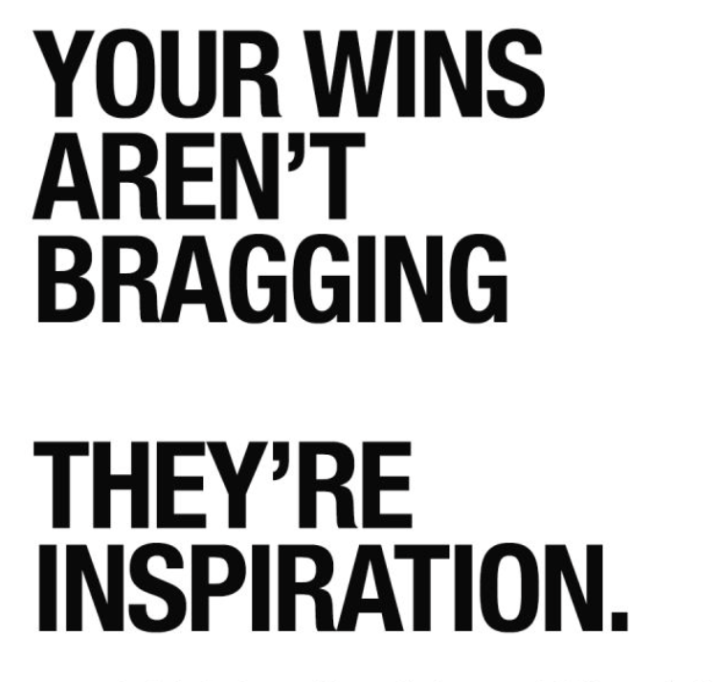
🏆 FRIDAY WINS 👊
Before we talk about wins, quick permission slip: Not every week feels fast. Not every edit feels smooth. Not every timeline gets finished. Progress inside Resolve is often quieter than we expect. Now let’s capture what did move. What’s one win from this week? It can be small. • Opened Resolve even though you didn’t feel like it • Finished a rough cut • Tried the Structure Pass without jumping ahead • Cleaned up audio for the first time • Published something imperfect • Asked a question instead of staying stuck Small counts. If you want to go one level deeper: What felt easier this week than it did a month ago? Drop your win below. 👇 Doesn’t need to be polished.
2 likes • 21d
My big win was a little piece of joy in a video: I wanted to make an arrow to point to an element in a video. I found a Casey Faris vid that offered a simple way to do so in Fusion, followed along, and created something fun and easy. I really enjoy Fusion, but I avoid it a lot of the time because it's such a rabbit hole for me.
1 like • 20d
@Andrew Farmer I'm legit looking forward to watching it again. He did some stuff with keyframes and masking the mask with itself that went by too fast for me to pick up first time through.
Jan 20 •
Notes from watching beginners struggle with “slow” edits ✂️
One thing I’ve noticed over and over, both in my own edits and watching beginners work in Resolve, is this 👇 Edits don’t usually take days because Resolve is slow. They take days because everything is being decided at the same time 😵💫 Most long edits stall out because there’s no clear order of operations. People are cutting structure, tightening pacing, fixing audio, adjusting visuals, second guessing wording, and polishing details all inside the same stretch of time. Every decision competes with every other decision, and mental fatigue stacks fast 🧱 That’s where things start to drag. A few patterns I see constantly 👀 • No clear passes, so the edit never feels “done enough” to move forward • Decision fatigue from asking too many questions at once • Jumping between fixing details and big picture structure • Trying to make things good before they’re even complete The interesting part is that none of this is about shortcuts, plugins, or advanced features 🚫 It’s about sequence. Speed in editing comes from deciding what kind of decision you are allowed to make right now, and intentionally ignoring everything else until later 🙌 When an edit has structure first, clarity second, and polish last, everything feels lighter. You stop reopening the same decisions. You stop endlessly tweaking. Momentum builds because the work has boundaries This is exactly what I’ve been building around lately Not a faster version of Resolve, but a clearer way to move through an edit without carrying the entire timeline in your head at once 🧠 I’ll share more in the next week, but I wanted to put this out there first because if your edits feel slow, scattered, or exhausting, it’s probably not a skill issue. It’s almost always a structure issue. Curious if this resonates with your experience editing in Resolve 🤗
1 like • Jan 29
"Speed in editing comes from deciding what kind of decision you are allowed to make right now, and intentionally ignoring everything else until later." ⬆️This is gold.⬆️
Jan 22 •
Building a lead magnet for beginners, would love your thoughts
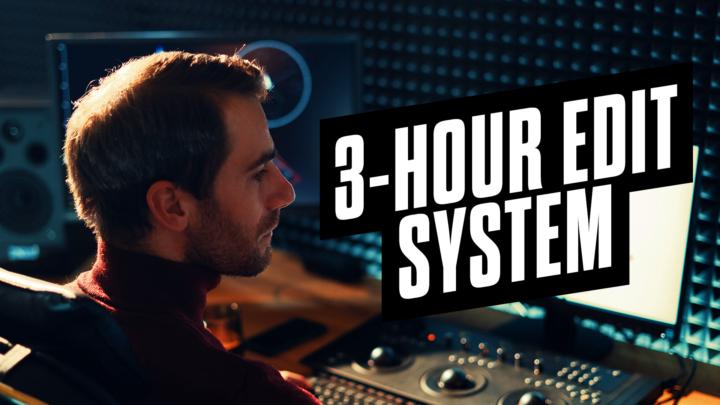
I wanted to think out loud here and get some feedback from you all. As Resolve School continues to grow, I have been spending more time thinking about what a good entry point looks like for complete beginners. Not just something that looks nice on a landing page, but something that actually helps people feel less overwhelmed the first time they open Resolve. A lot of lead magnets in the editing space end up being text templates, transitions, or visual presets. Those can be useful later, but in my experience, most beginners struggle before the edit even starts. Blank projects, messy timelines, confusing export settings, not knowing what is safe to change, that friction stacks up fast. So instead of building a flashy template pack, I am leaning toward creating a Resolve Starter Pack as a free entry point. (@Andrew Lachapelle is actully is doing something very similar, and it looks great, so feel free to DM if you want) The idea would be something simple and calm, built specifically for beginners and busy creators: - A clean, sensible timeline layout (color-coded and labeled) - A simple bin structure for organization - A couple of safe, boring-in-a-good-way export presets - Color PowerdGrade preset - Each piece is available individually, but also bundled into one ready-to-use starter project Along with that, I am thinking it would include: - A short PDF explaining what each piece is for - A quick video walkthrough showing how it all works and how to use it without overthinking anything Worth noting, pieces of this already exist inside the 3 Hour Edit System project setup I will be launching soon. This would not be exactly that. This would be a more simplified, stripped-back version meant purely as a starting point for people who are brand new to Resolve. Something that helps them open the software and feel like, “Okay, this makes sense,” before they ever worry about speed, polish, or systems.

3 likes • Jan 22
I'm going to sit with this a little and see if I can come up with a really useful answer for you. I think back over my time learning live, and how haphazard it was. The first thing I did was open the manual, but no none is going to read a 4,000-page manual all the way through and wouldn't get anything out of it if they did. I did some of the trainings on the Resolve website, and they were useful, but even then, there were some basic concepts about settings, workflow, and organization that they either never taught or simply took for granted. I learned a lot through YouTube videos, but even that was tough, because before you can find the information you're looking for, you need to have language to describe it. Simply putting words to concepts took me a long time. As I read over your post again, I find myself thinking that what you're describing would be helpful, but especially so if you can explain how each of your choices in the starter project brings clarity around a crucial concept, and how one might go about learning more about that concept. For example, I've been using Resolve for three or four years now, and I still feel like I've got a preschool-level understanding of how to organize footage and leverage bins. So an explanation of the how and the why of the organization you choose would be helpful to someone like me. I applaud you for trying to create something like this. It could really help a lot of people.
Jan 17 •
👉 Starting from zero in Resolve, this is for you
Quick heads up, I just added 6 brand new videos to the Getting Started in Resolve folder inside the Foundations Library 🎉 These are for true, complete beginners, like if you have never opened Resolve before, or you opened it once and immediately closed it because everything looked overwhelming, this is for you. The new videos walk through the absolute basics, step by step, no assumptions made: - Installing Resolve and opening your first project - Understanding the interface and what you are actually looking at - What each page is for and when to use it - Setting your project frame rate correctly - Importing media into the Media Pool - Creating bins and organizing footage If you have ever felt like you were “behind” or didn’t know where to start, this is your on-ramp. Nothing fancy, nothing advanced, just the foundations you need to feel comfortable opening Resolve and moving around without stress. If that sounds like you, head to the Classroom and begin with Getting Started in Resolve. And if you know someone in the community who is brand new, feel free to tag them below 👇

1 like • Jan 17
@Catherine Marriott Another possible method is to start the camera for each bullet, stop before you get to the next one, and then start anew. Because audiences are now so comfortable with jump cut edits in straight-to-camera videos, there's no real difference (from a final cut perspective) between starting with one long take of the whole video or several shorter takes strung together.
2 likes • Jan 17
I'm not a beginner, but I feel like one of my weaknesses is in organizing footage and creating bins. I look forward to your video on this subject. I bet I'll learn something.
1-10 of 19

@benjamin-lanin-3580
I teach abundance as embodied practice. Abundance isn't something you HAVE. Abundance is something you DO. We start by learning how to breathe.
Active 4h ago
Joined Nov 20, 2025
Taos, NM