Activity
Mon
Wed
Fri
Sun
Apr
May
Jun
Jul
Aug
Sep
Oct
Nov
Dec
Jan
Feb
Mar
What is this?
Less
More
Owned by Christina
Empowering busy Christian women eat healthier and build simple, grace-filled habits for real life.
Memberships
Skooly
224 members • $9/month
The Practice Room
107 members • Free
Etsy Digital Creators Hub
235 members • Free
Moms Who Podcast
422 members • Free
Offers To Launch 🚀
27 members • $197
Substack Starter Space
55 members • Free
Recess
576 members • Free
PUT YOUR ADS HERE
62 members • $10/month
ProveWorth.com Community Proof
463 members • Free
4 contributions to Substack Starter Space

🔥
5d •
How to Write an SEO-Friendly Substack Post That Gets Discovered
Many creators publish thoughtful posts on Substack but still struggle to be found. Search plays a bigger role than most people realize. Substack posts can appear in Google results, inside Substack search, and in topic feeds. A well-structured post can continue bringing readers to you long after the day it was published. That means one well-optimized article can become a long-term visibility asset. Today’s Notes Boost Challenge will help you do exactly that. Create one SEO-friendly Substack post using the simple structure below. Step 1. Choose a Phrase People Actually Search Start with a simple search phrase that your ideal reader might type into Google. Examples: • How to Start a Podcast on Substack • Substack Marketing for Coaches • Grow a Substack Newsletter • Substack Tips for Spiritual Entrepreneurs This phrase becomes the focus keyword for your post. Use it in: • your title • your subtitle • your first paragraph This helps search engines understand what your article is about. Step 2. Use Headings to Structure the Article Headings help both readers and search engines understand your content. They also make your post easier to skim on mobile. Use H2 headings to break your article into clear sections. Examples: Step 1. Choose a Search Phrase Step 2. Use Headings to Structure the Article Step 3. Add Supporting Keywords Think of headings as signposts guiding readers through the article. Step 3. Add Supporting Keywords Naturally You do not need to repeat your keyword constantly. Just include a few related phrases naturally as you write. Example for a Substack podcast article: • Substack podcast setup • growing a podcast audience • monetizing a Substack podcast • Substack podcast tips This reinforces the topic without making the article feel forced. Step 4. Add an Image With a Clear Name and Caption Images can help your article appear in search results too. Before uploading your image, rename the file using your keyword. Example: substack-seo-tips-for-coaches.jpg

🔥
2 likes • 5d
thanks it is super helpful. I saved it so I can come back to it later. I'm so far behind this week because I subbed all week.
🔥
2 likes • 4d
@Jill Hart thanks
🔥
19d •
Quick Substack Setup Guide to get Subscribers (Avoid this Common Mistake)
How to set up your substack correctly (And Fix the “Profile Instead of Publication” Issue!) If your Substack keeps taking people to your profile instead of your publication, there’s one setting you need to change — and in this video, I’ll show you exactly where it is. Join my Skool community for Substack & podcast coaching, templates, and live work-along sessions: https://skool.com/you-world-order/about Inside this walkthrough, you’ll learn: ✔️ How to access your publication dashboard ✔️ The essential setup steps most creators overlook ✔️ How to choose categories that help you get discovered ✔️ Why annual pricing reduces churn and stabilizes income ✔️ How to set up benefits, welcome emails, and custom pages ✔️ Where to configure your Substack podcast ✔️ And the one setting that ensures your publication actually appears This is perfect for coaches, healers, and spiritual entrepreneurs who want to use Substack to grow their visibility, build community, and create sustainable income. Chapters: 00:00 — Why Your Substack Opens to Your Profile 00:28 — Accessing Your Publication Dashboard 01:03 — The Essential Setup (Name, Logo, Categories, Stripe) 04:35 — Annual Pricing, Benefits & Subscriber Experience 06:50 — The ONE Setting That Fixes Your Publication Page 08:40 — Custom Themes, Pages & Welcome Emails 10:55 — Podcast Setup + Skool Integration 13:20 — Final Tips to Get Visible on Substack ✨ Want deeper support? Join my Skool community for Substack + podcast coaching, templates, and live work-along sessions: https://skool.com/you-world-order/about to become a premium member to get access to the Podcast Launch Magic & Substack Alchemy Intensive please see https://skool.com/you-world-order/plans and to subscribe to Substack - https://hartlifecoach.substack.com
🔥
1 like • 18d
thanks will watch this later.
🔥
Feb 13 •
Pinning From Communities You're Part Of
If you're part of Skool communities that offer affiliate payouts, Pinterest can quietly become one of your best traffic sources. Instead of just “sharing links,” you’re building long-term, searchable assets that can generate clicks - and commissions - for months. Here’s exactly how to do it. Step 1: Find Your Affiliate Link Inside Skool All Skool communities offer an invite members link... If they pay commissions and if you're a member of the community you will automatically be associated with the new members that join through your link and entitled to commissions. When you click the INVITE MEMBERS link, you’ll see your unique referral link. Copy that link. You will notice there is a ?xxxxxxxxxxxxx (where the x's are a long list of numbers) That is your referral code. 👉 This is the link that tracks your commission. Step 2: Append the Affiliate Link to a Specific Post (Optional but Powerful) Instead of sending people to the general homepage, you can link directly to: • A specific Skool lesson • A sales page inside the community • An event replay • A free training post To do this: Open the specific Skool post you want to promote. Copy that full URL. ADD YOUR AFFILIATE CODE TO THE END OF THE URL Some Skool affiliate links automatically redirect no matter where you send traffic. Others require you to add your referral parameter. If your affiliate link looks like this: https://www.skool.com/community-name?XXXXXXXXXXXX Then you can append it like this: https://www.skool.com/community-name/specific-post-ur?XXXXXXXXXXXX If you’re unsure, test it in a private browser to confirm your referral still tracks. Make sure you have the referral code added to the url before you pin to Pinterest. Step 3: Use the Pinterest Pin Extension Install the Pinterest browser extension if you haven’t already. Once installed: Open the Skool post (with your affiliate link appended).

🔥
3 likes • Feb 13
I'm getting a little lost on how to add my affiliate link to a certain post inside of a community. I think it may be above my head at least by reading it. I'm not sure how to test it by reading how you are explaining it.
🔥
2 likes • Feb 14
@Jill Hart thank you. I appreciate you.
🔥
Feb 6 •
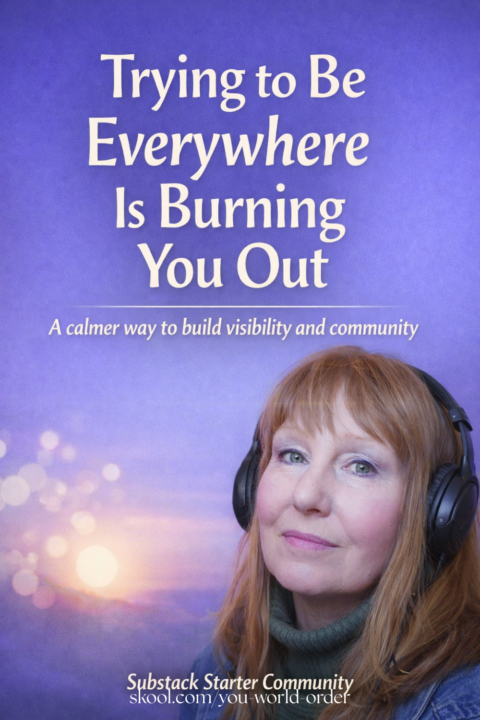
Why Trying to Be Everywhere Is Burning Out Coaches (and What to Do Instead)
Many coaches and community builders feel exhausted long before they ever see real momentum. They are posting on social media. They are active in multiple Skool communities. They are commenting, sharing, and promoting carefully so they do not cross any lines. And yet, growth still feels slow. This is not a motivation problem. It is a structure problem. Most people try to grow their Skool community by staying constantly visible everywhere else. That approach requires ongoing energy, daily presence, and emotional bandwidth. Over time, it leads to burnout and inconsistent results. The issue is not effort. The issue is relying on constant visibility instead of a system. Why Substack Changes the Equation Substack is often misunderstood as just a newsletter platform. In reality, it works much better as a trust-building layer. When someone discovers your Substack before joining your Skool community, a few important things happen: - They understand your perspective and message - They get familiar with your voice and values - They arrive already warmed up and aligned This changes the role Skool plays. Skool stops being the place where you convince people to engage. It becomes the place where people arrive ready to participate. Substack First →Community Second Instead of trying to be active in dozens of places, you focus on one clear space where your ideas live long-term. Substack becomes: - A searchable home for your thinking - A place for people to binge your content - A natural bridge into deeper community Skool becomes: - The container for conversation - The place for feedback and implementation - The next step, not the first step This shift reduces burnout and increases engagement because you are no longer relying on daily promotion to keep things moving. A Question for You If you stopped trying to be active in every community and focused on building trust in one place first, what would change in your energy and results? This is exactly the kind of conversation we explore inside the The You World Order Community Here
🔥
2 likes • Feb 6
I like the thought of that. Thanks for those thoughts.
1-4 of 4
🔥
@christina-ryan-7571
Certified Trim Healthy Mama Coach empowering busy Christian women to feel healthier, calmer, and more creative with simple habits, faith, & crochet.
Active 11m ago
Joined Feb 5, 2026