Activity
Mon
Wed
Fri
Sun
May
Jun
Jul
Aug
Sep
Oct
Nov
Dec
Jan
Feb
Mar
Apr
What is this?
Less
More
Memberships
Openclaw Founders
816 members • Free
168 contributions to Assistable.ai

7d •
New Tools: Get Sheet is working ?
The New Tools: - Get Sheet -> gets information from a google sheet and returns it to the AI - prompt-able URL inputs. - Is working ? and this new tool have a columns or Rows limits to work fine with the Bots ? (I have a E-commerce Client with 4000 products... I want to know is this New Tool work for them? Thank you @Jorden Williams @Hari Prathap Balamurugan @Assistable Ai

0 likes • 6d
@Ignacio Piaggio yeah it does work but honestly for something like 4,000 products it’s gonna be a bit unreliable / slow a better way would be using an API with a custom tool that way the AI just pulls exactly what it needs in real-time instead of trying to load a huge sheet. so: • Get Sheet = good for small/simple data • API = way better for big product catalogs if you’ve got an API that’s definitely the route I’d go !

6d •
AI SMS Appointment count
Quick question, is there a way to easily report the number of appointments assistable's AI SMS booked in GHL? Trying to report the full value of it to my users and this would help.
0 likes • 6d
@Anthony Castiglia You can find the total appointments booked in the call analytics-

14d •
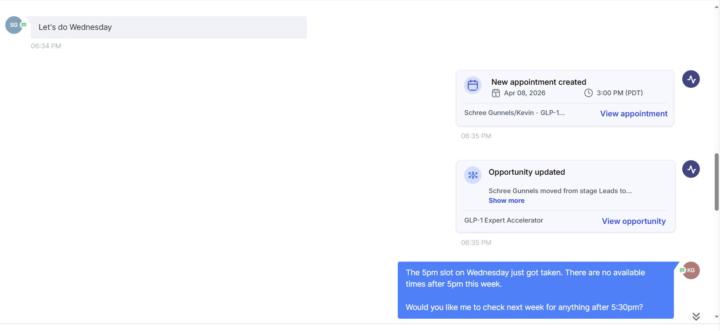
BOT messing up scheduling
I used to be with Capri AI and switched but having problems with the bot suggesting times then scheduling then saying its not available anymore.. wth?
0 likes • 10d
We have to take a look at the logs, can you please submit a ticket here- help.assitable.ai we can fix it ASAP

1 like • 13d
Hey Kyle, some tips to create the best KB - Use FAQ-style Q&A - it works way better than messy docs or website scrapes. - Only add trusted info (from your site, docs, etc) - Organize by category (Pricing, Support, etc) so it stays clean - Set AI temperature to 0–0.2 for consistent answers - Check conversation logs to see what’s actually being used - Keep it updated regularly - don’t let old info sit there - Use ChatGPT to organize your KB information

Mar 16 •
Haiku & Numbers
I switched to Haiku and like it but when it gets to numbers it’s a mess. It repeats zip code like “fifteen two twenty” instead of one five two two zero. Same with phone numbers. I didn’t have any issues with GPT4.1 but wondering if there’s a fix for this?
0 likes • 28d
@Brian McMahon Patched it!
0 likes • 21d
@Luke Murphy Could you run a quick test now?
1-10 of 168

@prathap-balamurugan-9582
Assistable Skool Group Moderator & Support Team Member | AI Agent Builder | Expert in Assistable AI & GoHighLevel | Helping members through support.
Active 18h ago
Joined Aug 14, 2025
Powered by