
Pinned

👑
🔥
6d •
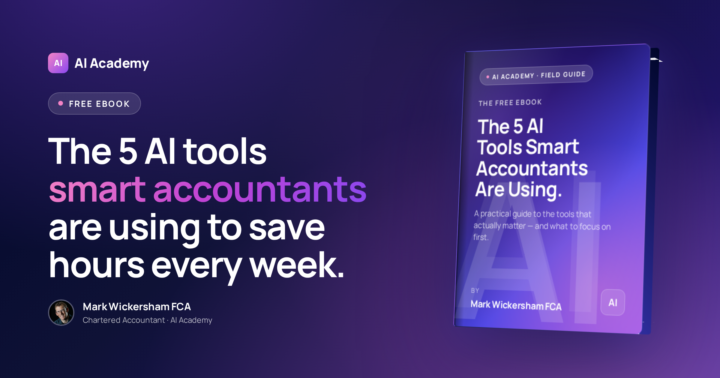
📘 Free eBook: The 5 AI Tools Smart Accountants Are Using
A few days ago I asked if anyone wanted to see the guide I put together on the five AI tools I keep coming back to. The response was clear. So here it is. It’s a short, practical guide — 32 pages, no fluff. You can read it in about 20 minutes. It covers: • The five tools that actually make a difference in an accounting firm • Where most accountants waste time with AI (and how to avoid it) • What to focus on first so you get quick wins without overwhelm • A bonus tool almost nobody talks about I wrote it because there’s so much noise around AI right now. Every week there’s a new tool, a new feature, another person telling you what you should be using. This guide cuts through that. Grab your free copy here 👉 https://ebook.the-ai-community.com Let me know which tool surprises you most. 👇
Pinned
👑
🔥
10d •
🎬 Getting Started with Claude — Your Complete Feature Roadmap
Most people sign up for Claude, open the chat, ask a few questions ... and never touch the other 90% of what they're paying for. Sound familiar? I've just released a full walkthrough video that takes you through every Claude feature you need to know ... in the exact order you should learn them. This is actually part of a course inside the AI Academy ... but I wanted to give you a taster of what we do in there. So here it is. We don't just jump into the features. We start with the settings that most people skip ... and they're the ones that make the biggest difference. In the video I walk you through: • The 5 chat settings you should configure before doing anything else (and why custom instructions is the single highest-impact one) • Why the privacy toggle matters when you're handling client data • How to choose between Sonnet, Opus, and Haiku without burning through your usage • All 13 Claude features explained step by step ... from basic chat to Connectors, Projects, Cowork, Skills, Design, and beyond • The additional settings you need when you move to Cowork (folders, permissions, CLAUDE.md, and more) • What makes Live Artifacts, Claude in Chrome, and Claude in Office different from normal chat This is the video I wish I'd had when I first started with Claude. It's 48 minutes, but think of it as your roadmap. You don't need to learn everything at once. Start with the settings, then work through the features one at a time. You'll see the video below 👇 Your Homework I've given you a lot in this video. Now it's your turn. Drop a comment below and tell me three things 👇 Which feature surprised you the most? Which one made you think "I didn't know Claude could do that"? Which feature are you going to try first this week? Not someday. This week. Pick one and commit to it. What questions have you got? If you want to go deeper on any of these features, let me know. I create training on exactly the topics you ask for. Don't just watch and move on. The people who get value from this community are the ones who take action.

Pinned
👑
🔥
26d •
It's my year end... this is what AI is doing!
It's the end of my first year of trading for one of my companies. I decided to put Claude Cowork and Codex to the test. Wow! First I asked it to go into my QBO account and analyse some of the expense categories and identify any misanalysed expenses my bookkeeper had made. Done ✅ Before I could reanalyse I needed some new Chart of Account entries (such as Intangible assets and Amortisation). I asked it to set them up for me. "Oh... and while you're at it, go through the default sales tax settings for each Chart of Account item and check it is correct for my company." Done ✅ I then needed to pay a dividend and account for it, but there was no "Dividend paid" in the CoA. And I wasn't 100% sure if that should be an Equity or Expense item (yes, I know, I'm a Chartered Accountant and should know better!). Anyway, the AI told me and then offered to set it up for me correctly in the CoA. And then do the journal for me. Done ✅ I then went into the Claude Excel add in and ask it to build out for me the work in papers sheets so I could pass onto my accountant together with the QBO file, so they could finalise and file my statutory financial statements. Minutes later... Done ✅ Next job for my agentic AI... analyse my QBO file and complete all the entries for my work in papers file. I'll let you know how I get on. 👇 Tell me below... how are you using AI to automate your work? Are you using agentic AI yet? Do you prefer Claude Cowork or Codex?
👑
🔥
8h •
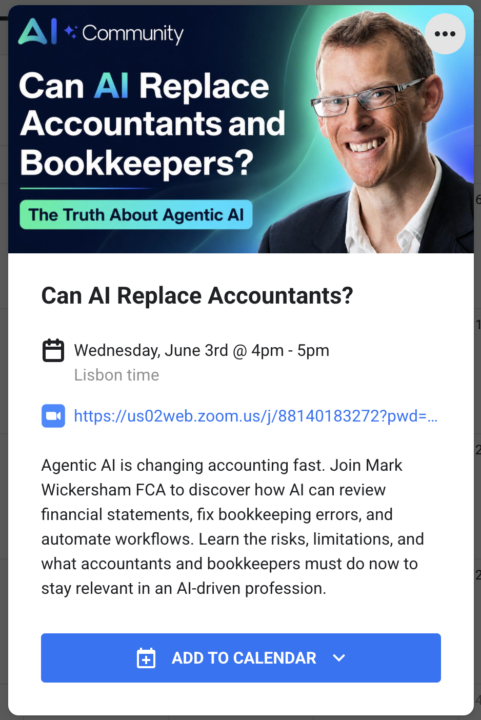
🤖 Next Wednesday: Can AI Replace Accountants and Bookkeepers?
I did something recently that genuinely surprised me. I used AI to review a full set of year-end financial statements. Not summarise them ... actually review them. It opened the accounts, checked the numbers, flagged errors, and corrected mispostings directly inside QuickBooks Online. Some of it was remarkable. Some of it was concerning. Both reactions are appropriate. So next Wednesday — 3 June, 4pm UK / 11am ET — I'm going live for 60 minutes to show you exactly what happened. I'll cover: - Why agentic AI changes everything accountants thought was possible - What happened when I used AI to review my own year-end accounts - Whether junior bookkeeping and data-entry roles are genuinely at risk - The hidden limitations I discovered during real-world testing - Why privacy and client confidentiality are now the most important conversations your firm needs to have This isn't theory. This is me showing you what I actually tested ... what worked, what didn't, and what it means for your firm. 👆 Head to the Calendar tab 👆, find the June 3 event, and add it to your calendar. The Zoom link is right there. What's your gut reaction — do you think AI can genuinely replace parts of what accountants do? 👇
👑
🔥
3d •
🤖 Google Just Announced a 24/7 Personal AI Agent ... and It Works While You Sleep
Last week at Google I/O, they announced something called Gemini Spark ... and this one is worth paying attention to. Spark is a personal AI agent that lives inside the Gemini app. But unlike a normal chatbot, it doesn't stop when you close your laptop. You give it a task, and it keeps working in the background ... even when your computer is off. Here's what caught my eye: - It connects directly to Gmail, Docs, and Slides ... so it can actually read your emails, summarise threads, and pull out deadlines without you doing anything - You can set it to do recurring tasks ... like checking your inbox for something specific every day or flagging overdue items - It asks permission before doing anything high-stakes like sending an email or spending money - It's rolling out to Google AI Ultra subscribers in the US first, with a desktop version coming this summer My honest take? This is where AI is heading. Not just answering questions when you ask ... but doing things for you in the background, on a schedule, across your apps. For accountants using Google Workspace, that's a big deal. We're still early days, but this is the kind of shift that will change how firms work over the next year or two. Have you tried any AI agents that actually do tasks for you (not just answer questions)? Or does the idea of AI working in the background make you nervous? I'd love to hear your take 👇
1-30 of 249
skool.com/theaicommunity
Helping accountants & bookkeepers confidently leverage AI, ChatGPT & Claude to streamline workflows, boost profitability, and future-proof themselves.
Leaderboard (30-day)
1

+9
2

🔥
+9
3

+8
4

+8
5

+8
Powered by