
Mar 30 •
Live portrait edit and lesson
In this edit we create a white background and we remove a really annoying light stand in Photoshop. The white background is a really fun technique. • Create a solid color adjustment layer • Add a mask for only the background and floor and make this a group. • Change the blend mode the screen (which brightens) • Create mask for the solid color adjustment layer. Then add a mask with a linear gradient which applies more to the wall than the floor, which creates a much more realistic floor in the scene. This edit uses a concept called "double masking" a lot. Double masking is where we have two masks and the edits only apply where the two intersect. It happens when we have a group with a mask and a layer (or another group) which also has a mask. Very useful in your Photoshop workflow.

Mar 28 •
Curves edit
Here's an edit in LRC using ONLY the curves tool. I: • used the main curves portion and remapped the white point in, which brightens the image and stretches the histogram, adding contrast • used that same curves section to add more contrast • used the highly underrated color channels in the curves tool to add color, specifically more yellows and magentas • used the dynamic range portion of the curves tool to deepen the shadows. Curves is THE most powerful editing tool in any software.
Apr 8 •
Landscape LRC edit
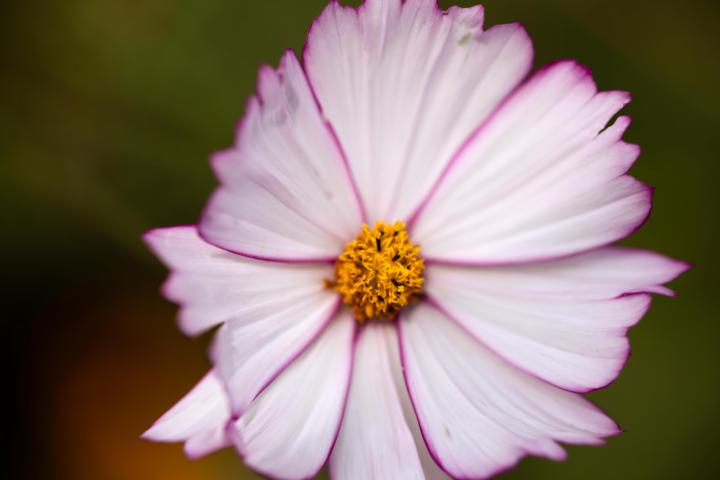
Here's a process for editing landscapes only in LRC. We look at complex masking (add, subtracting, and intersecting) and we create a cone mask and a radial in the sky.
0
0

Apr 3 •
Sky replacement time
Here's a demo video of a sky replacement, we also use clipping masks, and we create a reflection. Enjoy. By the way, no demo video tomorrow, I'll be out teaching a class.
0
0

Apr 3 •
Your Favorite Edit?
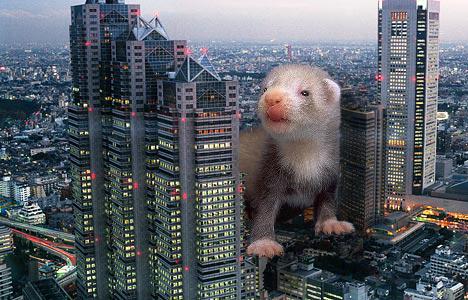
Hi folks! I thought it might be neat to see some of your work. What’s your favorite edit that you’ve ever done? Please post at least the after picture, but the before would be great too in order to see the changes. And just so I have something to contribute, please enjoy this absolutely amateurish photoshop I did 20-some years ago of a baby ferret destroying Tokyo. Please post your much-better-than-this edits!
1-10 of 10
powered by
skool.com/the-editing-school-1973
A community dedicated to helping you master editing your photography. We teach Adobe Photoshop, Lightroom, and Lightroom Classic.
Suggested communities
Powered by