Activity
Mon
Wed
Fri
Sun
Sep
Oct
Nov
Dec
Jan
Feb
Mar
Apr
May
Jun
Jul
Aug
What is this?
Less
More
The Editing School
13 members • $20/month
2 contributions to The Editing School
Apr 3 •
Your Favorite Edit?
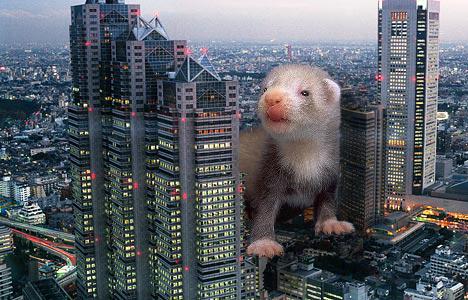
Hi folks! I thought it might be neat to see some of your work. What’s your favorite edit that you’ve ever done? Please post at least the after picture, but the before would be great too in order to see the changes. And just so I have something to contribute, please enjoy this absolutely amateurish photoshop I did 20-some years ago of a baby ferret destroying Tokyo. Please post your much-better-than-this edits!

Mar 27 •
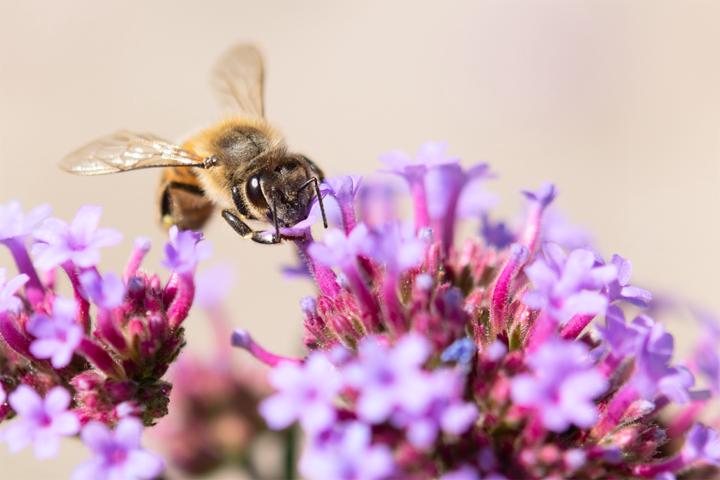
Before and after: bee picture
I'm looking forward to macro photography and shooting flowers again. So I broke out an old bee photo for today's edit. I worked in photoshop. The trick to this one was making a mask based on color. • With the image selected go to Select > Color Range and select the color you want to emphasize. I chose purple • Make a color and vibrance mask and increase saturation (a hue and saturation mask would work as well) • Then I used the quick select tool to make a selection of the bee. But it's wings were blurred. To make sure they were properly selected I increased the selection (Select > Modify > Expand) • And to make sure the blurred edge of the wings still looked ok I feathered the selection (Select > Modify > Feather) • Then I added a clarity and dehaze adjustment layer. I added clarity to the bee. • A small curves adjustment layer because I just couldn't help myself. • Crop the image and I was done. Not a hard edit. The important trick is to think creatively about making selections and masks.
1 like • Apr 1
You do love taking shots of bees in flowers. You should create a whole series of your bees and flowers edits.
1-2 of 2
@leah-klocek-3464
Married to a man who loves photography and photo editing. Somewhat fond of it myself.
Active 77d ago
Joined Apr 1, 2026