

20h •
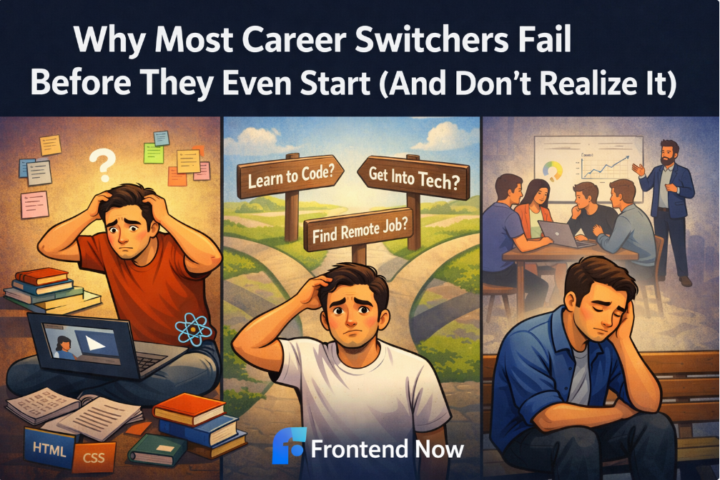
Why Most Career Switchers Fail Before They Even Start (And Don’t Realize It)
I’ve talked to hundreds of people trying to make a career switch into tech. Most don’t fail because they’re “not smart enough.” Most fail before they even start and they don’t realize it. Here’s what actually happens 👇 The real reason tech career changes fail Most career switchers start with the wrong goal. They say: - “I want to learn to code” - “I want to get into tech” - “I want a remote job” Those aren’t goals. They’re intentions. Strong career switchers start with: - A specific role - A specific outcome - A clear timeline Without that, everything feels overwhelming and it kills momentum. The silent killer: treating tech like school Most people subconsciously believe: “If I just learn enough, I’ll be ready.” So they: - Watch random tutorials - Jump between courses - Learn bits of HTML, CSS, JavaScript, React… with no direction It feels productive. But it’s not career-focused. A tech career change isn’t about learning everything. It's about learning the right things, in the right order, for the right outcome. Another mistake no one talks about Career switchers massively underestimate identity shift. You’re not just learning skills. You're becoming: - Someone who thinks in systems - Someone who solves problems publicly - Someone who applies before they feel “ready” That discomfort makes people quit quietly. They don’t say “I quit.” They just stop showing up. What actually works instead People who successfully change careers into tech do this: - Pick one clear path (not “tech”, a role) - Commit to a realistic weekly schedule - Optimize for outcomes, not comfort - Get feedback early instead of hiding It’s less exciting. It's far more effective. Important reality check If you’re thinking about a tech career change and it already feels confusing or heavy, that’s not a red flag. It just means you don’t have a clear system yet. And no one wins without one. What do you think would stop you from starting or sticking with a career switch into tech?
0
0

20h •
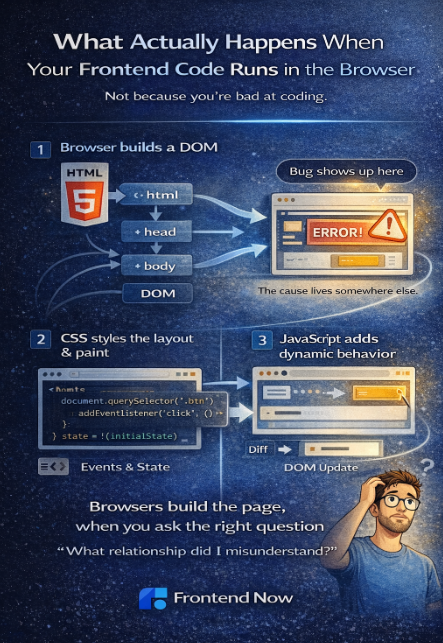
What Actually Happens When Your Frontend Code Runs in the Browser
A lot of frontend confusion comes from one simple thing: Most beginners write code without really knowing what the browser is doing with it. So things feel mysterious. Re-renders feel random. Bugs feel unpredictable. Let’s slow it down and walk through what actually happens, without going low-level or adding too much detail. Step 1: The browser builds a map of the page When your HTML loads, the browser doesn’t just “show a page.” It builds a structure called the DOM (Document Object Model). Think of this as the browser’s internal tree of: - elements - text - relationships This is what the browser uses to understand what exists on the page. Step 2: CSS tells the browser how things should look Next, the browser applies CSS. CSS doesn’t change structure, it answers questions like: - Where should this be positioned? - How big is it? - What color, font, and spacing should it use? The browser combines HTML + CSS to calculate layout and paint pixels on the screen. That’s why small CSS changes can cause big visual shifts. Step 3: JavaScript adds behavior JavaScript is where frontend becomes dynamic. When your JavaScript runs, it can: - Read data from the page - Listen for events (clicks, input, scroll) - Change state - Update the DOM Important point: JavaScript doesn’t magically “update the UI.” It changes data, and the browser reacts by updating what’s rendered. That’s the core idea behind how frontend code works. Step 4: Events trigger change When a user clicks a button or types into an input: - An event fires - Your code runs - State changes - The browser updates the UI This loop happens constantly. Frontend development is really about managing what changes, when it changes, and what depends on it. Step 5: Re-rendering isn’t magic In modern frameworks like React, the browser isn’t updating everything. Instead, React is: - Comparing what should be shown - Updating only what changed That’s why understanding browser rendering basics makes React feel less mysterious.
0
0
3d •
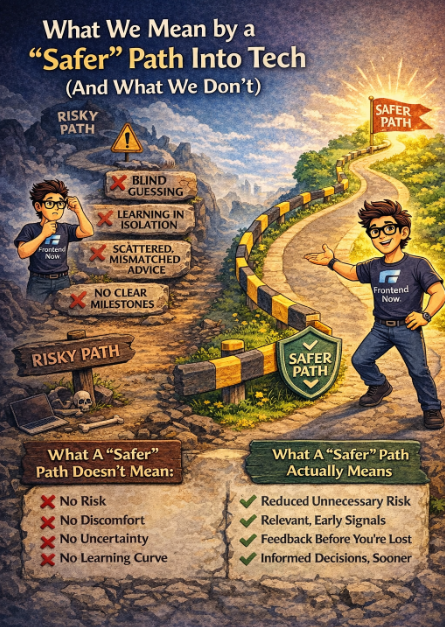
What We Mean by a ‘Safer’ Path Into Tech (And What We Don’t)
When we talk about a “safer” path into tech, it’s important to clarify what we actually mean and what we don’t. Because “safe” gets misunderstood a lot in career-switch conversations. A safer path into tech does not mean: - No risk - No discomfort - No uncertainty - No learning curve Any real career change involves risk. Anyone telling you otherwise is oversimplifying. What we do mean by a safer tech career path is reduced unnecessary risk. Risk that comes from guessing. Risk that comes from misinformation. Risk that comes from following paths that don’t match your life or goals. Most career switchers don’t fail because they took a risk.They fail because they took the wrong kind of risk. An unsafe path into tech usually looks like this: - Learning without knowing what hiring actually looks for - Spending months on skills that don’t compound - Following advice meant for full-time students, not working adults - Measuring progress by effort instead of outcomes - Finding out you’re off-track far too late That kind of risk doesn’t feel dramatic, it feels slow. And by the time people realize it, they’ve lost confidence, time, and momentum. A safer path into tech looks different. It doesn’t eliminate fear, but it gives you guardrails. Guardrails like: - Clear milestones instead of vague progress - Early signals about what matters and what doesn’t - Feedback before confusion compounds - A path designed around employability, not just learning It’s not about guarantees. It's about probability. Increasing the odds that your effort actually turns into results. This is especially important for career switchers. If you have a job, responsibilities, and limited time, the biggest risk isn’t trying tech. The biggest risk is wandering without direction and calling it “playing it safe.” A safer path respects your constraints. It shortens feedback loops. It reduces guesswork. And it helps you make informed decisions earlier, not later. If you’re evaluating your own path right now, ask yourself this honestly:
0
0
3d •
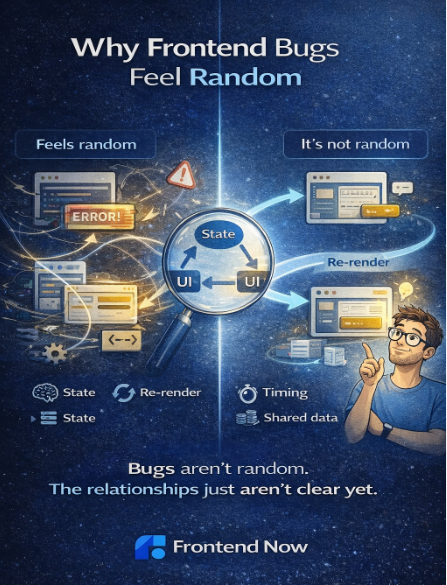
Why Frontend Bugs Feel Random
If frontend bugs ever feel random, you’re not alone. Most beginners tell me things like: “It was working… then I changed one small thing and everything broke.” That experience is incredibly common. And the important part is this: Frontend bugs usually aren’t random at all, they just feel that way when the mental model isn’t clear yet. Why frontend bugs feel unpredictable at first When something breaks, beginners often look straight at the line of code throwing the error. That makes sense. But frontend bugs rarely live in a single line. They usually come from: - State changing in a way you didn’t expect - Multiple pieces of UI depending on the same data - An assumption about timing or order - A component re-rendering when you didn’t think it would If you’re not tracking those relationships, the bug feels like it came out of nowhere. What experienced frontend engineers do differently Senior frontend developers don’t start by “fixing” the code. They start by asking a few calm questions: - What changed right before this broke? - What state was updated? - What parts of the UI depend on that state? - What assumption did I make that’s no longer true? That turns debugging from guesswork into pattern recognition. A simple example You update one piece of state… and suddenly a different part of the UI breaks. That’s not React being weird. It usually means: - Two components depended on the same state - Logic lived in the wrong place - Data changed shape unexpectedly The bug shows up here, but the cause lives somewhere else. Once you trace that path, the fix is usually obvious. Why guessing makes bugs worse When bugs feel random, people often: - Change multiple things at once - Add conditionals “just in case” - Copy fixes without understanding them That can make the app work again temporarily, while making future bugs harder to reason about. Experienced engineers do the opposite: They change one thing, then observe. How to make frontend debugging predictable
0
0
4d •
🎯 What Senior Frontend Developers Actually Look For (This Decides Who Gets Hired)
I just dropped a new YouTube video that I really want everyone in this community to watch, especially if you’re trying to break into frontend, level up from junior, or stop getting overlooked. 👉 Watch here: https://www.youtube.com/watch?v=3cw5Irc2uTU In this video, I break down what senior frontend developers and hiring teams ACTUALLY care about when they look at your work and it’s probably not what you think. This isn’t about: memorizing more frameworks adding another tutorial project or chasing every new tool It’s about the signals you’re sending. I cover things like: Why “clean code” matters more than fancy features What makes a project look real vs “tutorial energy” The frontend skills that separate juniors from mid-level devs How seniors evaluate problem-solving, not just syntax What instantly makes someone think: “I’d trust this person on my team” If you’ve ever wondered: “Why am I not getting interviews?” “What am I missing?” “How do I think more like a senior?” This video will give you clarity. 👇 After you watch, drop a comment here and answer this: What’s ONE thing from the video that you’re going to change about how you build projects? Let’s make sure the work you’re doing actually moves the needle.
0
0
1-30 of 126

skool.com/front-end-now
Helping beginners learn how to create websites and sign clients. Get feedback, portfolio reviews, AMAs & career tips to launch your frontend career.
Leaderboard (30-day)
1

+3
2

+3
3

+2
Powered by