

19d •
Our First Live Q&A of 2026 Is Happening Next Week 🎉
We’re kicking off 2026 the right way; together! Next Thursday, we’re hosting our first Live Q&A of the year with @Joe Iliff , and if you’re part of this community, this is one you don’t want to miss. These sessions are always hands-on, practical, and focused on your real challenges, not generic lectures. During the live, Joe will help you: - Work through coding problems you’re currently stuck on - Build confidence in your problem-solving (not just syntax) - Understand why something works or breaks - Practice explaining your thinking more clearly (huge for interviews) Whether you’re early in your frontend journey or preparing for roles, this is a space to ask questions, get unstuck, and start the year with momentum. 📅 Thursday⏰ 5PM CST 👉 Join here:https://www.skool.com/live/QfSdj28JKQ6 You don’t need to be “ready.” You don’t need perfect questions. Just show up with whatever you’re working on, even if it’s confusing right now. That’s exactly what these sessions are for. Let’s make this the year we stop lurking, start asking, and grow together as a community. See you live 👊
0
0
Dec '25 •
👋 Quick Reminder: Live Q&A With Joe, Happening Tomorrow
If you’ve been meaning to join one of our live sessions, this is a great one to start with. Every Thursday, @Joe Iliff hosts a live, hands-on Q&A where members get real-time help with the things that usually slow progress down. This isn’t a lecture. It's not pre-planned slides. It's support on your actual questions. Joe helps with: - Breaking through coding roadblocks - Improving problem-solving (not just syntax) - Building confidence explaining your thinking - Showing up stronger in interviews 🗓 Thursday, December 18th ⏰ 5pm CST 📍 Live here 👉 Join here:https://www.skool.com/live/QfSdj28JKQ6 If you’ve been: - Stuck on JavaScript logic - Second-guessing yourself while debugging - Unsure how to explain your code clearly - Feeling “behind” and not sure what to focus on next This session is exactly for that. You don’t need to be “ready.” You don’t need perfect questions. Just show up, listen, and ask what’s been on your mind. Come with questions. Leave with clarity. See you there 👊
2
0

Dec '25 •
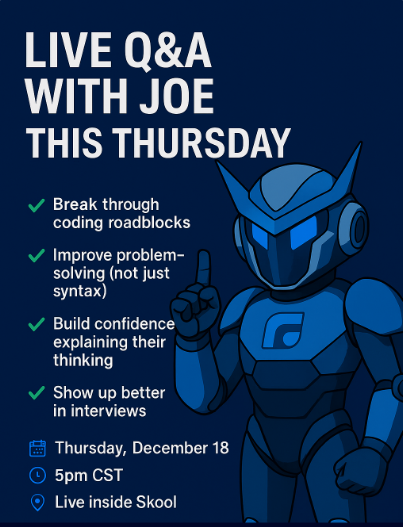
Live Q&A With Joe This Thursday
If you’re serious about improving as a frontend developer, this is one you don’t want to skip. Every Thursday, @Joe Iliff runs a live, hands on Q&A where he helps students: - Break through coding roadblocks - Improve problem-solving (not just syntax) - Build confidence explaining their thinking - Show up better in interviews This isn’t a lecture. It’s real-time help on your actual challenges. 🗓 Thursday, December 18th ⏰ 5pm CST 🎯 Live inside Skool 👉 Join here: https://www.skool.com/live/QfSdj28JKQ6 If you’ve been: - Stuck on JavaScript logic - Second-guessing yourself when debugging - Unsure how to explain your code clearly - Feeling “behind” and not sure what to fix next This is exactly what these sessions are for. Come with questions.Leave with clarity. See you there 👊
3
0

Dec '25 •
🚀 Live Q&A With Joe Tomorrow!
Alright everyone, quick heads up because tomorrow is going to be good. @Joe Iliff is going live for a full Q&A + problem-solving session, and if you’ve been feeling stuck, unsure, or just want some hands-on guidance… this is 100% the place to be. Joe’s been building since he was a kid, everything from tools used by hundreds of thousands of people to full backend rebuilds, frontend redesigns, and even custom LLM projects. He’s one of those devs who sees the problem beneath the problem and he’s insanely good at helping you think clearly through your work. Here’s what he’ll be covering tomorrow: 💡 Hands-on problem-solving Bring your errors, bugs, questions and Joe will walk you through them live 🔥 Building confidence as a developer How to think, break down problems, and stop second guessing yourself 🎯 Landing roles & presenting yourself well Interviews, communication, positioning all the stuff most beginners overlook This is the kind of session that accelerates your progress by weeks, so make sure you show up 📅 Tomorrow ⏰ 5 PM CST 📍 Live inside Skool ( https://www.skool.com/live/QfSdj28JKQ6 ) Drop a comment below if you’re joining or share what you want Joe to cover. Let’s make this one a big win for everyone. 🙌
Dec '25 •
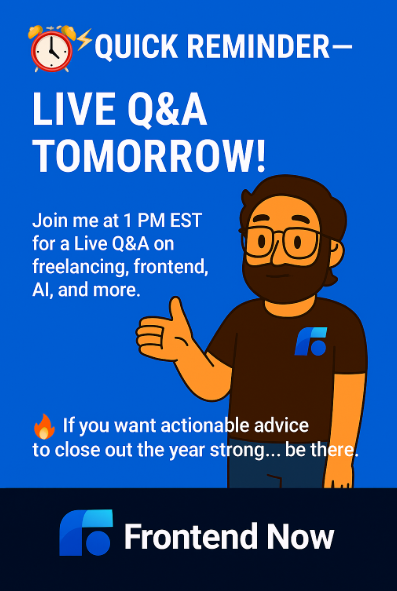
🚨 Quick Reminder Live Q&A Tomorrow!
Just a heads up that our Live Q&A is happening tomorrow at 1 PM EST. If you’ve been stuck on anything freelancing, frontend, AI, job strategy, interviews, portfolio direction this is the time to show up and get real answers. No slides No fluff. Just straight, practical guidance you can use immediately. 🔥 If you want to level up faster before the year ends… be there. Drop a “I’m in 🙌” if you’re joining! I want to know who's going to be there
4
0
1-12 of 12

skool.com/front-end-now
Helping beginners learn how to create websites and sign clients. Get feedback, portfolio reviews, AMAs & career tips to launch your frontend career.
Leaderboard (30-day)
1
+3
2

+3
3

+2
Powered by