

🔥
14d •
Are you an Intellectual Omnivore??
Otherwise known as Neurodivergent, Neurospicy, Multipassionate, or maybe even a Meni Gen Human Design type?? Made a new YouTube vid just for you, sharing what most would call a “productivity hack” which gives me the ick, but it is what it is… It’s all about how I do shit that’s boring or mundane or the things that when you think about doing them your brain goes fuck no, but you know you “should” be doing them 😬 If you are an intellectual omnivore and are looking for a group full of similar humans as we all build our businesses and have to wade through the mucky middle and deal with the shite, we would love to have you HERE
4
0

🔥
25d •
The Diagnostic Coach - workshop today 🔨✂️⚙️
Your Clients Don't Need More Motivation - They Need a Better Diagnosis Stop guessing why your clients stay stuck - Start diagnosing it Most coaches hit the same wall Your client talks about change. Agrees to change. Gets genuinely excited about it. Then the session ends and nothing happens. The behaviour doesn't shift So you try harder. More accountability. More motivation. More frameworks. And sometimes it works for a week or two. Then their environment pulls them straight back. Old routines. Old triggers. Old patterns. Like a stretched elastic band snapping back to shape And you're left wondering: is it me? Is it them? What am I missing? You're not missing effort. You're missing a diagnosis Here's the truth: you don't need to motivate harder. You need to diagnose better Right now, there is a specific, identifiable reason your client is stuck. Not a vague "mindset block." A precise root cause. And once you can see it, the correct coaching move becomes obvious That's what this workshop gives you In one hour, you'll build the REWIRE Decision Tree: a step-by-step diagnostic that tells you exactly what's blocking your client's behaviour change and exactly what to do about it. No guessing. No recycling the same strategies. Just precision Here's how it works: 👉 First, we map the real discrepancy between what your client is doing and what they should be doing 👉 Then, we run it through the diagnostic to identify whether it's a skill gap, an environment problem, or a motivation barrier 👉 By the end, you'll have the complete framework in your hands, ready to use in your very next session WHEN Today (7pm GMT) WHERE Live inside REWIRE on Skool The complete diagnostic flowchart, built during the workshop. Use it in your very next coaching session One hour that replaces guesswork with precision GET the Diagnostic TOOL See the Workshop page here

Jul 19 •
#1 🧭 Why I wasn't missing information, but clarity
https://www.skool.com/akademie-fuer-selbstbestimmung/about A few years ago I changed my familiar life and drove off in a camper van. Not because I had all the answers – but because I needed distance. Distance from everyday life, from expectations, from that feeling of just carrying on, even though something inside kept asking: Do I actually want this? On that journey I understood something: I wasn't missing information. What I was missing was clarity. Clarity about what truly fits me. Clarity about which decisions are really my own. That's how the Akademie für Selbstbestimmung (Academy for Self-Determination) came to be – a place that's not about ready-made answers, but about recognizing your own more clearly. It's about finding the right calling, about money and security, about making decisions despite fear, and about coming back into trust. If any of this resonates with you: feel free to take a look.
1
0
🔥
Jul 3 •
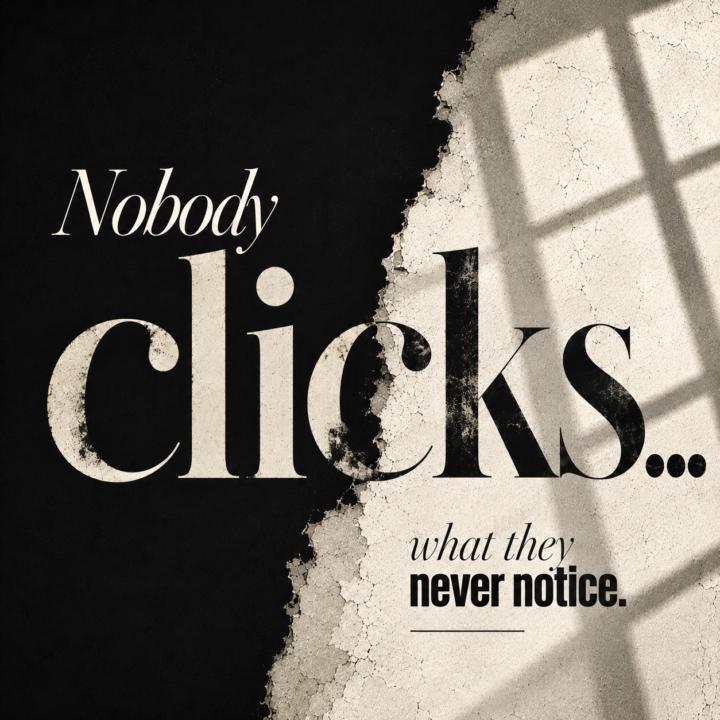
Why your images don’t get the clicks…
Try this tiny experiment 😈 Open the last graphic you made. Now shrink it until it’s about thumbnail size. Don’t read it. Just look at it. 🧐 Can you immediately tell what it is? 👀 Do your eyes know where to go first? 😳 Can you still read the important words? Or does it suddenly become… …“something.” The way you experience your own graphics usually isn’t the way everyone else experiences them 😬 They’re seeing it on a phone. As a thumbnail. Sometimes cropped. Scrolling past it in a split second. If this kind of stuff scratches your brain in a weirdly satisfying way… you’ll probably like Defunk’d Design (Also… we’re down to the last intro spot before the price changes.) 🏃♀️ Go do the experiment and come back to share 👇🏻 What changed the second you shrunk your graphic down?
6
0

🔥
Jun 30 •
Why some group cards get clicked… and others dont
Most Skool group cards aren’t bad. They’re forgettable 😬 You know that feeling when you’re scrolling Discovery… One group makes you stop. The next twenty kind of blur together. It isn’t because someone found a better font, a cooler AI prompt, or followed the same template everyone else is using. Your brain notices tiny decisions long before you consciously do. If the image isn’t mobile friendly… If the image is really busy and there is no where for your eye to focus… If the fonts are weird and don’t fit… Or if they just look too similar to everyone else’s… I’ve spent years making art and creating thousands of marketing images… including ad creatives for Skool. Templates have always given me the ick 🤢 I don’t want my work to look like somebody else’s. I don’t even use other people’s prompts… I write my own because I want the result to look like mine instead of another image that blends into the pile. That’s why I built Defunk’d Design. We’re pulling apart Skool group cards, Discovery banners, About page images, thumbnails, ads, and the little decisions that quietly determine whether someone keeps scrolling… or clicks. Inside you’ll find… 👀 Checklists 🔍 Live critiques 🤖 Current AI tells to watch out for 🧩 Breakdowns… coming soon. The first 10 members also get the intro price while I keep building out the breakdown library, there are currently 4 left 😉 👇 What’s the last Skool group that made you stop scrolling and click? Not who…and what about the group made you click?
1-30 of 42
Leaderboard (30-day)
1

+10
2
🔥
+10
3

🔥
+9
4

+7
5

🔥
+6
Powered by