Activity
Mon
Wed
Fri
Sun
Sep
Oct
Nov
Dec
Jan
Feb
Mar
Apr
May
Jun
Jul
What is this?
Less
More
Memberships
CG Python Academy
1.3k members • Free
5 contributions to CG Python Academy

Mar 12 •
Part 2 Capstone
I built a small script with three core functions: 1. Create Worldspace Bone – Generates a worldspace bone based on the currently selected bone. 2. Select Worldspace Bone – Selects the corresponding worldspace bone if one exists through this script. 3. Delete Script Bones – Removes only the bones that were created by this script, leaving the original rig untouched. The primary goal was to experiment with bone manipulation in Blender and get hands-on experience with the relevant API. For future iterations, If I built this again i'd plan to organize generated bones into a dedicated temporary collection, which will simplify both the selection and deletion logic considerably. References & Attribution Since Blender's manual doesn't always cover pose bone API methods in depth, I used AI assistance to look up specific references such as bpy.context.selected_pose_bones and similar properties. I also referenced an existing script and a YouTube tutorial for context. All logic and implementation decisions, however, are my own, applying concepts learned throughout this course.
0 likes • Mar 13
@Victor Stepanov i didn’t quite get this am i not using it?
0 likes • Mar 14
Thank you so much ill look into it
Mar 8 •
Floating UI
I saw the making your first UI video in classroom. Is it possible to create a floating UI by any chance??
0 likes • Mar 12
Got it thanks
0 likes • Mar 14
@Christian Coppes thank you ill look into it
Mar 5 •
Capstone part one
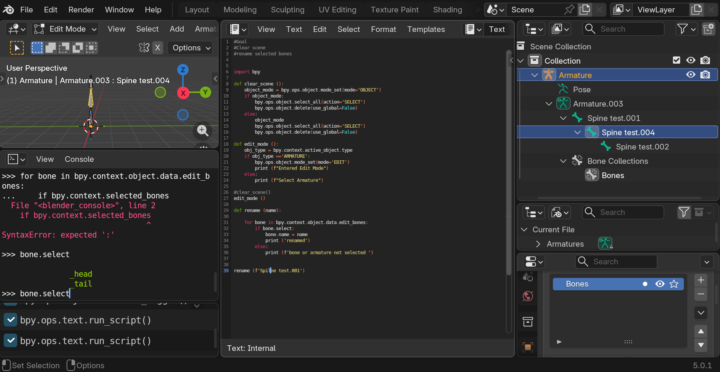
I am more interested in animation and rigging. apparently when dealing with bones blender changes the game it is not that simple have to do a lot of mode changes and separate operations for separate modes just like how we manually do it. Anyway finally figured to rename bones
0 likes • Mar 6
@Victor Stepanov Thanks ill keep in mind
Mar 2 •
Creating Variables
I am new to python but I am been following CY Python for couple of months now. I see in the Blender Python for artist course in part one video number 3 @Victor Stepanov shows how to create Variables. bpy.data.material.new ('py_material') basicaly mean create a new material with a name py_material when we create a variable my_red_material = bpy.data.material.new ('py_material') doesnt that variable always means create a new material with a name py_material and for the next comment when we call my_red_material.diffuse_color shouldnt that create a new material again instead it refer to the same material and work on top of it. if my question make sense to anyone?
1 like • Mar 3
@Victor Stepanov Thank you so much. it all makes sense now.

Dec '25 •
Practical AI-Assisted Blender Python Coding
Hey everyone, 👋 I wanted to quickly share how you can use an AI-powered code editor. I made a short video and wanted to share it with you first before I post it on my channel.
0 likes • Feb 1
@Kai Konnarth Gemini is my go to AI too, when it comes to coding. Other AI’s dint seem to get me the best results.
1-5 of 5
@abdul-fahim-munaf-3912
Creative 3D animator, modeler & AI workflow enthusiast. Helping brands with smart automations and cinematic visuals.
Active 58d ago
Joined Feb 1, 2026
Powered by