
Write something
Pinned

🍀
Jun 19 •
Real Talk Real Quick
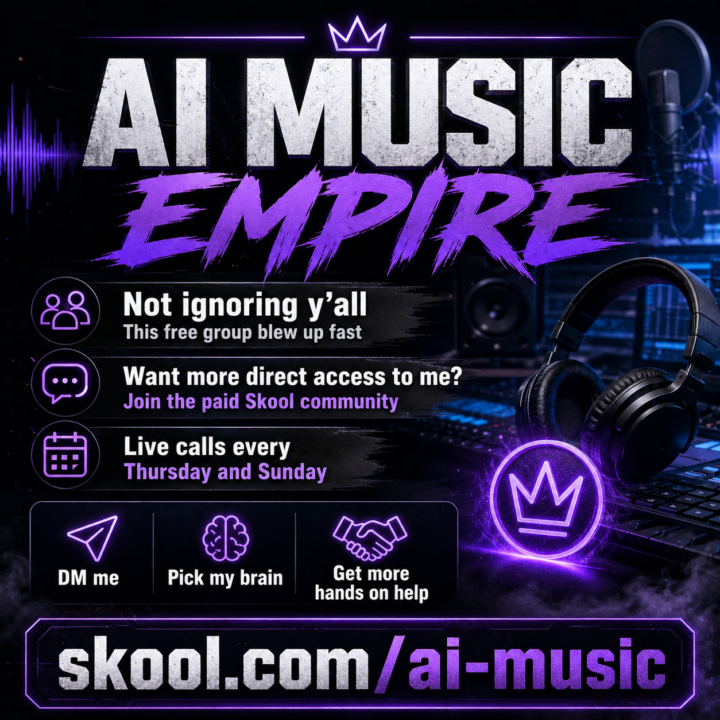
Hey everyone, I want to say this real quick because this free community has grown fast and I don’t want anybody thinking I’m ignoring them. There are several hundred of you in here now and I’m getting hit with hundreds of notifications a day. Comments, questions, screenshots, song feedback, DistroKid stuff, Spotify stuff, YouTube stuff, release questions, all of it. I’m doing my best to answer as many people as I can as fast as I can. But I know some of y’all are getting left hanging longer than I want. That is not me ignoring you. That is not me brushing you off. That is just me trying to keep up with a community that is growing fast. So I do apologize if I missed your comment or didn’t get back to you yet. I really do. This free group is still here to help people get started and learn the game. But I also want to remind everybody that there is a paid AI Music Empire Skool community for the people who want more direct access to me. That is where we do the live calls every Thursday and Sunday. That is where you can DM me. That is where you can ask deeper questions, pick my brain, and get more hands on help with what you are building. So if you are serious about this and you want more direct help, come join us here: https://www.skool.com/aimusic/about I just wanted to put this out there because I know some of y’all are getting left hanging in the wind and I don’t want it to feel like I don’t care. I appreciate every single one of you. I’m not ignoring you. I’m just one guy trying to keep up.
Pinned
🍀
Jun 8 •
🚀 Big news everyone.
Our vidIQ partnership is officially live. https://vidiq.com/aiguerrilla I've been using vidIQ for a long time, and after a lot of conversations, we've now got an official partnership in place. As part of that partnership, they're offering a special deal through my link: You can get your first month of the Ultimate plan for just $1. The Ultimate plan includes: ✅ AI title generation ✅ Thumbnail ideas ✅ Description generation ✅ Keyword research ✅ Competitor analysis ✅ Channel growth tools ✅ Daily ideas and optimization recommendations If you're serious about growing on YouTube, this is one of the few tools I recommend without hesitation. You'll probably start seeing this link all over my content going forward because this partnership is now a full go. Grab the $1 deal here: 👉 https://vidiq.com/aiguerrilla Let me know if you pick it up and what features you're using most.

Pinned
🍀
Mar 14 •
Everything You Need To Start Making Money With AI — Free. Right Now.
Welcome to AI Guerrilla. This is the free HQ for creators and entrepreneurs who use AI to build things that actually make money — not just scroll through demos and say "that's cool." Whether you're into AI music, AI video, content creation, or you just know the wave is here and you want to ride it before everyone else figures it out — you're in the right place. I'm Jesse. Retired Infantry Paratrooper turned AI music creator. I currently cash flow over $20,000/month building AI music catalogs, and I teach the full system inside AI Music Empire (skool.com/aimusic). But this community? This is where you get started. No paywall. No gatekeeping. I just dropped a full resource vault in the Classroom. Here's what's inside: PDF GUIDES - AI Music Starter Kit (19 pages) — The complete field manual for going from zero to your first $1,000 with AI music. Covers Suno, DistroKid, Musical SEO, the real money model with real numbers, and a 30-day action plan you can start today. - AI Creator Toolkit 2026 (14 pages) — 30+ free AI tools across music, video, image, writing, and automation. Not a random list. Every tool is curated for creators who want to make money, not just make content. Includes full tool-stacking workflows so you know exactly what to combine. PROMPT PACKS - Suno AI Mega Prompt Pack (58 prompts) — Copy-paste music prompts across 8 genres. Lo-fi, hip hop, EDM, pop, cinematic, R&B, rock, country, Latin. Open Suno, paste a prompt, generate. That simple. - AI Creator Prompt Arsenal (51 prompts) — Prompts for ChatGPT, Claude, Midjourney, Leonardo, Kling, HeyGen, CapCut, and more. Content strategy, copywriting, thumbnails, video scripts, email sequences, social media — all copy-paste ready. Swap the brackets for your niche and go. TEMPLATES - AI Music Catalog Tracker (Excel) — 3 sheets: a 20-step release checklist so you never miss a step, a full catalog tracker with revenue formulas, and a dashboard that shows you exactly how your catalog is performing. This is how you run a music business, not a hobby. - Weekly Battle Plan (printable) — A day-by-day operations checklist you print every week and execute. KPI tracker. 90-day mission roadmap. If you actually use this for 12 weeks straight, you won't recognize where you started.

4h •
Removing male vocal from song
I have been going crazy trying to remove a male vocal from the song that is getting inserted even though I have excluded male vocals and selected female vocals. I tried removing via cover to no avail. What is the best way to get rid of male vocal that keeps showing up in the song even though I have tried a bunch of ways to replace with female vocal?

1-30 of 904
skool.com/aiguerrilla
AI Guerrilla is the free Skool community for people who want to learn how to use AI tools to make money, music, apps, and other digital assets.
Leaderboard (30-day)
1

+479
2

+379
3

+179
4

+173
5

+146
Powered by