

2d •
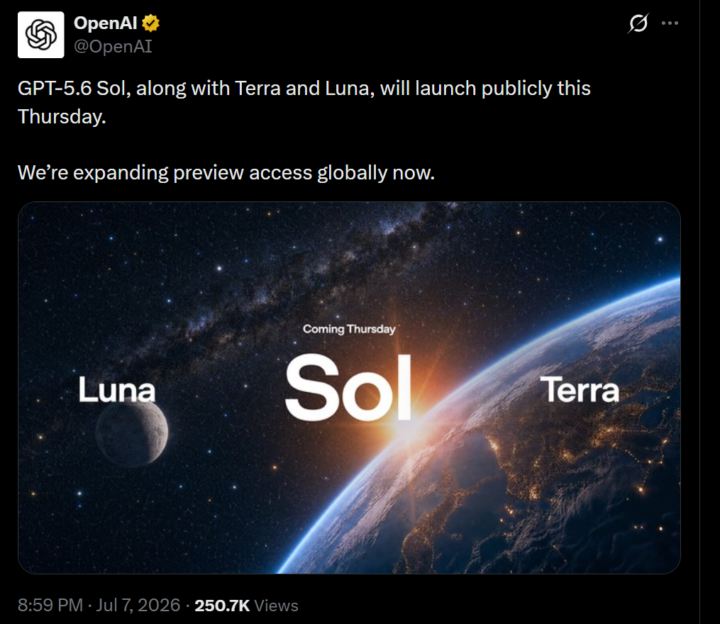
GPT-5.6 Sol, Terra and Luna, will launch on Thursday
https://x.com/OpenAI/status/2074704958419792299

🔥
9d •
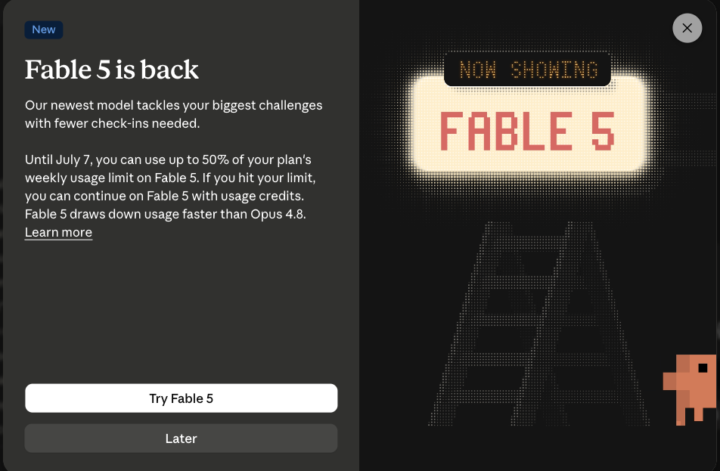
Fable is Back Today: What do we need to know (and WHEN to actually use it?)
Fable comes back online today. We've all heard the name for weeks, so here's a quick guide on what it is and (more importantly) when to actually use it, so we don't waste money. First things first: What is Fable? (for anyone new to it). Let's imagine Anthropic's AIs like a "family of brains". The regulars are Opus, Sonnet and Haiku. Fable is the new, smartest one, the first of a new generation (the Mythos family), able to do things no other model could. Basically, it's the strongest Claude we can get. It disappeared for 3 weeks: - June 9: Fable launches, everyone's talking about it. - June 12: Amazon researchers find a trick that makes Fable point out software weaknesses (and once even write code to break in). The U.S. government blocks it, and since Anthropic can't check everyone's nationality fast enough, they switch it off for everybody. - Late June: they negotiate a deal with the government. - July 1 (today): Fable comes back on, worldwide. (By the way: other AIs like Opus 4.8, GPT-5.5 and China's Kimi K2.7 could all do the same thing that the Amazon researchers found. So it wasn't some unique "super weapon". Just a simple jailbreak that worked in other models, and those other models were powerful enough to point out those weaknesses too.) Now, the important part of this...WHEN do we use Fable instead of Opus? Is it really that powerful? Let's use an analogy. Think of a race. Opus is a great sprinter. Fable is a marathon runner that checks its own work as it goes. Fable's edge is long, hard jobs that run on their own. Anthropic's own words: "the longer and more complex the task, the larger Fable's lead." So the best option to use Fable is when the task: - takes hours or days, not minutes - has many steps and we don't want to babysit, supervise or check each one - needs to hold a LOT at once (a big codebase, a pile of documents... up to 1,000,000 tokens) - should check its own work and keep going until it's done - is genuinely hard (senior-level reasoning, a big migration, deep research)
10d •
Fable User Identity Verification?
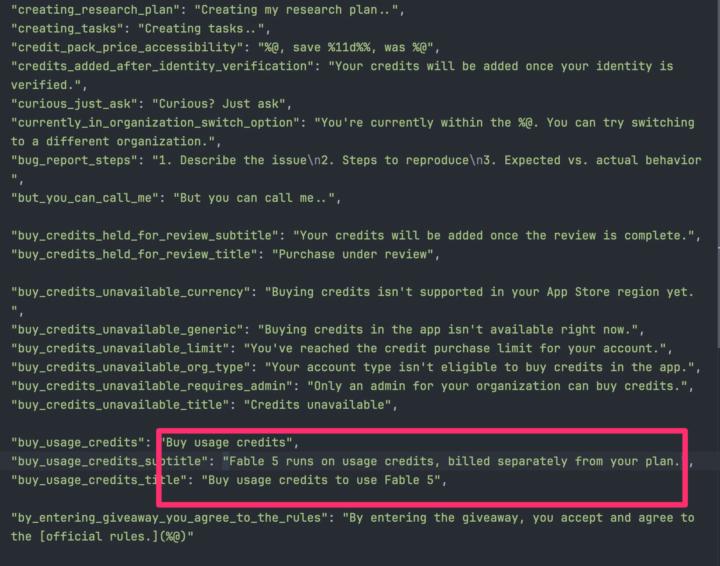
In order to free Fable, user identity verification may be one of the things that the US Government is asking for. New Claude app strings tie Fable 5 usage credits to identity verification. The strings show Fable 5 is being put behind the usage credit system, billed outside your plan. Identity verification is referenced in the same update: "Your credits will be added once your identity is verified." Anthropic previously called identity verification unrelated to Fable and limited to flagged accounts. These strings showed up alongside the Fable 5 credit changes.
1
0

🔥
15d •
This is a story...For the past 2 years, I’ve been on Skool every single day.
In total, it’s already been 2.5 years, but for the last 2 years, the fire has really been burning.Every day, I pick up another small piece of knowledge. For me, it’s the 1% method:getting just a little bit better every day. And honestly: I’m proud of myself for that. Sometimes we should allow ourselves to celebrate our own consistency.Because I believe that showing up every single day for 2 years is something not many people on Skool have done. I can only encourage everyone:Stay curious. Keep learning. Keep exchanging ideas. At some point, it will pay off.Maybe financially. Maybe professionally.Or maybe simply because it feels good to understand more about this world. But knowledge is only one side of it. The network is the other. Over the past years, I’ve met so many great people.People to learn with, laugh with, discuss ideas with, or even share a beer with. I’m truly grateful to be part of such a large international network full of inspiring people. Thank you. Holger And now: back to learning.

1-30 of 260
skool.com/ai-bits-and-pieces
AI lessons you can read in under 3 minutes and apply in everyday work and life.
Leaderboard (30-day)
1

+108
2

🔥
+52
3

+48
4

+22
5

+21
Powered by