Activity
Mon
Wed
Fri
Sun
Apr
May
Jun
Jul
Aug
Sep
Oct
Nov
Dec
Jan
Feb
Mar
What is this?
Less
More
Memberships
2DAnimation101
686 members • $9/month
3 contributions to 2DAnimation101

16h •
[NEW TUTORIAL] Complete AI Animation in ONE Place (No Editing Software)
Hey there, You know how creating an animated short usually means juggling 3-4 different tools — a script doc, an animation app, a video editor, and hours of stitching everything together? What if you could skip all of that? I just dropped a new video where I go from a story idea to a fully finished animated short in minutes using ONE platform called Pai by Utopai Studios. No Premiere. No CapCut. No timeline editing at all. Now if you are like me, then you can take the finished animated sequence and edit it more to polish it as I show in the video tutorial today. Here's what blew me away: ✅ You write your script right inside the tool ✅ It generates characters you can actually approve and adjust ✅ You get full keyframe control, so it's not just "AI slop" ✅ You can export to 4K if you want to fine-tune in your own editor Whether you're just starting out or you've been animating for years, this changes the game for how fast you can go from concept to finished piece. 👉 Watch the full walkthrough here I show you the entire workflow step by step so you can follow along and try it yourself. 🔗 Try Utopai here

1 like • 7h
Mark what about week 3 classes?
4d •
Nano Banana 2 seems to be an idiot... understanding Left and Right
Have you tried Nano Banana 2? And when you try to create a character in a specific direction, how are your results? For some reason, I keep getting stupid mistakes. I want a character to be in 3 quarters, looking to the right of the screen, and all the time, it gets it wrong. Gets it flipped. Anyone else struggling with this? Also, Nano Banana 2 made the tool dumber. Nano Banana Pro WAS better... but unfortunately, because Nano Banana 2 is dumber for me, Nano Banana Pro also became dumber. In the past, prompts that used to work perfectly with Nano Banana Pro now stopped working altogether. I experimented recreating past images where I used Nano Banana Pro using the exact prompt, but now it is getting it all wrong. It is very frustrating. If anyone has experimented with this, and has been able to work better with other models, let me know
2 likes • 4d
I tried 3-4 or more times today and it did not understand which character should be on right and which one should be on the left at the end I had to change my story a bit 😅😅
23d •
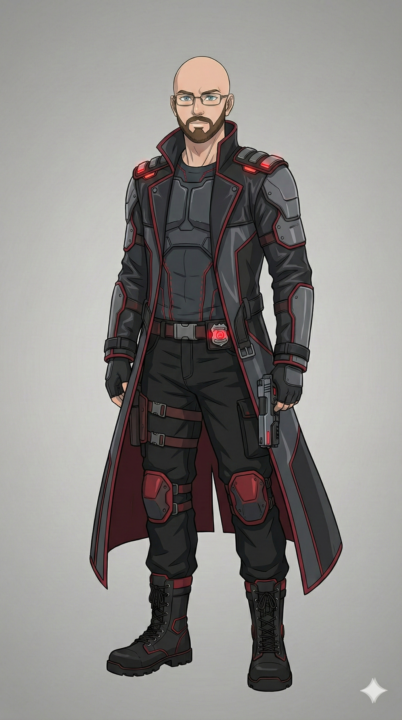
How to control character poses and placement with AI
Using Nano Banana Pro, here is how you can have characters placed and posed in a scene. Super simple. 1. Add image for Character 1 2. Add image for Character 2 3. Add background 4. Add background with annotations And then let Nano Banana Pro do its magic (available on Galaxy, OpenArt, FreePik, Dezine, Higgsfield, etc) And then. Check the images for the result. I am so excited with how smart Nano Banana Pro is now, and how you can explain things visually. Comment below if you ever needed this detail of control for your shots.
1 like • 22d
@Mark Diaz ok I will check this
2 likes • 22d
@Mark Diaz o wow great thank you so much
1-3 of 3