Activity
Mon
Wed
Fri
Sun
Apr
May
Jun
Jul
Aug
Sep
Oct
Nov
Dec
Jan
Feb
Mar
What is this?
Less
More
Memberships
Blender Beginners
309 members • Free
15 contributions to Blender Beginners

Dec '25 •
My first big project
So took on a challenge to create a holiday card for our science center. I took about two months of going from zero blender knowledge, zero mechabricks knowledge, watching hundreds of youtube videos, to kinda feeling like I understand some things, but there is so, so much more I don't know. https://youtu.be/A8wDsBCG7C8 I think it came out pretty well given where I started from.

0 likes • Dec '25
Amazing stuff. Nice job!

Nov '25 •
Blender Course in Progress!
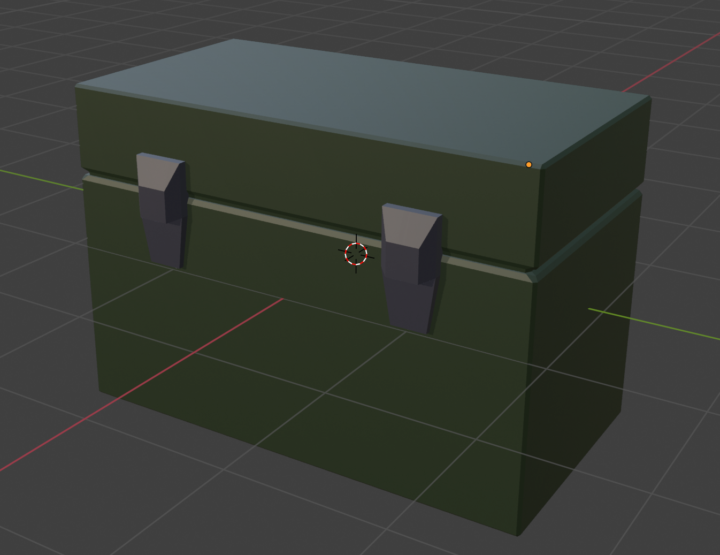
I'm so excited! Working on a low poly / Basic modeling course that teaches the basics of blender in really fun and practical ways! I'm having so much fun! I'll let you know updates as I have them!
2 likes • Nov '25
Sounds great Casey, look forward to it.Thank you.
0 likes • Nov '25
Nice!
Nov '25 •
Confused
Hi all. I was watching a tutorial the other day and the guy said, select the default cube and press G to move objects around. When he pressed G he was able to freely move the cube by moving his mouse. When I select the cube and press G the move gizmo appears on the cube and I have to select one of the arrows, or the center yellow dot to move it. Is there a way to set my interface to behave like his. Many thanks. Martin.
0 likes • Nov '25
Hey Casey, thanks for your time with this. It was a key map issue. A while ago I downloaded an addon called 'Lazy Viewport" (sounded like just what I needed!!) I disabled the addon, and now G grabs the object and it moves freely with the mouse. All the other shortcuts now work as expected too. R, then Z or Y or X now rotates along the the selected axis by just moving the mouse. It's like magic. Thanks again.
Aug '25 •
Qs about lighting in blender?
Gonna make a tutorial on lighting soon… hit me with your big questions so I can make sure to cover everything! Comment below!
0 likes • Sep '25
@Richard Lesser Fantastic Richard! I'll have a go with that. Exactly what I've been looking for. Great stuff. Thanks so much.
1 like • Nov '25
OOOH thanks, I'll check it out!
Nov '25 •
Also....
Also, he said that clicking R to rotate, then Z, will constrain the rotate to the Z axis. When I do that and click Z I just get a flyout menu of the viewport shading options: Wireframe, Solid, material preview and rendered?????
1-10 of 15
@martin-kelly-6126
I'm a Director of Photography with over 40 year experience in the film and TV industry. I'm brand new to Blender, so looking forward to learning lots!
Active 50d ago
Joined Aug 9, 2025
UK