Activity
Mon
Wed
Fri
Sun
Apr
May
Jun
Jul
Aug
Sep
Oct
Nov
Dec
Jan
Feb
Mar
What is this?
Less
More
Owned by Casey
5 Day LIVE Challenge to SIMPLIFY your color grading workflow and become CONDFIDENT in Color. Challenge goes live: Mar 9th-13th (9am-11am PST)
A coaching experience designed to take you from Overwhelmed --> Confident in your video production/editing skills.
Memberships
32 contributions to Blender Beginners
Jan 15 •
What's Actually Gonna Help You?
Hey... so this has been bugging me... I've been feeling like I'm not sure how to help you learn Blender the best... It feels like there is a lot of free awesome content out there, but we still have trouble learning! What's in your way? Does blender feel overwhelming? Is it that you don't have a project to practice with? What would make the biggest difference?

1 like • Jan 12
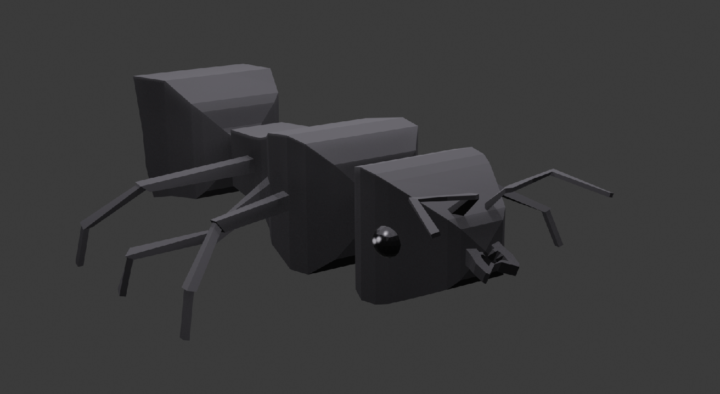
Yes! This is a sick ant!
Jul '25 •
Welcome!
Hey! Casey here (SpaceCat on YT.) Glad you're here! Just starting out this lil community, because I've been learning the basics of blender for a while and I wanna help ya out as much as I can! Make a post and introduce yourself!
3 likes • Jan 11
@Ivelin Matev hmmm well, you could make a cube and squish it down and position it through the text?

Jan 8 •
Hi
hey My name is Kohan I was born somewhere in New Zealand and I'd like to get to know everyone here I'm a solo dev looking for a good blender start and thought this community will be a great start
0 likes • Jan 8
Awesome! Welcome! What do you want to learn first???
1 like • Jan 8
@Kohan Syme have u watched this? https://youtu.be/U3UPrLIfsCc
Dec '25 •
Biggest Blender Struggle?
I wanna help! What’s the biggest struggle for you when it comes to making 3D in Blender?
Poll
11 members have voted
1-10 of 32
Active 31m ago
Joined Jul 18, 2025
Oregon, USA