Activity
Mon
Wed
Fri
Sun
Aug
Sep
Oct
Nov
Dec
Jan
Feb
Mar
Apr
May
Jun
What is this?
Less
More
Memberships
Ablemos
19 members • $29/month
Facilitator Pro
902 members • Free
Facilitator Club (Free)
10k members • Free
ChatGPT Users
12.7k members • Free
Top Coaches & Advisors Network
2k members • Free
Expert Coach Certification
22.5k members • Free
112 contributions to ChatGPT Users

3d •
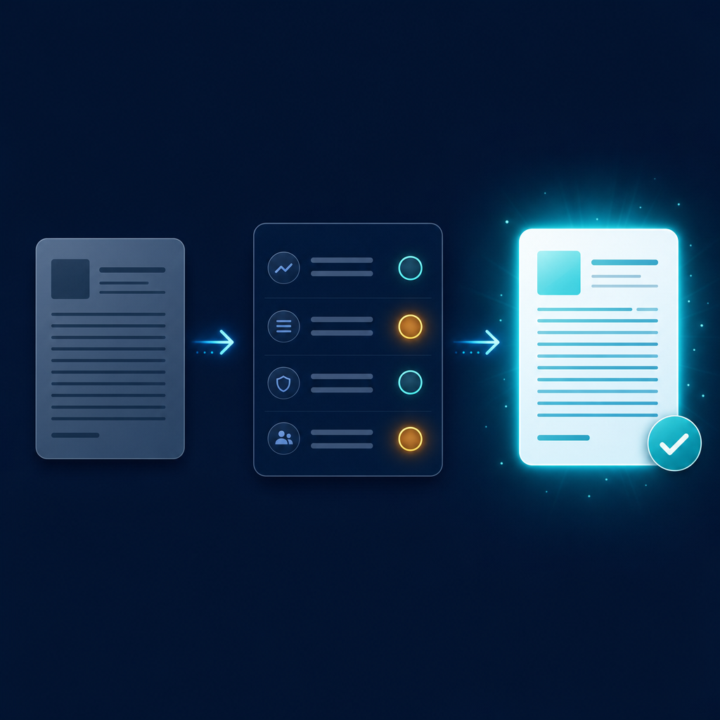
The rubric trick: how to make ChatGPT grade its own work and fix it
Most people accept ChatGPT's first answer, tweak it a bit, and move on. The single biggest upgrade you can make is to stop treating the first draft as the answer and start treating it as something to be marked. Here's the move. You give ChatGPT the task, then you hand it a rubric, the same criteria you'd use to judge the work yourself, and you make it score its own draft against that rubric before you ever see it. Then it rewrites to fix its lowest scores. Say you're writing a cold email. Most people prompt: "Write a cold email to a marketing director offering our service." You get something generic. Instead, try this: "Write a cold outreach email to a marketing director. Then score your own draft from 1 to 10 on each of these: 1) does the first line earn the second, 2) is it about them not us, 3) is there one clear ask, 4) would a busy person read it in under 15 seconds. Show the scores, then rewrite to fix anything under 8." Now you're not hoping for a good email. You've told it what good looks like and made it run the editing pass you'd normally do yourself. Two things make this work. First, the rubric is where your expertise goes. You know what a good email, landing page, or proposal needs, so you encode it once. The model is far better at applying a clear standard than inventing one. Second, asking for scores forces it to actually evaluate instead of just rephrasing, and it will usually catch its own weakest spot before you have to. Save your favourite rubrics and reuse them. A good-email rubric, a good blog-intro rubric, a sales-call-summary rubric. Over time that's a quiet quality system running on every task. What's a task you'd want a rubric for? Tell me the task in the comments and I'll help you build the criteria.

3 likes • 3d
@Jason West Thanks for sharing this useful information. Very helpful ✨

May 29 •
I am so excited
I just fell in love with AI, I created my very first Oracle Shuffler Artifact. All images created on CHATGPT and all coding with Claude. Tada. I hope I am allowed to share this here: https://sacredselflove.netlify.app/
1 like • 10d
@Natalia Love Angelou This is simply beautiful! Thanks for sharing.

24d •
Business Building Tools/Advice
Hi! I've written some posts in the past about rebuilding my dog training business. I've done some searches in this community, but I thought I would post some specifics about my situation. I have so many tools I pay for, and I just can't figure out what to use, when to use it, and how to use them! I spend so much time trying to figure out how to use what I have, both independently and together, etc. There are many things I would like to do, but briefly, here are the things I would like to work on/create to get started. -I would like to create knowledge bases for different things. A couple of examples are: A knowledge base all about my dog training business Knowledge bases on different aspects of dog behavior (reactivity, puppies, anxiety, etc.) I was thinking I would try Google NotebookLM to create the knowledge bases. Then I could use ChatGPT or Gemini to create content from the info in the Google Notebooks. I currently mostly use ChatGPT for my business. I have a project that contains my chats. I don't know much about custom GPTs, but would it be better to learn how to create a custom GPT that's trained on my business rather than using projects? Should I still create the NotebookLM Knowledgebase? This is just scratching the surface for a place to begin. There are many things I want to do, and many different tools. There are also so many more tools I see all the time...maybe something else would be better? What about chatbots? AI assistants? I'm constantly seeing these tools, and they are always adding more and more options to create things. I have asked ChatGPT these questions, but I would like to get some advice from real people who know what they're doing. I'm learning as I go, and it's quite overwhelming! I'm hoping for a little guidance, suggestions, recommendations, and personal experiences from anyone willing to help me out. Feel free to ask me any follow-up questions that may give you some more specifics about anything...what tools do I have, more details on what I would like to accomplish, etc.
1 like • 12d
@Julie Helmer Awesome suggestions in an organized format for anyone starting from the beginning! Your insight is appreciated!!🙏

Mar 9 •
Just giving a firendly Hi to everyone
Afternoon all, it great to be apart of the community 😉
1 like • Apr 11
@Victoria Taylor Welcome!👋
Mar 3 •
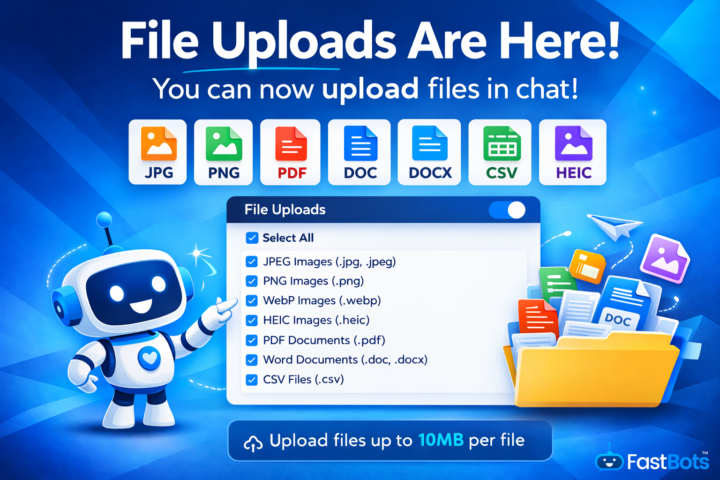
File Uploads Are Now Live Inside FastBots ⬆️
You can now allow users to upload files directly in your chatbot window. This has been requested a lot, especially for support and onboarding use cases. Here’s what’s supported: JPEG (.jpg, .jpeg)PNG (.png)WebP (.webp)HEIC (.heic)PDF (.pdf)Word (.doc, .docx)CSV (.csv) Maximum file size: 10MB per file. This means your users can now: • Send screenshots when something isn’t working • Upload contracts or forms• Share product spreadsheets • Send mobile photos straight from iPhone • Provide documents for analysis You’ll find the toggle inside your chatbots appearance settings (paid plans only). Enjoy! Jason
4 likes • Mar 3
@Jason West Thanks for this awesome information!✨
1-10 of 112
@marlane-washington-7475
Education Facilitator| Master Workshop Designer & Facilitator | Leadership Coach | Instructional Designer & Trainer | Program/Project Manager
Active 2d ago
Joined Oct 26, 2023
INFJ
GP Farms, Michigan, USA
Powered by