Activity
Mon
Wed
Fri
Sun
Jan
Feb
Mar
Apr
May
Jun
Jul
Aug
Sep
Oct
Nov
What is this?
Less
More
Memberships
AI Automation Circle
4.8k members • Free
Voice AI Alliance
1.7k members • Free
Brendan's AI Community
21.6k members • Free
2 contributions to Brendan's AI Community

4d •
Retell Import error
Hey guys, just tried importing Brendans Retell template for his AI dental receptionist but am getting a 400 error, was wondering if anyone could help me get past this? Thanks
0 likes • 4d
@Malik Adeoye Literally just trying to import it into retell, all his other templates work fine for me, so that is what is confusing to me
1 like • 4d
@Mike Mike just trying to import it into retell, all his other templates work fine for me, so that is what is confusing to me

5d •
🚀 : TRIGGERS NODE N8N
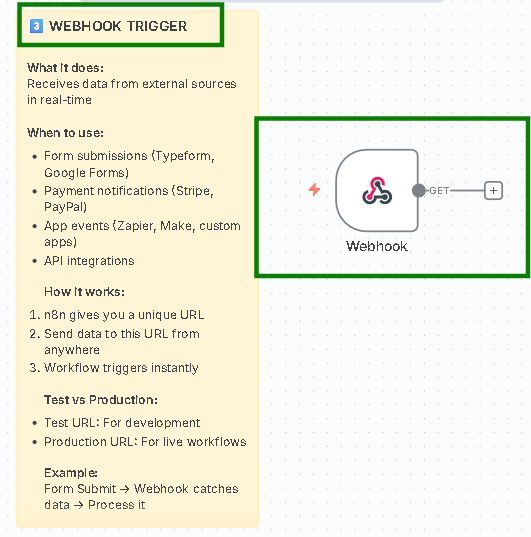
(How Automations Start) Every automation in n8n begins with a trigger—the starting event that tells your workflow when to run. Think of it as the “on switch” for your automation. #️⃣Choose the right one for your goal: - Testing workflows → Manual Trigger - Running tasks on a fixed schedule → Schedule Trigger - Listening for real-time data → Webhook Trigger - Reacting to app activity → App Triggers (Gmail, Slack, Typeform, etc.) ⚡Pro Tip: Always begin with the Manual Trigger while developing or testing your workflow. After confirming everything works as expected, replace it with the appropriate trigger for live automation. 1️⃣ MANUAL TRIGGER What it does:Allows you to start your workflow manually by clicking “Execute Workflow.” It’s the easiest way to test and validate what you’ve built without waiting for an event or schedule to trigger it. 🤖When to use: - Testing your workflow during the development stage - Running workflows on-demand whenever needed - Debugging automation issues or logic errors - Demonstrating or training others on how a workflow works ✈️Best Practice:Always begin every new workflow with a Manual Trigger while building or experimenting. Once everything functions correctly, replace it with the actual trigger (like Webhook, Schedule, or Node Event) before going live. 🔜Example:Click → Workflow runs → Instantly see whether your logic executes as expected. 2️⃣ SCHEDULE TRIGGER What it does:Automatically runs your workflow at the exact times you define. This trigger helps automate recurring tasks so you don’t have to start them manually. 🤖When to use: - Sending daily reports (for example, every day at 9 AM) - Performing weekly data syncs (Mondays at midnight) - Handling monthly invoicing (on the 1st of each month) - Running hourly checks or monitoring (every 15 minutes) 🔎Settings available: - Configure intervals in seconds, minutes, hours, days, weeks, or months - Use custom CRON expressions for precise or complex automation schedules
1 like • 4d
Very cool!
1-2 of 2