Activity
Mon
Wed
Fri
Sun
Apr
May
Jun
Jul
Aug
Sep
Oct
Nov
Dec
Jan
Feb
Mar
What is this?
Less
More
Owned by Karin
Leadership is not meant to be done alone. Join us for real conversations, shared experiences, and practical support. Better Conversations start here!
Memberships
Author Skool
42 members • Free
Skoolers
189.8k members • Free
UK Skoolers
316 members • Free
Human Service Leaders Academy
29 members • Free
Skool Growth Free Training Hub
6.7k members • Free
Growers
2.2k members • Free
Social Selling with Sam
616 members • Free
Substack Starter Space
55 members • Free
InnerDevelopment@Work
488 members • Free
2 contributions to Substack Starter Space

🔥
Feb 10 •
How to Start a Podcast on Substack (The Simplest Way for Coaches)
If you’ve been thinking about starting a podcast but keep stopping yourself because of tech, hosting platforms, or overwhelm - Substack might be exactly what you’ve been looking for. One of the biggest misconceptions about podcasting is that you need more tools. In reality, you need fewer. Substack lets you start a podcast inside the same platform you’re already using to write, publish, and grow an audience - without paying for podcast hosting or managing complicated integrations. Why Start a Podcast on Substack? Substack podcasting works especially well for coaches, spiritual entrepreneurs, and creators who want visibility without becoming influencers. Here’s why: - You don’t need separate podcast hosting - Your podcast automatically generates an RSS feed - Episodes can go out to Apple Podcasts and Spotify - You can publish audio, video, and written posts from one place - Your content gets distributed inside the Substack ecosystem In other words, you create once — and let Substack do the heavy lifting. 👀What “Starting a Podcast on Substack” Actually Looks Like Starting a podcast on Substack is not about building something massive on day one. It’s about consistency and clarity. A simple setup looks like this: - Create a podcast section inside your Substack - Publish an audio or video post - Turn on podcast distribution in settings - Let Substack handle the RSS feed - Optional: connect Apple Podcasts and Spotify That’s it. No complex dashboards. No third-party hosting fees. No jumping between platforms. Video & Audio & Writing (Without Extra Work) One of the most powerful things about Substack podcasting is that you don’t have to choose one format. You can: - Upload a video - Add a separate audio file for podcast listeners - Include a written post for readers This means you’re meeting people where they already are - whether they prefer to watch, listen, or read - without creating separate content for each platform. Do You Need a Big Audience to Start?

2 likes • Feb 14
This so much on my ever growing to do list. At the moment Clients come first.
🔥
Feb 13 •
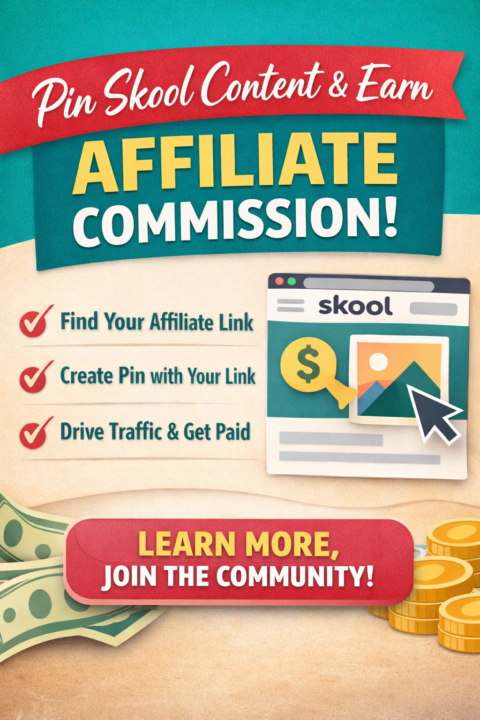
Pinning From Communities You're Part Of
If you're part of Skool communities that offer affiliate payouts, Pinterest can quietly become one of your best traffic sources. Instead of just “sharing links,” you’re building long-term, searchable assets that can generate clicks - and commissions - for months. Here’s exactly how to do it. Step 1: Find Your Affiliate Link Inside Skool All Skool communities offer an invite members link... If they pay commissions and if you're a member of the community you will automatically be associated with the new members that join through your link and entitled to commissions. When you click the INVITE MEMBERS link, you’ll see your unique referral link. Copy that link. You will notice there is a ?xxxxxxxxxxxxx (where the x's are a long list of numbers) That is your referral code. 👉 This is the link that tracks your commission. Step 2: Append the Affiliate Link to a Specific Post (Optional but Powerful) Instead of sending people to the general homepage, you can link directly to: • A specific Skool lesson • A sales page inside the community • An event replay • A free training post To do this: Open the specific Skool post you want to promote. Copy that full URL. ADD YOUR AFFILIATE CODE TO THE END OF THE URL Some Skool affiliate links automatically redirect no matter where you send traffic. Others require you to add your referral parameter. If your affiliate link looks like this: https://www.skool.com/community-name?XXXXXXXXXXXX Then you can append it like this: https://www.skool.com/community-name/specific-post-ur?XXXXXXXXXXXX If you’re unsure, test it in a private browser to confirm your referral still tracks. Make sure you have the referral code added to the url before you pin to Pinterest. Step 3: Use the Pinterest Pin Extension Install the Pinterest browser extension if you haven’t already. Once installed: Open the Skool post (with your affiliate link appended).
2 likes • Feb 14
Great tip and had not thought of that.
1-2 of 2

@karin-ovari
Promoted to Leadership my whole life - Ask me anything. The Supervisors Hub is a community for everyday leaders by leaders.
Active 9m ago
Joined Feb 2, 2026
Aussie in Scotland