Activity
Mon
Wed
Fri
Sun
Sep
Oct
Nov
Dec
Jan
Feb
Mar
Apr
May
Jun
Jul
Aug
What is this?
Less
More
Owned by Chris
🎸 Learn guitar with friendly beginners. Simple lessons, small wins, and support to keep you playing.
Learn, Share, be inspired. Whether you are newly diagnosed as Coeliac, care, know someone or just curious and want to cut out Gluten. This is for you.
YouTube For Skool
144 members • $5/month
The Indian Chef
19 members • Free
Fretboard Freedom
363 members • Free
Guitar JAMsformation
24 members • Free
Guitar Alchemy
891 members • $15/month
Signal Guitar Skool
57 members • Free
Jazz Guitar Songbook
51 members • $15/month
Everything Maintenance
25 members • Free
Rock N Blues Fretboard Friends
44 members • Free
65 contributions to Creator Boost Tribe

🔥
May 14 •
The Reason Your Weekly Video Starts Cold Every Single Time
The vast majority of creators think YouTube judges a video on its own merits. Post it, wait, see what happens. That's not quite how it works. When your video goes live, YouTube immediately looks for a warm audience to serve it to. People it already knows have an interest in what you talk about. If you've been quiet all week, that list is thin. So the video gets shown to cold traffic first, click-through is low, and the algorithm concludes nobody wants it. That's not a bad video. That's a cold start. Here's the fix. Every time someone watches a Short from your channel or sees a Community post, YouTube adds them to what I think of as your warm list. It knows they care about your topic. So when Thursday's video drops, it's got a pool of active, interested viewers to recommend it to right away. The first hour looks completely different. One long-form video per week is enough. But the week around it matters. A couple of Shorts clipped from the video, scheduled across the days before and after. A Community post or two keeping the topic alive. Daily presence without daily production. The one thing that kills this is Shorts that pull in the wrong audience. Trending sounds, off-topic hooks - they train the algorithm to associate your channel with people who'll never sit and watch a 15-minute video. Keep everything contextually relevant, and the model works. What does your week look like between uploads right now? Curious what people are actually doing.


🔥
2 likes • May 14
@Lillie Handy Dominguez I think the consistency really helps and putting out content that is not perfect but appeals to your audience is helping with the steady growth. Shortly approaching 400 subscribers which i am pleased with 🙂
🔥
1 like • May 14
@Lillie Handy Dominguez thanks 💪
🔥
May 9 •
Do Subscribers Still Matter in 2026?
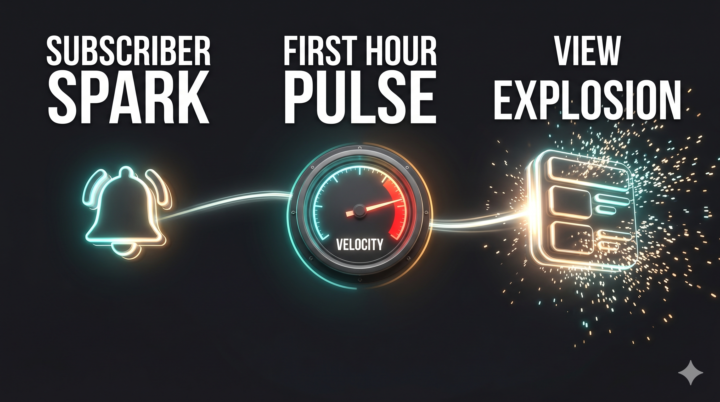
Short answer: yes. But not in the way most creators think. Subscriber count isn't what gets your videos distributed. YouTube's algorithm runs on viewer satisfaction - retention, CTR, session depth, what someone does after they watch. A channel with no subscribers can get recommended if it performs well in early testing. What still matters is engaged subscribers. The ones who open notifications, watch within the first hour, and come back. That early view velocity signals the algorithm to push wider. Ten thousand real watchers outperforms one hundred thousand people who subscribed and disappeared. The subscribe CTA still works. But the generic version doesn't. Asking someone to subscribe at the top of your video before you've given them a reason to is backwards. Time it after a value moment. Make it specific to what they'll get. That's the version that still converts. The mistake I see is creators either obsessing over the subscriber count or giving up on the CTA entirely. Neither is right. Build content that earns the sub. Then ask clearly, once, at the right moment. Are you still asking for subscribers in your videos - and if so, where in the video are you doing it? Des
🔥
0 likes • May 9
@Des Dreckett every video i ask for people to subscribe to the channel 🙂
🔥
May 5 •
The real trigger for hiring a video editor
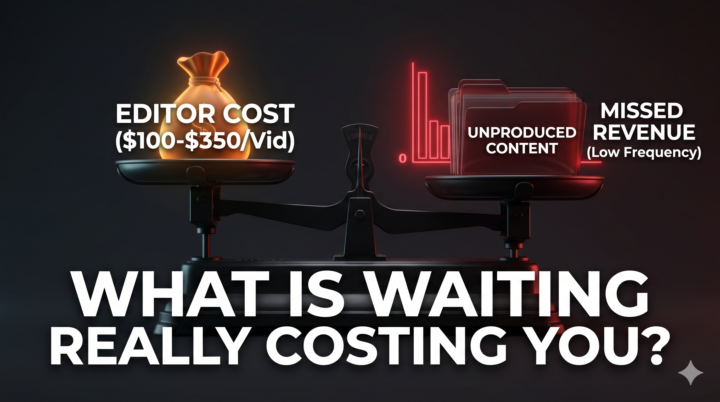
I dug into what creators actually did when they hired their first editor. Not the advice. The real experiences. Most didn't hire when revenue hit a certain level. They hired when editing started limiting how often they could record. Upload frequency dropping was the trigger for most. Many said they wished they had done it sooner. Realistic entry cost was $100 to $350 per long-form video. If editing is genuinely what is stopping you from producing more, waiting probably costs you more than hiring would. My own view is that the revenue would need to be considerable before I go there. At the moment I have time to edit myself and the economics do not stack up enough to change that. When they do, the decision makes itself. No strong right or wrong here. Depends entirely on what is holding you back. Still doing it yourself or have you hired? What pushed you to make the call?
🔥
3 likes • May 5
@Des Dreckett
🔥
1 like • May 5
@Ian Shadrack It is easy to stick with what you know but I know there is better out there to edit videos in particular. I just need to focus and learn it 😂
🔥
May 4 •
Timestamps feel risky but the data says otherwise
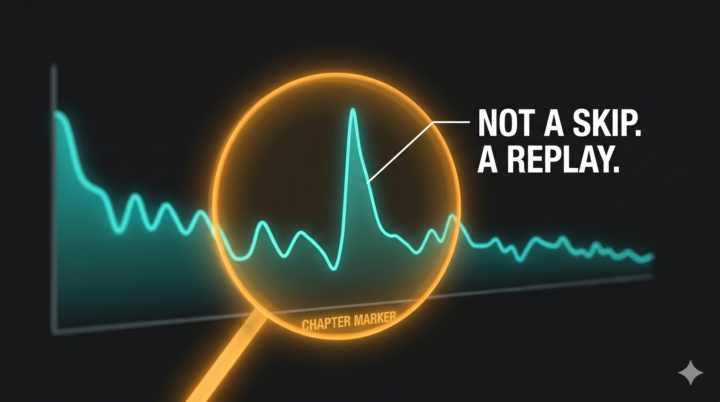
So many people avoid adding chapters because they're worried viewers will skip to the end and leave. That fear makes sense on the surface. But it's not what happens. Think of it like a book with a table of contents. Nobody throws a book away because it has one. The structure makes people more likely to commit to reading it, not less. Chapters do the same thing for video. They show the viewer exactly what's coming so committing to a 20-minute video feels less like a gamble. That's what you see in the analytics. The spikes at chapter markers in your retention graph aren't drop-offs. They're replays. People going back to a section they found useful. There's also a discoverability benefit that often gets overlooked. YouTube chapters show up in Google search as "Key Moments" with their own clickable entries. Your video can rank for multiple search queries from a single piece of content. Here's how to generate them in about two minutes. Open your video on YouTube. Scroll to the bottom of the description and click "Show transcript". A panel opens on the right side of the screen. Select all, copy the text, and paste it into any LLM with this prompt: "Here is the transcript from my YouTube video. Please generate SEO-optimised timestamps for it. Use keyword-rich chapter titles that match what someone would actually search for on Google or YouTube. Format them as 00:00 Title, 00:00 Title, etc." You'll get chapter titles built around actual search language rather than vague labels. Paste them into your description, add 00:00 at the start, and you're done. If you've been skipping chapters, worth adding them to your next long-form and checking the before and after on retention. What's been putting you off using them if you're not already?
🔥
3 likes • May 4
@Des Dreckett thanks to this great tip 😁
🔥
2 likes • May 4
@Marilyn Harris absolutely 🙂
🔥
May 3 •
5 editing tips I wish I'd known when I first started
Honestly, if someone had told me these things at the beginning I'd be in a very different place right now. I spent months editing the wrong stuff. Obsessing over effects and transitions while the real problems - audio, pacing, workflow - were sitting there the whole time. Here's what I'd go back and tell myself: 1. Sort your audio before anything else. I didn't prioritise this early on and it showed. People will watch a video shot on a phone. They won't sit through one where the music is louder than your voice. Noise reduction, dialogue around -6dB, music sitting well underneath. Start here. I didn't, and I wish I had. 2. Cut the pauses. My early videos were slow because I left everything in thinking it felt more natural. It doesn't. Every bit where your brain wanders as you watch it back - that bit goes. Ruthless trimming was the upgrade I made too late. 3. Rough cut the whole thing first. I used to perfect section one while the rest was still a mess. It's a trap. Get the full structure and pacing right first, then go back and add the layers. 4. Use B-roll where it actually helps. I went through a phase of adding stock footage everywhere because someone told me to. Purposeful B-roll helps. B-roll for the sake of it doesn't do what you think it does. 5. Go easy on the effects. This is the one that cost me the most wasted hours. Too many transitions, constant zooms, heavy grading. Clean editing wins. I figured that out later than I should have. What do you wish someone had told you earlier about editing?
🔥
1 like • May 3
@Des Dreckett
🔥
0 likes • May 3
@Des Dreckett
1-10 of 65
🔥
@guitarforbeginners
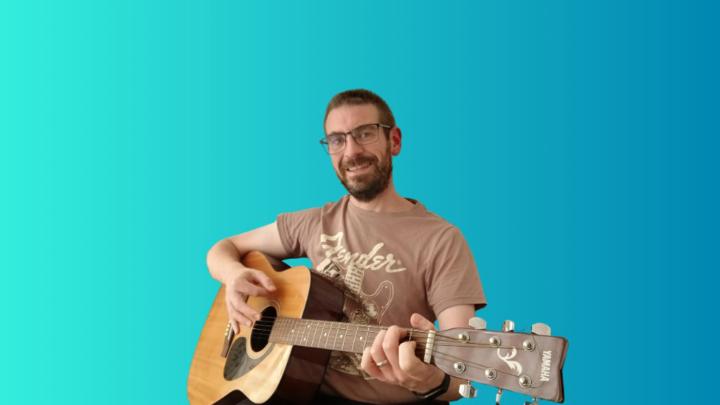
Helping guitar players learn, improve and stay motivated in a supportive community. Music lover, dad, sharing gluten-free, Coeliac-friendly tips.
Active 29m ago
Joined Aug 10, 2025
London, Bexleyheath
Powered by