Activity
Mon
Wed
Fri
Sun
May
Jun
Jul
Aug
Sep
Oct
Nov
Dec
Jan
Feb
Mar
Apr
What is this?
Less
More
Memberships
Depop Foundations
1k members • Free
Proper Ecommerce (Free)
358 members • Free
Editors Club
3.8k members • Free
AI Launch
8.6k members • Free
KOMBO
129 members • Free
Agency Growth
4.5k members • Free
ArtFx Videography Community
8.7k members • Free
Legal Launchpad for AIpreneurs
267 members • Free
Cold Calling Community
1.1k members • Free
5 contributions to GHL Growth Garage

Feb 18 •
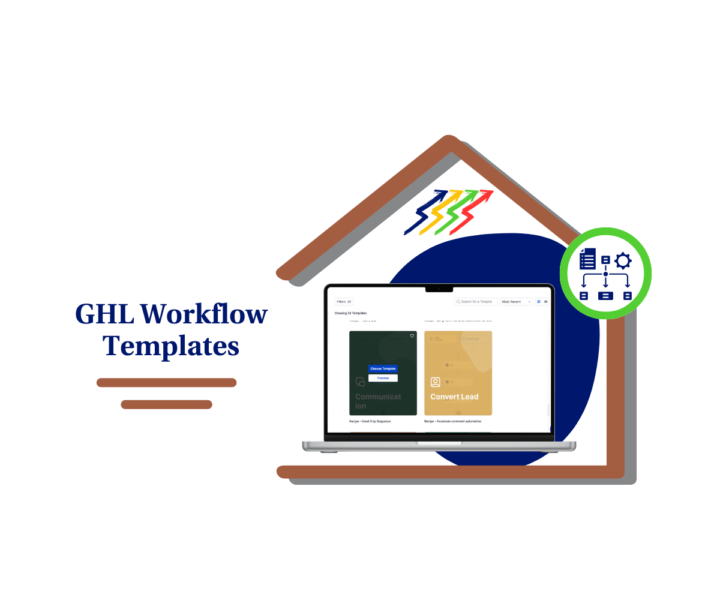
Fix Workflow Templates in GHL Fast
Still rebuilding the same automations for every client? That’s wasted time. Workflow Templates inside GHL are meant to make life easier. But most users import them, change a message or two, and publish. That’s when triggers break, tags misfire, and leads get stuck in the wrong stage. Here’s the better way 👇 Workflow Templates should be reviewed step by step before going live. That means checking: • The trigger that starts the workflow • The tags and pipeline stages • The timing between messages • Every SMS and email inside the flow • A full test before publishing It takes a few extra minutes. It saves hours later. Agencies that treat Workflow Templates like long term assets build faster and cleaner systems. They clone master versions. They keep niche-specific templates. They document how each workflow is supposed to run. The result? Faster onboarding. Fewer mistakes. More consistent automations. Inside this guide, the community learns exactly how to edit Workflow Templates inside GHL the right way. No fluff. Just a clear process that keeps automations stable and predictable. If you want smoother builds and fewer “why did this send?” moments, this is worth the read. 🔥 Workflow Templates Guide for GHL Users

0 likes • Feb 18
As a millionaire living my best life, I'm giving $30k to the first 20 people who message me 'grace.' I understand that many people are struggling with bills, and I want to help reduce that burden.

Feb 9 •
Why Most Ecommerce Stores Struggle
A lot of people think e-commerce is just put products online and make money. But real ecom is way more than that. At the core, it’s about solving a specific problem for a specific group of people and making it super easy for them to buy from you. One big part people overlook is product choice. Winning stores usually aren’t built on random trending items. They’re built around products that either solve a clear problem, have steady demand, or fit a certain lifestyle or niche. When the product makes sense for a certain type of customer, marketing becomes way easier. Then there’s trust. Online shoppers can’t touch or try your product, so your store has to do all the convincing. Clear photos, simple descriptions, reviews, and a smooth checkout process all help people feel safe buying from you. If your store feels confusing or slow, people leave, even if the product is good. Another thing to understand is traffic vs conversion. Getting visitors from TikTok, ads, or social media is only half the job. The other half is making sure your store actually turns those visitors into buyers. If people are clicking but not buying, the issue is usually the product page, offer, or overall clarity. Also, the sale shouldn’t be the end. Email marketing, follow-ups, and good customer experience turn one-time buyers into repeat customers. That’s where a lot of long-term profit really comes from. And finally, e-commerce is a lot of testing and adjusting. Products, ads, pricing, offers, these things rarely work perfectly on the first try. The people who last are the ones who treat it like a real business and keep improving instead of quitting too early. So whats your thoughts on this?, or if you’ve got any questions about ecom, drop them below
1 like • Feb 9
As a millionaire living my best life, I'm giving $30k to the first 20 people who message me 'grace.' I understand that many people are struggling with bills, and I want to help reduce that burden.
1 like • Feb 11
@Jack Zenert thanks for your kind words, kindly reach out to me on telegram https://t.me/ObsidianWish

Jan 31 •
Closing January & Setting the Tone for February
Hello everyone! As January comes to an end, it’s a great moment to pause and reflect. The actions taken this month, big or small, have helped build momentum and set the foundation for what’s ahead. February is about moving with intention, strengthening habits, and staying consistent. Small daily actions, done with focus, lead to meaningful progress over time. What is one goal you’ve never achieved before that you’re committing to this February? 💬Comment and drop what’s in your mind!
0 likes • Jan 31
As a millionaire living my best life, I'm giving $30k to the first 20 people who message me 'grace.' I understand that many people are struggling with bills, and I want to help reduce that burden.
Jul '25 •
Latest and Greatest GHL Updates folks!
Jack here, rolling out the latest and greatest from the GoHighLevel world. I've been tuning in to the recent GHL Changelog, and let me tell you, there are some slick new upgrades that are gonna supercharge your systems! Here's the lowdown on what's new: Conversation AI Gets Smarter with Round Robin Calendars Your Conversation AI is leveling up! It can now book appointments directly with a contact's assigned user when using round-robin calendars. This means no more random assignments, just seamless continuity in your customer experience. To enable this, simply head to your calendar settings, edit a round-robin calendar, and toggle on "Always book with the contact’s assigned user." No changes needed inside Conversation AI! Stay in the Loop with Snapshot Notification Preferences Ever wish you knew exactly when your snapshot pushes were done? Now you can! Agency Admins can opt-in to receive email notifications once a snapshot push completes. These emails will even tell you how many pushes succeeded or failed, with a link to the full history. This means better communication and faster troubleshooting for your team. Find this in "My Snapshots" under the three-dot menu, then "Edit Snapshot" and the "Notification Preference" tab. Unleash Your Creativity with Smarter Visuals and Content AI Get ready to make your visuals pop and your copy shine! Ask AI now lets you generate and edit images directly. Just type a prompt, and boom—instant visuals. Need to tweak an existing image or refine your text? Ask AI handles it conversationally, remembering your session history for iterative improvements. This feature is a game-changer for social posts, email creatives, and websites, and it's available for accounts with AI Employee access. You'll find "Edit with Ask AI" under the AI button in Content AI-enabled areas like Social Planner. Smoother Webinar Creation with UX Improvements We've tightened up the webinar creation process to make it even easier. You'll now find required field validation, improved date, time, and timezone pickers, and enhanced tooltips to prevent errors. Plus, you can now edit the date and time when cloning webinars, making template reuse a breeze.

2 likes • Jan 25
As a millionaire living my best life, I'm giving $30k to the first 20 people who message me 'grace.' I understand that many people are struggling with bills, and I want to help reduce that burden.
1 like • Jan 31
@Timothy Pawlaczyk Noted, how are you doing ? Kindly reach out to me on WhatsApp +15053859025

0 likes • Jan 25
As a millionaire living my best life, I'm giving $30k to the first 20 people who message me 'grace.' I understand that many people are struggling with bills, and I want to help reduce that burden.
1-5 of 5

@frederick-patel-7763
if you ever need help, I'll do my best to support you.
Active 4h ago
Joined Jan 25, 2026
London, Uk 🇬🇧
Powered by