Activity
Mon
Wed
Fri
Sun
Jan
Feb
Mar
Apr
May
Jun
Jul
Aug
Sep
Oct
Nov
Dec
What is this?
Less
More
Memberships
Learn Power Apps
2.5k members • Free
Super Power Labs Accelerator
61 members • Free
Power Apps Templates
128 members • $25/m
Tech Workshops
62 members • $25/m
The Microsoft Stack
108 members • Free
469 contributions to Learn Power Apps

Oct 24 •
Power Fx Course Missing Video
@Darren Neese Session 21 Code Snippets Compilation is throwing a 404 error...

1 like • 2d
@Dustin Rocksvold We're currently looking into this and will revert soon
3d •
🎉 Welcome to Our Community! 🎉
Hey everyone! 👋 Let’s give a warm welcome to our newest members who’ve just joined us! We’re so excited to have you here and can’t wait to see the amazing contributions you’ll bring to the community. @Vanessa Philadaeng @Rezo Ana Ahmed @Katjai Ho @Julien Tallon @Michelle Gilmore @Tu Nguyen @Coco Dazzle @GaneshKumar K @Wolff Koch @Jonathan Bianchi @Andrew Andrew @Robert Mays @Sarah Goldbach @Francesco Gaggioli @Sharinez triplett Triplett @Muhammad Amjad @Catalina Londono @Younes Ab @Dima Kaptsan @Carlos Soto @Kat C 👉 Click here to get started with our community: Learn Power Apps 💬 Community Members: Drop a comment below to say hi, share a fun fact, or offer a tip to help our newcomers feel at home.
0
0
3d •
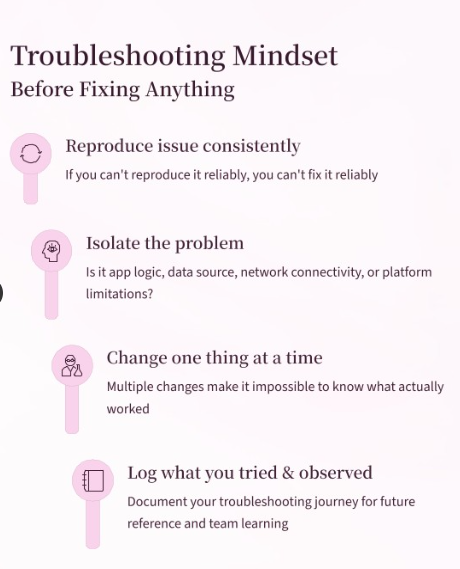
POWERAPPS TROUBLESHOOTING TIPS 👮🚨
Before diving in to fix any bug: 1. 🔁 Reproduce consistently If you can't reliably trigger it, you can't reliably fix it. 2. 🎯 Isolate the problem Is it app logic, data, network, platform limits, or something else? 3. ⚙️ Change one thing at a time Multiple changes = impossible to know what actually worked. 4. 📝 Log everything you tried & observed Your future self (and teammates) will thank you. Solid troubleshooting turns chaos into clarity. Save this for your next debugging session! 💡
5d •
SharePoint File Link to Document Library Question
@Elvis Eyobor @Darren Neese In the solution we talked about the other day I have a Power Automate workflow that takes the submitted information and generates a PDF copy of the form. The flow then saves it to a SharePoint Document Library under Shared Documents. I was trying to create a File Sharing Link and save the link back into the main SharePoint List for the app. I am running into issues when users who are not owners on the SP site try to run the flow stating that it is forbidden to create the File Sharing Link. CoPilot seems to think that sharing is turned off in the SP Admin, which I do not have access to. The question I have is do you think it would work if I just put the path to the document into the list? Would that allow users who have edit rights on the site to be able to open and review the document? How have you handled situations like this?
1 like • 3d
@Dustin Rocksvold Keep us posted

4d •
Dataverse Help Required
Hi Everyone, I am working on creating a training App and i am using Dataverse. Does anyone know a way that i can use a formula or Flow to lets say add 9 months to date that i may have in another column that will work automatically whenever the current date changes. I've been using Flows with Compose and Condition but i cant seem to get it to work. I'm basically trying to make a Signed off date, Due date and Overdue Date, with Another column which says weather Its Compliant, Due or Overdue. Any Help would be appreciated.
1 like • 3d
Use Dataverse Formula columns (Power Fx) for automatic calculations—no Flows needed. Assume your source date column is SignedOffDate (Date Only). 1. Due Date (new Formula column, type: Date and Time - Date Only): DateAdd(SignedOffDate, 9, Months) 2. Status (new Formula column, type: Text): If( IsBlank(DueDate), "No Due Date", Today() > DueDate, "Overdue", Today() = DueDate, "Due", "Compliant" ) These update automatically on every view/query as the current date changes.
1-10 of 469

@elvis-eyobor-3582
Community Moderator🚨
We are here to help you escape PowerApps hurdles 🧑⚕️
Active 20h ago
Joined Sep 16, 2023
Powered by