Activity
Mon
Wed
Fri
Sun
Mar
Apr
May
Jun
Jul
Aug
Sep
Oct
Nov
Dec
Jan
What is this?
Less
More
Memberships
Creative 3D Community
6.3k members • Free
5 contributions to Creative 3D Community

Mar '24 •
3D Printed Nail Gun
Had some fun adding some functionality to some of the parts... hope you enjoy!
0 likes • Mar '24
thank you! andstarbond superfast -thin
Feb '24 •
Just printed one of the Lessons... thought I would share
Glue Gun is done! The Nail Gun will be next!
1 like • Feb '24
Thanks! ... DP is close, they are kinda the British version of DP. Band is Focus, song is Hocus Pocus... I wuz looking for music that can make 3D printing look cooler than what it is, I think it worked?

Feb '24 •
Scale Issues
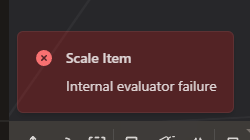
Hello guys, just following up the Apple Watch Ultra Tutorial and i keep getting this issue message from plasticity. If i try to scale down more than that, this message appears. Does anyone know how to solve this? https://streamable.com/hghqci
1 like • Feb '24
I think I ran into the same issue on this course... wuz this when you're making the button on the side?... If I remember correctly I didn't have a strait line (curve) aligned on 'tangent' or 'end' when trimming a circle... and for whatever reason I ran into this issue like 10 or 20 steps later in the lesson. I had to go back to and redraw and make sure I was tangent before trimming again. Hope this helps!

Dec '23 •
🎥 [NEW COURSE] - We Need Your Input
I started to work on our new Plasticity Course, and I want you to be included in the decision-making process as always! ✅ Step 1: Watch this video till the end to see what the course will be about https://vimeo.com/894812929/a77241d386?share=copy ✅ Step 2: Vote for your favorite below ⬇️⬇️⬇️ Vote for your Favorite below (Click the circle)
Poll
45 members have voted
![🎥 [NEW COURSE] - We Need Your Input](https://i.vimeocdn.com/video/1769199795-a991a58b2079b1ef8dfeb4e86699b3005be2f2efb0c37cc7553907b93518517c-d_295x166)
2 likes • Dec '23
The Red Rocker doth decree, "You get on your bad motor scooter and ride"... any Montroes fans out there??? ... and if you ended with a BLENDER BRIDGE tutorial to show us how to render this creation, I bet you would get more folks to finish the course! Just say'n! 😁
Nov '23 •
Apple Watch Left Button Loft ... Help?
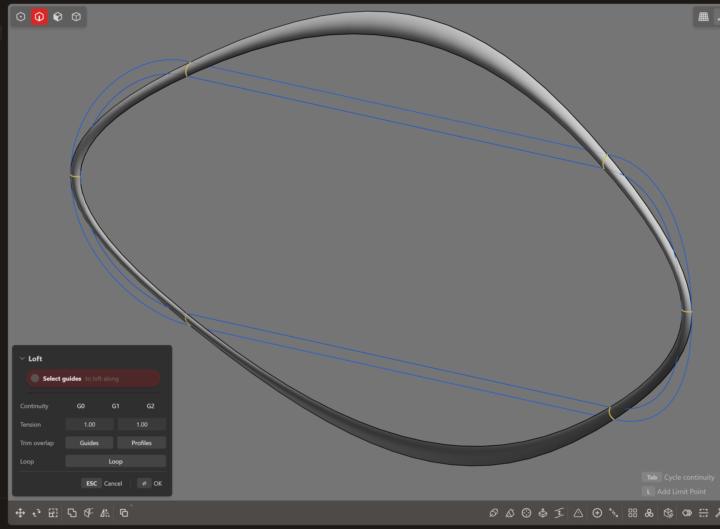
Working on the Ultimate Beginner Exercises, working through part 6 of the Apple Watch, at 12min in we create a LOFT around the left button... was able to add/duplicate all the curves, initiate loft, enable 'LOOP' option, but once I select Guides I get an error stating 'Precision is too small or too large'. I tried scaling the curves both larger and smaller by 2x, and I keep getting the same error... I'm guessing this error is not referring to the actual size of the 'loft' but some other 'Precision' setting?... any suggestions?
0 likes • Nov '23
You called it Nakita, thank you my friend! My right circle wasnt trimmed exactly at the 'tan/tan' point, leaving a small (.3mm) segment that was causing this error... I had to rebuild not only these curves, but my entire button... as you mentioned earlier in the course, alignment is super important. As having one point off early in the modeling process will cause major headaches down the road. I was able to finish the button after this fix. Thank you!
1-5 of 5