Activity
Mon
Wed
Fri
Sun
Apr
May
Jun
Jul
Aug
Sep
Oct
Nov
Dec
Jan
Feb
Mar
What is this?
Less
More
Memberships
Claude Code Kickstart
546 members • Free
The AI MBA
1.2k members • Free
The AI Agency
568 members • Free
AI Bits and Pieces
541 members • Free
Real-World AI Builders
561 members • Free
AI Automation Society Plus
3.3k members • $99/month
AI Automation Skool
2.1k members • Free
Max Business School™
263.9k members • Free
AI Workshop Lite
15.3k members • Free
7 contributions to AI Bits and Pieces

27d •
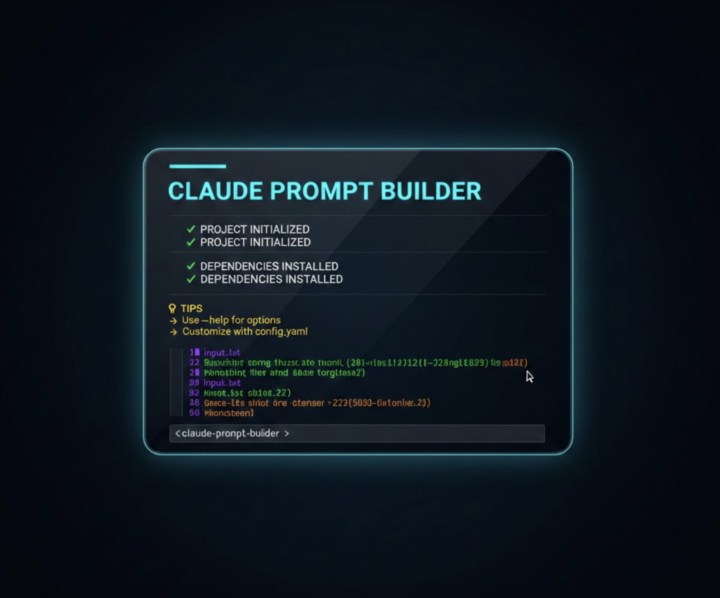
How I Turned Anthropic's Prompting Framework Into a One-Command Tool
Built a terminal-based Prompt Builder for Claude Note before downloading: One thing to note — it requires zsh on macOS. The script uses zsh-specific syntax ((N) glob qualifiers, ${(s:,:)} splitting, print -r) and macOS-specific commands (pbcopy for clipboard, stat -f for file dates). If your on Linux or using bash, it won't work without modifications. Spent some time building a tool that solves a problem I kept running into - inconsistent prompts. Every time I'd start a Claude session, I was either forgetting key pieces (context, constraints, role) or spending too long thinking about structure before even getting to the actual work. So I built a Prompt Builder script that runs right in my terminal. Type prompt and it walks you through Anthropic's 9-element framework step by step - task, audience, tone, format, context, examples, role, reasoning, constraints. When you're done it copies the finished prompt to your clipboard with proper XML tags (which is how Anthropic recommends structuring prompts for best results). Just shipped v2.0 with templates (email, strategy, analysis, code review), a quick mode for when you just need task + role + constraints, a searchable prompt library so you can reload and tweak past prompts, and the ability to inject context from a file instead of typing it all out. Zero dependencies, pure shell script, works on any Mac terminal. Small tool but it's already changing how I work with Claude. Better inputs, better outputs. Every time.🔥

2 likes • 26d
@Matthew Sutherland That's awesome can wait to try it with the new Claude 4.6
Jan 24 •
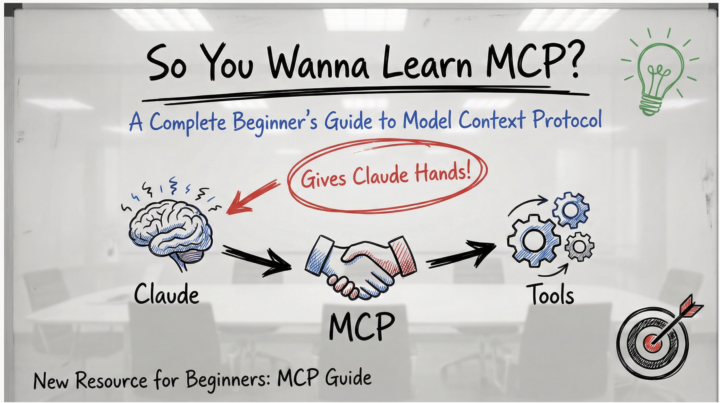
🚀 New Resource: So You Wanna Learn MCP?
Hey everyone! 👋 I just put together a complete beginner's guide to MCP (Model Context Protocol) - the new system that lets Claude actually connect to your tools and do real work. What's MCP? Think of Claude as having a really smart brain but no hands. MCP gives Claude those hands - letting it read your Gmail, work with GitHub, access Notion, search the web, organize your files, and connect to hundreds of other tools. The best part? Someone builds one MCP server and it works with Claude, Cursor, Cline, Windsurf, and any other AI app that supports MCP. No more reinventing the wheel. What's in the Guide? ✅ Visual explanations (diagrams, flow charts, analogies) ✅ Zero technical jargon - plain English throughout ✅ Step-by-step setup walkthrough (takes ~20 minutes) ✅ Hands-on tests to verify it's working ✅ Security tips for evaluating MCP servers ✅ 5 practical exercises to try immediately ✅ Troubleshooting guide Goal: Get you from "What is MCP?" to having your first server running in under 20 minutes. Pro Tips from the Community 🔥 Don't install 100 MCP servers at once! (h/t [Name if you have one]) Start with 2-3 that you'll actually use. Too many servers: - Bloat your context window - Slow down Claude's response time - Make it harder to figure out what's not working - Create unnecessary complexity Start simple. Add more as you need them. What to Try First? The guide walks you through setting up the filesystem MCP server - it's the easiest to configure and immediately useful: - Organize files - Batch rename - Create project structures - Search and analyze your documents Once that's working, expand to tools you actually use daily (GitHub, Slack, Notion, etc.) Let's Learn Together 🤝 This community thrives on sharing knowledge, so: ✨ Try the guide - Follow along and get one MCP server running 💬 Share your results - What worked? What was confusing? 🆘 Ask questions - No question is too basic. We all started here. 🧠 Share your tips - If you've used MCPs, drop your learnings below!
2 likes • Jan 27
@Matthew Sutherland thank you for sharing
Jan 27 •
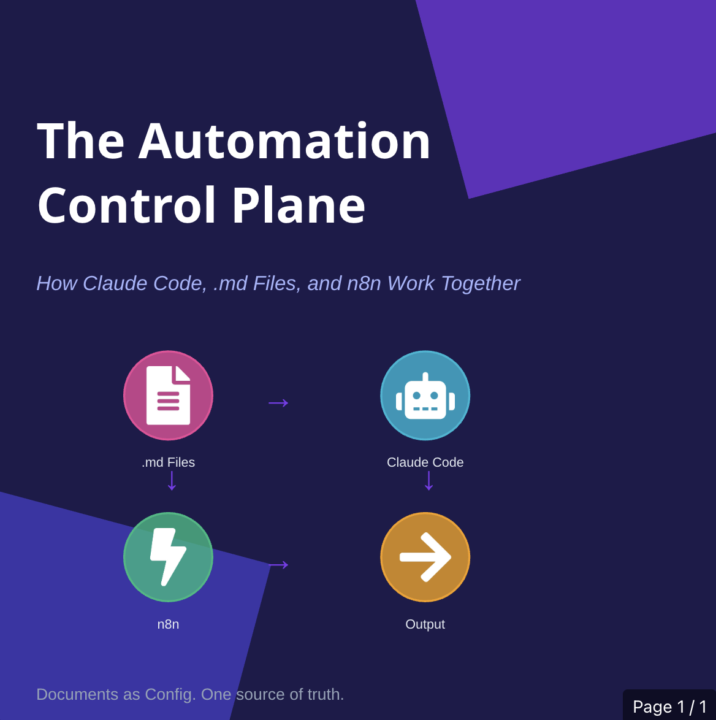
.MD+ ClaudeCode+ n8n = The Automation Control Plane
What if your documentation actually controlled your automations? Not described them. Not explained them after the fact. Controlled them. That's the shift: .md files become the source of truth. Claude Code reads them. n8n runs what Claude builds. Change the markdown, change the system. No more re-explaining context in every prompt. No more documentation that drifts out of sync within weeks. No more tribal knowledge that lives in one person's head. One place to define how it works. Everything else derives from there. TL;DR: - .md files = config, not docs - Claude Code = reads your rules, generates workflows - n8n = executes what gets built - Edit a document → system behavior changes - If you're tired of rebuilding the same patterns by hand, this is worth 10 minutes. Full article: Below⬇️
2 likes • Jan 27
@Matthew Sutherland Thanks for sharing this is great

Jan 18 •
GitHub 101: For Non-Tech People
See "check my GitHub repo" everywhere but have no clue what people are talking about? Same here. So here's a simple explanation. What is GitHub? Think Google Drive, but for code. The big difference: it tracks a detailed history of every change. Every save-point. Every edit. By who, when, why. Why do people use it? → Version control - Want to go back to yesterday's code? No problem. → Collaboration - Multiple people on the same code without chaos → Backup - Your work is safe online → Portfolio - For developers, their GitHub is their resume What is a repo (repository)? Just a project. Building a website? That's one repo. All code, files, and history in one place. The basic flow: Create a repo (new project) Write/change code on your computer "Commit" your changes (save-point) "Push" to GitHub (upload) Others can "pull" (download) and work with it Private vs Public This one tripped me up: → Private repo = only you (and who you invite) can see it → Public repo = everyone can see and use your code For client work: ALWAYS private. Their business logic, API keys, custom flows - that shouldn't be public. Best practices you need to know: → Use branches (parallel worlds for your code - test new features separately) → Write clear commit messages ("Fixed login bug" not "fix stuff") → Create a README.md (explains what your project does) → Use .gitignore (keeps passwords and API keys out of your repo) Practical example for AI automation: You're building an AI chatbot for a client: Create repo "client-x-chatbot" (private) Claude Code writes the code Push to GitHub after each feature Client gets access (transparency) Bug? See exactly what changed New client? Copy the repo and adjust Deployment story GitHub is often the middle step: Write code → Push to GitHub → Automatic deployment to production Platforms like Vercel or Netlify deploy automatically every time you push to GitHub. This is called CI/CD (Continuous Integration/Continuous Deployment).

5 likes • Jan 18
@Ai Stromae thanks a lot for sharing, tho is helpful

Jan 12 •
💎 Prompt Series: The Foundation for Unlocking Real AI Power
A 5-Part Series on Prompting, Iteration, and Finding Your Own AI Rhythm We talk a lot about AI tools— Models. Apps. Updates. But beneath all of it, there’s one thing that quietly connects almost everything in modern AI: 💎 Prompting. Not as a trick. Not as a hack. But as the foundation—the way we communicate intent, context, and direction to AI. 💎 Prompting — often taken for granted, yet once refined, it unlocks real AI power. Over the next few posts, I’m kicking off a 5-part series called: 💎 Prompting: The Foundation for Unlocking Real AI Power We’ll explore: - Why prompting shows up everywhere, no matter the tool - Why iteration (not perfection) is the real superpower - Why some AI tools feel intuitive while others don’t - How prompting naturally enables us to expand from simple use to workflows and systems - And why there is no single “right” path when learning AI This series will reveal how such a simple act can unlock so much real capability. For the complete Series articles, visit: Series Hub ✨ AI Bits & Pieces — helping people and businesses adopt AI with confidence. Image created using “prompts” with ChatGPT.

2 likes • Jan 13
@Matthew Sutherland thank you for sharing this
1-7 of 7

@dimitrios-tselios-7735
AI expert in telecom product management, development leader and entrepreneur, with 20 years of experience leading high performing expert teams.
Active 18h ago
Joined Dec 6, 2025
Powered by