Activity
Mon
Wed
Fri
Sun
Apr
May
Jun
Jul
Aug
Sep
Oct
Nov
Dec
Jan
Feb
Mar
What is this?
Less
More
Memberships
Creative 3D Community
6.5k members • Free
17 contributions to Creative 3D Community


1 like • 1d
LW26? Has the open beta started?

4d •
Just watching Youtube...
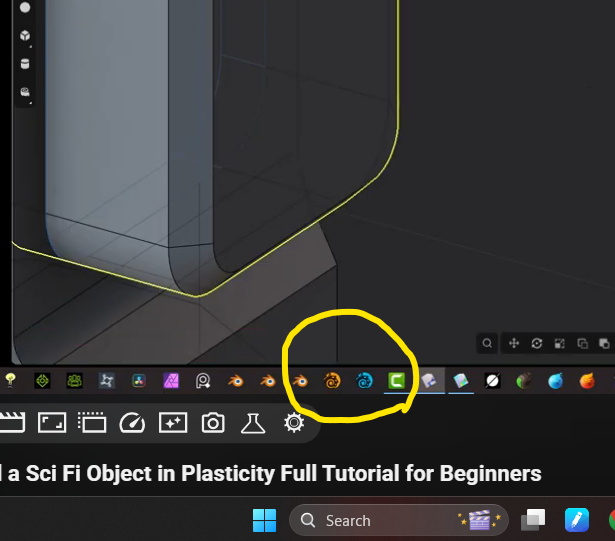
@Erich Linder Just cruizin' along watchin Plasticity tuts and lookey what I saw... Must say, looks pretty damn nifty on that taskbar. Been a long minute since I had that in mine and it didn't look like that back in the day.
1 like • 3d
Still have both in mine too.

18d •
Viewports
Hi. New here and to Plasticity. I am on an M3 MacBook Pro. No matter what, I cannot get my views to work with number key. No dedicated number pad, but cmd and number or any other combo does not work. Any ideas? I will need to set shortcuts. Also, all programs I used have quad viewport option. This is not option?
0 likes • 16d
I just bought a cheap external numbers only keypad for my M5 MBP for this reason. I miss quad view from Lightwave too. Apparently so do others since it's already on the roadmap as coming eventually. When though is anyone's guess.
Feb 17 •
Alt + Left click
Did something change or I'll have to just go through my functions and settings one by one in regards to alt + left click selecting all in a loop. It still seems to work like that when working with sheets or solids. But I could have sworn is did that for curves as well when I first got Plasticity. Now when I try to do it with a set of curves that are connected but there are others that are not touching but in the same base, they all get connected.
1 like • 26d
You're not crazy, sometimes it selects loop, sometimes not. I haven't figured out when or why not. It's option-click on my Mac.
30d •
Modeling with materials in mind
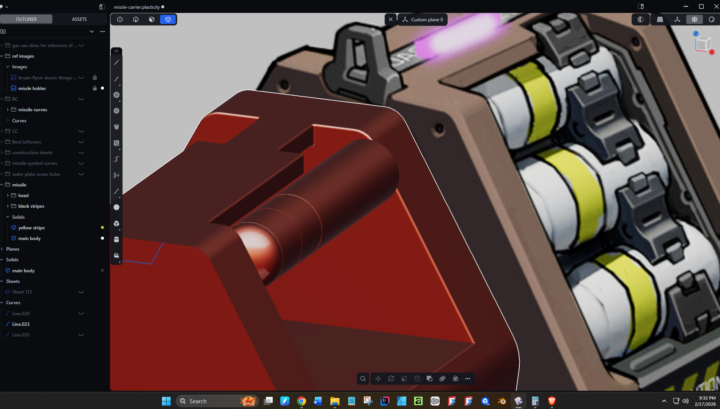
Making more headway with understanding how to model so it makes it easier to assign materials later on. I'm not going to focus a whole lot on it because it's still very simple in comparison to Blender's shading tab with nodes. But for displaying directly from Plasticity, the material system is certainly workable once you start to understand some of the core values.
0 likes • 30d
I solely miss being able to assign materials by face/polygon without it being a separate sheet or object.
0 likes • 29d
@William Bourque Even face selection sets would be nice. I looked and both are already in the feature requests from other people.
1-10 of 17