Activity
Mon
Wed
Fri
Sun
Jan
Feb
Mar
Apr
May
Jun
Jul
Aug
Sep
Oct
Nov
Dec
What is this?
Less
More
Owned by Torsten
The community to learn Python and realize Python projects
Memberships
TrustyChinese - Learn Mandarin
409 members • Free
MB Pro - The Hub
2.9k members • Free
Mandarin Blueprint Lite
26.4k members • Free
Synthesizer
33.3k members • Free
Kourse (Free)
114.8k members • Free
Content Academy
13.6k members • Free
Community Builders
8.1k members • Free
Adonis Gang
185.5k members • Free
AI Synthesizers FREE
81 members • Free
3 contributions to Content Academy

Feb '24 •
Question about video equipment
Hello everyone. I have a question about video recording and my setup. I bought a Canon EOS M50 a few years ago. I connected it to my computer via USB. I basically use it like a webcam. In other words, I use the Canon Webcam Utility in conjunction with OBS Studio (Virtual Camera). My problem is that the quality is not particularly good, even though the camera can record in 4K. The problem is the data transfer via USB. The data transfer rate is simply too low. My question to you would be, regardless of my camera, which setup I can use to achieve good quality for recordings on the PC. It is very important that I can start my recordings without much effort. I don't want to need 20 minutes for setup before I can start. My use cases: 1) Video recordings for our coaching program (video courses) 2) Live Call Sessions (Zoom) 3) Video recordings for social media content I just want to have a crystal clear picture, everything else looks unprofessional. Should I use a good webcam in this case? Of course, I could also make the recordings directly via the camera (without a PC in between) and buy a display on which I can see myself. But then I wouldn't be able to show anything on my screen or would have to edit the various video sources together first. I would be grateful for any tips! Greetings Dominic

1 like • Feb '24
I use an Elgato Cam Link 4k for my Canon EOS M50, which allows me to connect the camera to a USB port. From what I've heard, the Webcam Utility is not that good. However, I have the Canon EOS M50 mark 1, where you can't record in autofocus via HDMI because the camera's graphics are displayed as well. This problem does not exist with the Canon EOS M50 mark 2. Maybe you should try the Cam Link too if it's within your budget.

Feb '24 •
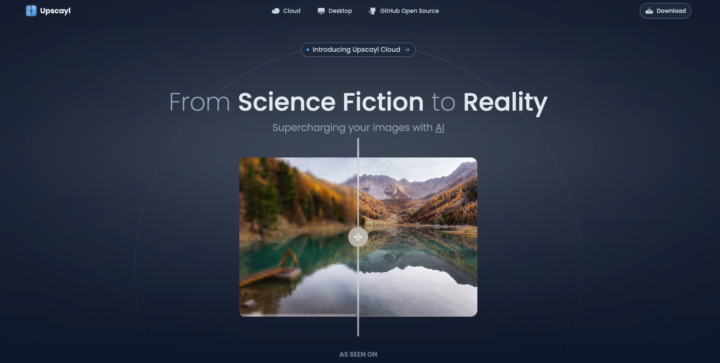
Free Open source app to upscale your images with AI
Been using this free open source desktop app to do image upscaling. Its totally free and works great. Mac/Win/Linux https://www.upscayl.org/
2 likes • Feb '24
Thank you for sharing this

👑
Feb '24 •
Win a $25 Visa Gift Card! Post Your Studio Setup
Drop your recording or studio setup, I'll go first! We'll take the top three from here and put it to a community vote!! Winner gets the gift card! And don't be shy, I posted mine with dust and all.

4 likes • Feb '24
That is my workplace
1 like • Feb '24
@Stephen G. Pope yes, the desk always looks clean and tidy😉
1-3 of 3

@torsten-frakemoller-3338
Hi, my name is Torsten and I try to find out what Skool is.
Active 26d ago
Joined Feb 11, 2024
Powered by