Activity
Mon
Wed
Fri
Sun
Jan
Feb
Mar
Apr
May
Jun
Jul
Aug
Sep
Oct
Nov
Dec
What is this?
Less
More
Memberships
Learn Power Apps
2.5k members • Free
The Microsoft Stack
108 members • Free
Super Power Labs Accelerator
61 members • Free
Power Apps Templates
128 members • $25/m
Tech Workshops
62 members • $25/m
ChatGPT Users
12.6k members • Free
8 contributions to Learn Power Apps

Sep 29 •
🎉 Welcome to Our Community! 🎉
Hey everyone! 👋 Let’s give a warm welcome to our newest members who’ve just joined us! We’re so excited to have you here and can’t wait to see the amazing contributions you’ll bring to the community. @Albi Meta @Thanh tam Vo @Veronica G. @Onzima Fred @Reiner Ganser @Finn Nitschke @Sarah Segovia @Akash Chavan @Ethan Currey @Chien Trinh @Paul Sayer @Mary Gade 👉 Click here to get started with our community: Learn Power Apps 💬 Community Members: Drop a comment below to say hi, share a fun fact, or offer a tip to help our newcomers feel at home.

1 like • Sep 29
Welcome!!

May 6 •
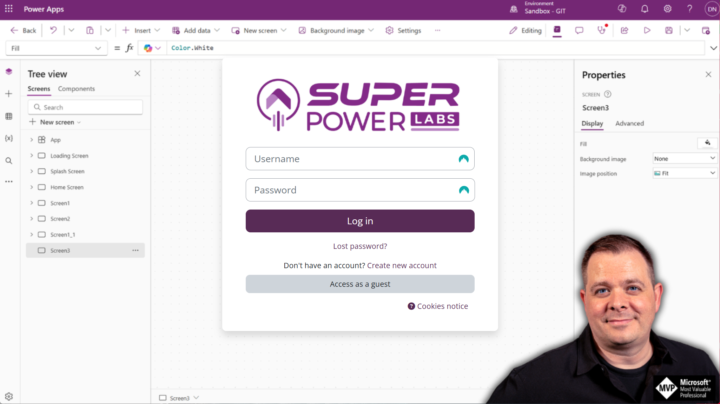
MOODLE IS BACK UP and Even Better!
Courses: - https://courses.superpowerlabs.app/login/index.php BigBlueButton: - https://bbb.superpowerlabs.app/ Now it is time for me to do a full backup of my servers so I never have to do all the set up and configuration again! 😅🤯 There is much to migrate and set up, so please hold off on posting or emailing that you can't find something just yet. I love you guys! I just wanted to keep you guys posted on the progress I've made. Once everything or portions are over there, I will post and send out emails and asking if you have access to everything you should.
1 like • May 6
Wanted to let you know I am getting this error on Moodle. Do we just need to be patient while you are re-setting everything up?
Mar 29 •
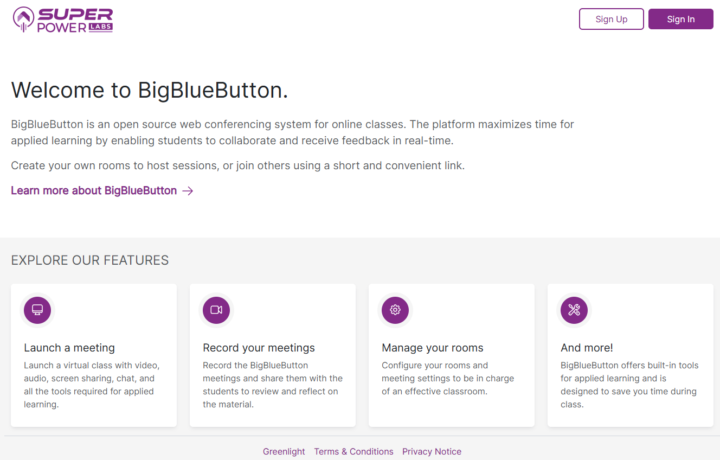
BIG BLUE BUTTON is now set up!
Feel free to register on the platform now: - https://bbb.superpowerlabs.app/ 4/14/25 UPDATE: BigBlueButton requires massive server resources, so I reserved a whole KMV8 server just for it and reinstalled it. It has the same URL, though: https://bbb.superpowerlabs.app/ Related access (that will integrate with BBB): Moodle is installed and ready: - https://moodle.superpowerlabs.app/
3 likes • Mar 31
I am getting an error when I click on your link.

Nov '24 •
Variables as column names in lookup
I am trying to use a lookp funtion to return a value from a table of operator schedules, There are several types of schedules that I have created as rows in the OperatorSchedules table. Each Row of the table has a name field and then 42 columns (one for each day of the six week rotation), Day 1, Day 2... Day 42. In the values in the day columns have an X if the operator is off work, an N for night shift, D for Day shift, etc.. If I use this formula it returns the correct information. LookUp(OperatorSchedules,ScheduleName="Board A", 'Day 35') When I try to make it dynamic so that I don't have to make individual screens for each month, using a variable in the column name field it returns the text value of the variable. LookUp(OperatorSchedules,ScheduleName="Board A", _firstDayInSchedule) I have a formula (below) that calculates the difference between a reference date (fxDayOne -10/9/2024, which corresponds to the day that the Day 1 column in the DB aligns with the actual schedule) and the start of the month and then appends "Day " to it. Here is that formula. I have tried with and without the Char(39) values in the formulas and both return the plain text value. Anyone know of a way to make the lookup see the variable value as a column name and not plain text? If( DateValue(_firstDayOfMonth) > DateValue(fxDayOne), Set(_dateDifference, -1 * DateDiff( DateValue(_firstDayOfMonth), fxDayOne )); Set( _firstDayInSchedule, Char(39) &"Day " & Mod(_dateDifference,42)&Char(39) ), Set(_dateDifference, DateDiff( DateValue(_firstDayOfMonth), fxDayOne )); Set( _firstDayInSchedule, Char(39) & "Day " & 42-_dateDifference+1&Char(39) ) );

0 likes • Nov '24
following - this is a very interesting use case and I would like to know the answer too...Sorry I couldn't be any help.

Oct '24 •
Power BI Discussion
Have you ever worked with Power BI? If yes, kindly share with us what the project was about. If you have a Power BI project you currently working on too, Kindly share😃
3 likes • Oct '24
@Elvis Eyobor just helped me complete my first APPLICATION! I was able to have someone enter 3 months worth of data into the system and I created a simple Power BI report. My APP tracks water well pumps and displays the GPM (gallons per minute) by depth in the ground. My report has 2 sliders that the user can use to select a general range for the GPM and the depth of a new well then the output is a unique list of PUMP CATEGORIES and a full list of all the pumps that fit the slider criteria. It is a very basic function that provides the sales folks a list of pumps that will work for their designs. This is just a small piece of what I am planning on doing with Power BI using SharePoint List.
1-8 of 8

@mike-phillips-8340
I'm just a simple guy working for a construction company that wants to help streamline and automate their processes so we can utilize the data better.
Active 7d ago
Joined Jul 12, 2024
Saranac, Michigan
Powered by