
Write something

May 29 •
UCA Updates 29/05/26
Core Concepts: Ocean Photo + Video Basics is now complete and live. If you’re on the Premium tier, jump in and start working through it. Quick update on how I’ll be building courses from here: you’ll get access to the full course as I’m creating it, so you can learn in real-time instead of waiting for the final release. And don’t forget — the first UCA photo competition is live. Upload your entries for a chance to win prizes (Premium members only).
2
0
Mar 2 •
UCA Updates 02/03/2026
What we are working on: Currently we’re developing 2 courses, the Camera Basics and Underwater Pro courses. Both of these focus on actual camera settings, in water techniques and how to set yourself up for success. I’ve taken a step back from the DaVinci Course now the lesson plan is set, so I can go back in with fresh eyes! Free Vs Premium Vs VIP: The free version of the UCA is the community. Here was can talk, ask questions and grow together. For those looking for more, there’s the premium plan. This is how you get access to all the online courses and the free presets, powergrades, LUTs and more in the resource vault! Currently it’s $15 per month on Early Access. If you sign up now it’ll stay this price for life! We’ve also had quite a few new people join the community over the last week! Welcome! Remember to introduce yourself in the community, and feel free to ask any questions! Keep creating! Jake
Feb 18 •
The DaVinci Resolve Course Version 1 is READY
198 Lessons. Arguably one of the most in depth lessons about creating on DaVinci Resolve out there, especially for the underwater scene. While the chapters and lessons marked with ** are yet to recieve a fine tooth comb and get their screenshots to help navigate the massive program, all the information is there and ready to go! Its time to learn everything Resolve has to offer!
2
0
Feb 9 •
UCA Update 9th February
Hello everyone, I’m going to try and share a quick update like this once per week, so you can see what’s happening inside the Academy (when there’s something worth reporting). Over the last week I’ve been building and updating a couple of courses: - New course for beginners: a full starter course for creators who are just getting going - choosing a camera, super basic settings, and a simple setup workflow. - Big DaVinci Resolve course updates: - 30+ new lessons added to the Colour Editing section - 10 new lessons added on Fusion (titling + transitions) - A quick note on where the Resolve course is at: - The Academy is still in Early Access, and it’ll stay that way until the Resolve course is complete (the structure and written lessons are being built now, and I’ll add the video lessons once the entire academy is built). - If Skool allows it, I’ll honour the Early Access price for life for current premium members. You’ll also notice some of the new Resolve lessons are marked with **. That just means they’re not 100% polished yet, they might be missing a small piece, or a detail needs fine-tuning to match Resolve perfectly. I’ll be tightening those up as I add the screenshots. There’s already plenty to learn in the new content, and I’m excited to keep building this with you. See you in the Academy, Jake
1
0
Jan 20 •
*Update* DaVinci Resolve for Ocean Creators
I've made some updates to the DaVinci Resolve course over the past few days. I'm working through the colour workflow (its a big one and theres a lot to cover) - due to the amount of work that needs to go into it I took a break and finished up the EXPORTING part of the course. Now you can export in the right quality for the right platform. As an additional bonus theres 2 new downloadables for Resolve in the Resource Vault: 1. The UCA Pre-made Project - A blank canvas with a pre-made organisational structure and pre-made timelines set up so you can jump in straight away. 2. Export Presets - Theres so many different options and settings when exporting through DaVinci Resolve, so i've made it simple. Download and import the presets to get cinematic exports, as well as my custom built bulk export for reels (vertical clips), which exports all of the individual clips as individuals instead of one large clip. This is just the start - much more to come. Comment if theres anything you specifically want to see in this course. Jake
1-9 of 9
powered by
skool.com/underwater-creator-academy-1522
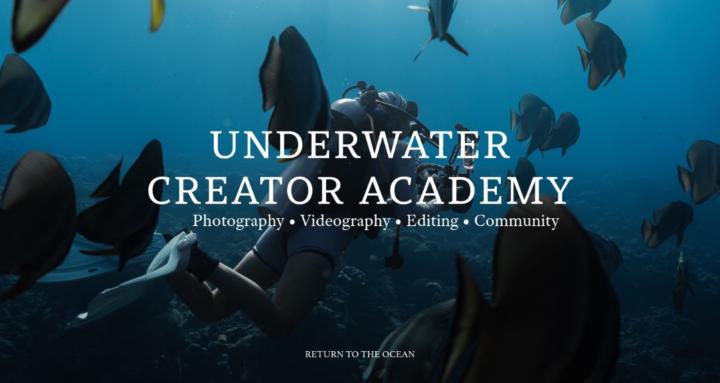
The Underwater Creator Academy: your one-stop hub to master ocean photo/video—from camera basics to pro shooting, editing, exporting, and feedback.
Suggested communities
Powered by