
Write something
Pinned

Dec '25 •
Welcome to the Underwater Creator Academy
Stoked you’re here. I built The Underwater Creator Academy to be the one place I wish existed when I was learning—clear, practical, and easy to follow. I’m a self-taught underwater photographer/videographer, and over the last decade I’ve made every mistake, tested a ton of gear and workflows, and figured out what actually moves the needle in the water and in the edit. This community is where I’m putting all of that into a simple path you can follow—whether you’re just getting started or you’re already shooting at a high level and want to sharpen your edge. What’s coming (and what you can expect) Step-by-step lessons covering the full workflow: camera basics → in-water technique → storytelling → editing → export + delivery Practical guides on settings, lighting, composition, movement, and getting stable/intentional shots underwater Post-production breakdowns (color, pacing, sound, exports for different platforms) Challenges and prompts to keep you creating consistently A place to ask questions, share your work, and get real feedback from other ocean creators How to get the most out of the community 1) Introduce yourself (keep it simple—what you shoot, your level, and your goal) 2) Post your work, even if it’s rough—progress happens fast when you get eyes on it 3) Ask questions early and often (no gatekeeping here) 4) Be generous with feedback—what you notice in someone else’s work improves your own Most importantly: this isn’t about being perfect. It’s about getting better every week, building confidence in the water, and creating ocean stories that actually land. Really excited to have you here—and I’m keen to learn alongside you too. Let’s build something epic together. Community Standards Safety first—don’t encourage risky behaviour. Respect marine life: no chasing/touching/harassing; no reef damage. Keep feedback constructive: specific, respectful, actionable. No spam—share links only with context/value.
Sep 14 •
A UCA Update 09/26 - Video Lessons and more.
Hey Everybody! Firstly I want to apologies for the lack of updates and anything really within the UCA. Its been a busy few months at Return to the Ocean. However focus has been turned to the UCA and finishing off courses! Currently we are in the final stages of the Action Camera Mastery Course, as well as building the Professional Underwater Camera Operator course. One thing to note is Video Lessons - I want to include video lessons in the courses as it help people to learn, HOWEVER there will be over 1000 lessons in the UCA so this well take time. To begin with the courses within the UCA will have screenshots and or diagrams where needed, however the video lessons will be added as the UCA grows. I hope everyone is doing well and keep on creating to protect our oceans. Jake
0
0
May 29 •
UCA Updates 29/05/26
Core Concepts: Ocean Photo + Video Basics is now complete and live. If you’re on the Premium tier, jump in and start working through it. Quick update on how I’ll be building courses from here: you’ll get access to the full course as I’m creating it, so you can learn in real-time instead of waiting for the final release. And don’t forget — the first UCA photo competition is live. Upload your entries for a chance to win prizes (Premium members only).
2
0

May 24 •
Yellow Headed Jawfish
I am posting what is actually two clips of yellow headed jawfish. I spent more time than I care to admit playing with these clips in Davinci😂. The first clip is edited less heavily, the second I probably overdid it with the color grading (added a LUT) but I can talk myself into thinking one is better than the other at any given time. I'd love to hear which one you guys think is better. The second clip I tried figuring out some things with stabilizing, zoom and slow-motion for the first time which was kinda frustrating at times. Both clips are out of focus in spots. I shot in program mode and think I need to try shooting in aperture priority or manual to increase my aperture and increase the depth of field. Anyone with experience with this that can give feed back would be much appreciated. I shoot in manual almost exclusively for stills but haven't trusted myself enough yet in getting into video. On the positive side, when I'm underwater working through these things I am definitely in my happy place. Thanks!


May 22 •
Competition entry
Hi! I would like to share some underwater water footage I have captured. I am a complete beginner with using any sort of camera. Now I don't go snorkelling without it. I can't wait to learn more and get better at making my videos smoother. -STILL These Sand Whiting were swimming right by the shore, they were very unfased by people in the water. Captured in Hillarys WA on 08/05/26

1-20 of 20
powered by
skool.com/underwater-creator-academy-1522
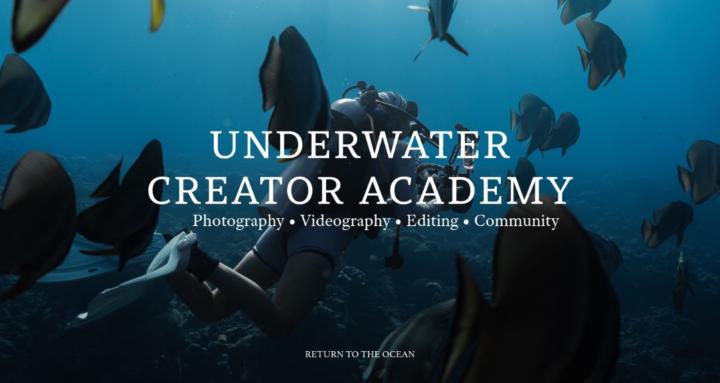
The Underwater Creator Academy: your one-stop hub to master ocean photo/video—from camera basics to pro shooting, editing, exporting, and feedback.
Suggested communities
Powered by