

10d •
ads everywhere
I don't know if this is scary or what... I got an email: You're invited to advertise on ChatGPT. Millions of people come to ChatGPT every day to discover options, compare choices, and decide what to do next. ChatGPT Ads give your business an opportunity to show up in these high-intent moments.

👑
🔥
Apr 22 •
🎨 Claude Design: I Built an eBook and Landing Page in Minutes
Four days ago, Anthropic released something that completely blew me away. It's called Claude Design. And it solved a problem I've been struggling with for weeks. I'm not a designer. Never have been. But I needed a beautiful eBook and a landing page for it... and everything I'd tried felt clunky or took too long. In the video I show you: • How Claude Design works (it's at claude.ai/design, separate from the main app) • How to upload your brand style guide, logos, and colours to create a design system • How it created a complete, beautifully designed eBook from just my copy • How I then created a matching landing page in the same session • How I exported everything and built the live page in Lovable using vibe coding The design quality genuinely shocked me. This isn't basic template stuff... it's proper, professional design that respects your brand guidelines. You only set up the design system once. After that, it knows your fonts, colours, gradients, logos... everything. Then you just tell it what to create. My honest take? This is the best AI design tool I've used. Better than anything I've tried in Canva for this kind of work. And it's fast... the eBook took about 10 minutes, most of which was Claude thinking while I got a coffee. The video is below 👇 (It's on my YouTube Channel. Please support the channel with a Like, Subscribe and Comment 🙏) Have you tried Claude Design yet? What would you create first? P.S. If you want to check it out (or even get the eBook) click here

👑
🔥
Nov '25 •
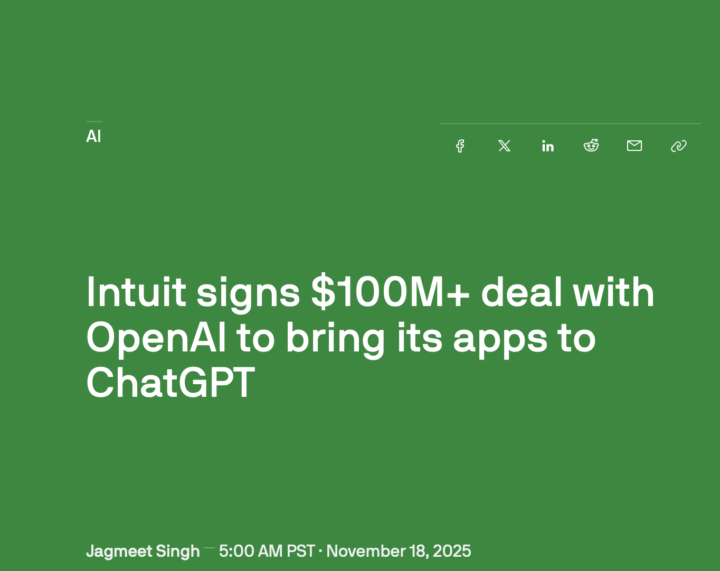
Intuit just signed a $100M deal with OpenAI… here's why that matters for accountants
Big news: Intuit (the company behind QuickBooks, TurboTax, and Mailchimp) has partnered with OpenAI to deeply integrate AI into their product ecosystem. This means apps like QuickBooks will soon be able to connect directly to ChatGPT. So, what does that mean for us in the accounting space? 🧠 AI-powered workflows are about to get much more practical inside tools we already use 💬 Client conversations, forecasting, and compliance could soon include real-time GPT guidance 💻 ChatGPT connectors to QuickBooks may reshape how we do reconciliations, reports, and insights 💡 Opportunity for firms who understand AI first—before clients do it themselves And one big thought: If this becomes mainstream, how will your firm differentiate itself? I’d love to know… 👉 Are you using any GPT integrations or AI tools inside accounting platforms yet? 👉 How do you see this shift impacting your work? Drop your thoughts in the comments 👇 (And if you want to read more, here’s the original article: TechCrunch link)
👑
🔥
May '25 •
🔍 ChatGPT Can Now Search Your SharePoint & OneDrive Files!
If you’ve ever wished ChatGPT could dig through your company docs, your wish just came true. 💥 With the new Deep Research feature, you can now connect SharePoint and Microsoft OneDrive to ChatGPT. That means you can ask questions like: “Summarize the last board report”“What’s our Q1 revenue target from the Ops folder?”“Compare last year’s and this year’s budgets” …and ChatGPT will search your files directly (without uploading or copying text manually). 🧠⚡ ✅ Available to ChatGPT Team and Enterprise users🔒 Access stays secure—it uses Microsoft’s identity system💼 Works with Microsoft 365 Business and Education accounts This is game-changing for anyone who works with lots of internal documents! 📌 If you're using Microsoft 365, will you be trying this? 👇 Let us know how you'd use Deep Research in your workflow! See the full article here “Connecting SharePoint and Microsoft OneDrive to ChatGPT (Deep Research)”
1-13 of 13
skool.com/theaicommunity
Helping accountants & bookkeepers confidently leverage AI, ChatGPT & Claude to streamline workflows, boost profitability, and future-proof themselves.
Leaderboard (30-day)
1

+12
2

🔥
+11
3

+10
4

+7
5
+7
Powered by