

Apr 24 •
WE ARE OPEN TOMORROW AT ALL LOCATIONS!
You can still come in for your sauna and ice baths starting at 7 am We will be closed for the 6 am sessions due to the dawn service. 💛💛💛
3
0

Apr 22 •
Meeting People
Hey everyone, I’m Fabio, been coming here for a bit and looking to meet some new people. I’m planning to go for a sauna session this week and thought it could be fun to go as a small group and meet some other regulars. If you’re interested, comment below or message me and I’ll set something up. Fabio
Apr 9 •
WIN YOURSELF A PRIVATE SAUNA SESSION!
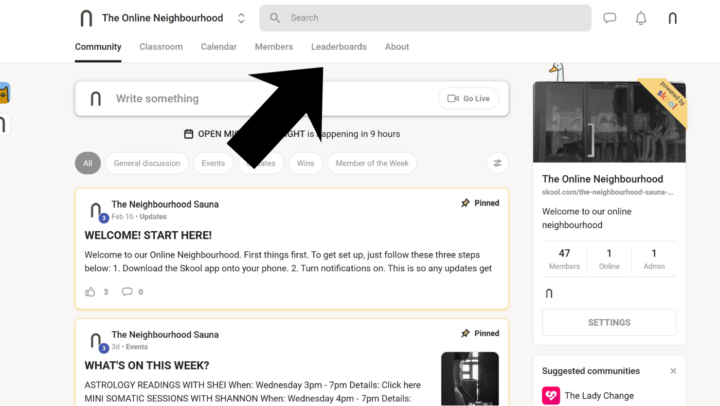
Simply by engaging in this community. You get points by: 1. Liking other people's posts 2. Commenting on other people's posts 3. Creating your own posts! The person at the top of the leaderboard (found in the pictures below) at the end of month, will win a private session for themselves to either enjoy by themselves or with friends and fam! P.S. This monthly competition is for both staff and members. So get posting/liking/commenting!
Feb 16 •
WELCOME! START HERE!
Welcome to our Online Neighbourhood. First things first. To get set up, just follow these three steps below: 1. Download the Skool app onto your phone. 2. Turn notifications on. This is so any updates get pinged straight to your phone. 3. Go to the Classroom tab at the top of the page and find the Start Here course. This will teach you how to use this community. Looking forward to connect!
6
0
1-9 of 9
Suggested communities
Powered by