
Pinned

⭐
29d •
🎉 Welcome to the Private AI Advantage Community!
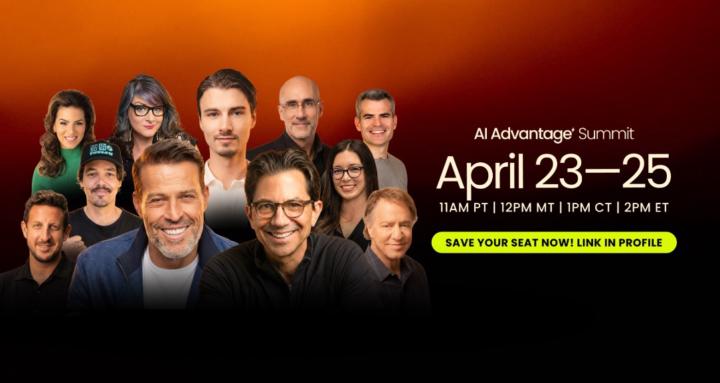
First & foremost… We’re so glad you’re here with us in this incredible private community. You’re officially part of the AI Advantage movement, and there’s never been a better time to jump in and start creating TRUE AI Confidence in a world that’s shifting daily. With our brand new 2026 AI Advantage Summit happening April 23–25, this is the perfect place to get connected, get inspired, and get ready for an incredible event. If you found this community because you registered for the Summit, welcome… We’re thrilled to over deliver for you during this journey! If you’re an existing member and want to be part of the 2026 Summit, make sure you RSVP so you don’t miss your chance to join us live for this exciting experience. Over the coming weeks, this community is where the momentum starts. It’s where entrepreneurs, business owners, creators, and professionals come together to explore what’s possible with AI, especially when it comes to saving time, simplifying the way you work, and creating more space for what matters most. Whether you’re brand new to AI or already experimenting with it, you’re in the right place. The Summit is going to be packed with powerful ideas, practical strategies, and real-world ways to use AI to work smarter, move faster, and reduce the overwhelm that so many people feel in business and life right now. And while you’re here, we’d love for you to introduce yourself in the General Discussion section. Let the community know where you’re from, what you do, and what you’re most excited to learn at the Summit. This is your chance to meet like-minded people, build connections, and start learning alongside others who are also ready to embrace AI in a practical, empowering way. We’re excited to have you here, and we cannot wait to experience the Summit with you. Let’s get ready for an amazing April 23–25... and make sure you RSVP if you want to join us

Pinned
⭐
3h •
🔥 TODAY IS THE DAY!
We are kicking off in one hour. I hope everybody is excited, ready, and raring to go. https://aiadvantagesummit.com/countdown If you haven't signed up for the VIP upgrade, it's not too late; you can still grab it right here. https://aiadvantagesummit.com/elitevip Come in with an open mind and let's learn something new about AI.
Pinned

1d •
How Do You View Obstacles?
The way you view obstacles will shape the way you experience life. If you see them as proof the path is wrong, you’ll stop. If you see them as unfair, you’ll resent them. If you see them as permanent, you’ll feel stuck. But if you see them as part of growth, everything changes. Because obstacles often show up for a reason. They reveal where you need to get stronger. They expose what needs to change. They build the capacity required for the next level of your life or business. So, I’ve learned to see obstacles as opportunity. Opportunity to overcome. Opportunity to learn. Opportunity to grow. Opportunity to increase my capacity. That doesn’t mean challenges are fun haha. But it does means they can be useful. The obstacle in front of you may not be there to block you. It’s likely there to develop you. To push you. To invite you into a whole new level. Because when you do overcome it, you don’t just get past the challenge. You gain the lesson you needed, the growth you needed, and the strength you needed to become the person who can hold the thing you’ve been asking for. Sometimes the obstacle isn’t separate from the path. Sometimes it is the path. So I’ll ask you… how do you view obstacles right now?

🔥
3d •
📰 AI News: Claude Just Moved Into Microsoft Word for Solo Users Too
📝 TL;DR Anthropic has opened Claude for Word to individual Pro and Max subscribers, not just Team and Enterprise users. That means solo professionals can now use Claude directly inside Word and review every AI edit with tracked changes before accepting anything. 🧠 Overview Claude for Word is Anthropic’s sidebar add-in for Microsoft Word that lets users draft, rewrite, summarize, and edit documents without leaving Word. The big upgrade is access. What used to be limited to team plans is now available to individual subscribers, which brings a much more practical kind of AI workflow to freelancers, consultants, coaches, and solo operators. 📜 The Announcement Anthropic’s Claude for Word page now lists the feature in beta for Pro, Max, Team, and Enterprise customers. Inside Word, Claude works on selected text, responds to comments, preserves formatting, and shows edits as native tracked changes. Anthropic also positions it as part of a broader Office-style workflow, with context that can carry across Word, PowerPoint, and Excel add-ins in one conversation. ⚙️ How It Works • Native Word sidebar - Claude works inside the document instead of forcing you into a separate chat window. • Tracked changes - Every edit can appear as a native tracked change, so you can accept or reject each one manually. • Comment-driven editing - Claude can read comments, update the anchored text, and reply in the comment thread with what it changed. • Formatting stays intact - It preserves heading styles, bullets, numbering, and defined terms instead of breaking the document layout. • Cross-document context - Claude can pass context across Word, PowerPoint, and Excel add-ins in one ongoing conversation. • Individual access now live - Pro and Max users can now use it too, which opens the tool up far beyond corporate teams. 💡 Why This Matters • AI is moving into real work tools - This is not another separate chatbot tab. It is AI showing up where people already do serious writing.


4m •
Animate This!
I just took what I just learned and was able to get a really cool animation of my logo. I have been using/learning AI on my own for 3 years and I am still finding new ways to use AI. Thank you AI Advantage for this amazing Event.

1-30 of 16,258
skool.com/the-ai-advantage
Founded by Tony Robbins, Dean Graziosi & Igor Pogany - AI Advantage is your go-to hub to simplify AI and confidently unlock real & repeatable results
Leaderboard (30-day)
1

+1206
2

+1177
3

🔥
+422
4

+338
5

+331
Powered by