
Write something
Pinned

9h •
OpenAI's Huge New Releases & More AI News You Can Use
This week, I cover the new model releases from OpenAI including GPT-5.3 and 5.4, plus I show off the new Project Sources update for ChatGPT. I also break down the many releases from Google as they condense their AI tools down into the products that work, talks briefly about OpenClaw competitors and Anthropic's latest releases, and more. Enjoy!
Pinned
11h •
🏗️⏱️ Onboarding at Speed: How to Cut Time-to-Competence in Half with AI
Onboarding is not an HR event. It is a time-to-value challenge. Every week a new hire or newly promoted teammate spends confused is a week of delayed impact, extra interruptions, and hidden rework. The cost is not just their time. It is everyone else’s time spent answering the same questions. AI can dramatically reduce time-to-competence when we use it as a knowledge multiplier and a private tutor. But the biggest benefit comes when we pair AI with clear artifacts that capture how we work. ------------- Why Onboarding Takes So Long ------------- Onboarding drags because knowledge is scattered. The process lives in someone’s memory, in old docs, in Slack threads, and in unspoken norms. New people do not just need information. They need context, priorities, and examples of what “good” looks like. When that is missing, they ask more questions, and they make avoidable mistakes. Those mistakes create rework, which slows them down and creates frustration. Meanwhile, the team gets interrupted, which increases context switching and slows everyone down. Time outcome: the onboarding problem is really a handoff latency problem at scale. ------------- Insight 1: The Fastest Onboarding Comes From Patterns, Not Pages ------------- Many teams respond to onboarding gaps by writing huge documentation. That often fails because it is hard to maintain and hard to consume. What actually helps are patterns: templates, checklists, examples, and definitions of done. New hires do not need everything. They need the 20 percent that lets them deliver the first 80 percent of value. AI helps us extract patterns quickly. We can feed it examples of past work and ask it to identify structure, tone, and success criteria. Then we turn those patterns into repeatable assets. Time outcome: faster time-to-first-independent-deliverable. ------------- Insight 2: AI as a Private Tutor Shrinks the Learning Curve ------------- New hires hesitate to ask questions because they do not want to look unprepared. That hesitation costs time.

Pinned

4d •
Nobody really cares...
Let me tell you something that might free you up a little. People don’t care about what you’re doing as much as you think they do. They’re not sitting around analyzing your moves. They’re not replaying your mistakes. They’re not judging you nearly as hard as you’re judging yourself. They’re thinking about their own lives. And yet so many of us hold back because we’re afraid of looking stupid. Afraid of failing publicly. Afraid it won’t go perfectly. But embarrassed in front of who? The real tragedy isn’t trying and falling short. The real tragedy is getting to the end of your life and realizing you played small. You had ideas and kept them safe. You had dreams and negotiated them down. You waited for the “right time” that never came. That’s the part that should scare you. You don’t get to run this life back. So if there’s something on your heart... a business to start, a move to make, a conversation to have... Do it. Not because it’s guaranteed to work. But because missing your shot is heavier than failing at it. What’s the bold move you’ve been overthinking?

Dec '25 •
Ways to incorporate AI into your business (big or small)
As a business owner and agency owner who educates people in my local community about AI (through the library and small businesses), I wanted to share a few ways that I have discovered that people can implement AI without feeling overwhelmed. The suggestions that I am giving below aren't to say you have to incorporate them all, but just pick one or two and as you get comfortable, incorporate a few more that make sense for your business... - You can use ChatGPT as your partner to run ideas by- analyze your strategy, challenge your approach, assist you in identifying your target audience if you are just getting started. Use the "voice" mode and ask it to ask you challenging questions to get to the core issue you are having based on the topic and it will transcribe the conversation on the back end so you will always have it. - You could create an app through vibe coding that holds your SOPs or Training information (nothing confidential or proprietary) so new people joining your team can learn from that tool vs. you or a team member having to take the time to train them (instead, you can question what they learned afterwards or have AI create a flash-card or memory based quiz, crossword, etc. to test their knowledge in fun/creative ways) - You can include a web chatbot on the home page of your website to answer questions about your business and even schedule appointments - You can reinvigorate your email list by having ChatGPT come up with creative email campaigns per quarter that are 75% educational (about your industry or business) and 25% Calls to Action for Sales so they don't feel like you are consistently selling. Ask AI what perks you can offer your customers (like birthday discounts for their birthday month or referral rewards). If you use a platform like GHL, you can set everything up with automations on a quarterly basis as well. - You could get a voice concierge agent that works 24/7 and never misses a call if you are a business that could benefit from that. They sound human, and their knowledge-base knows everything about your company and website and it can answer most questions and book appointments if connected correctly to your calendar. - You could use AI to create presentations for you. I am speaking at an AI Summit next year, and I put the information I wanted to talk about in Claude, then asked it to fill in any gaps about AI I might have overlooked or missed that would be important to cover for that audience and asked it to put it into more of a "TedTalk" type format...then once I liked the result, I took it to the presentation creation app (Gamma) and in about 50 seconds, I had the full presentation with images and graphs completed. Game Changer!

33m •
How to Generate Consistent AI Characters (March 2026)
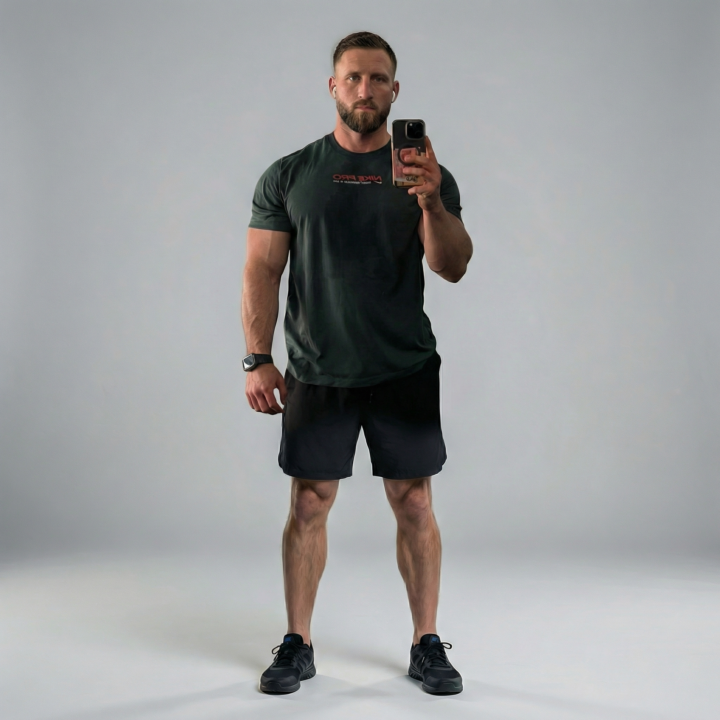
If you've ever tried to create an AI avatar or character for your brand, you know the problem. You generate something you love, then try to recreate it in a different pose or setting, and it looks like a completely different person. Here's how I'm solving that right now: Step 1: Use Nano Banana Pro As of early March 2026, Nano Banana Pro (Google's image model inside Gemini) is the best tool I've found for generating consistent characters (I like it more than Nano Banana 2). It's built on Gemini 3 Pro, and the character consistency is noticeably better than anything else I've tested. I'm still experimenting with other models, but this is what's working for me right now. You can access it for free through the Gemini app. Google AI Pro/Plus/Ultra subscribers get higher usage limits. "But what about the watermark?" If you use the free version through Gemini, Google puts a visible watermark on the bottom right of every image. To get around that, you can use platforms like WaveSpeed AI or Higgsfield that plug into the Nano Banana Pro API directly. This lets you generate with the same model, without the watermark. You can also hit the API yourself if you're comfortable with that. Step 2: Generate Your AI Avatar Use Nano Banana Pro to create your base character. Be specific in your prompt. Describe facial features, hair, clothing, and style. The more detail you give it, the more consistent your results will be across future generations. This is your "master image." Step 3: Upscale That Avatar AI-generated images often come out at a lower resolution than what you'd want for professional use. I run mine through Topaz Gigapixel to clean it up and bring it to a higher resolution. This makes a big difference when you're posting across LinkedIn, newsletters, carousels, etc. Step 4: Use It as Your Reference Image This is the key step most people skip. Take that upscaled avatar and use it as your reference image every time you generate new content. Upload it into Nano Banana Pro alongside your new prompt, and it will keep your character looking the same across different scenes, poses, and settings.
1-30 of 11,774

skool.com/the-ai-advantage
Founded by Tony Robbins, Dean Graziosi & Igor Pogany - AI Advantage is your go-to hub to simplify AI and confidently unlock real & repeatable results
Leaderboard (30-day)
1

+155
2

🔥
+142
3
+140
4

+129
5

+117
Powered by