
Write something
Pinned

11h •
Home lab experiment ideas to try this weekend!
Check out 6 Home Lab Experiments Worth Trying This Weekend #homelab #homeserver https://www.virtualizationhowto.com/2026/03/6-home-lab-experiments-worth-trying-this-weekend/
Pinned
1d •
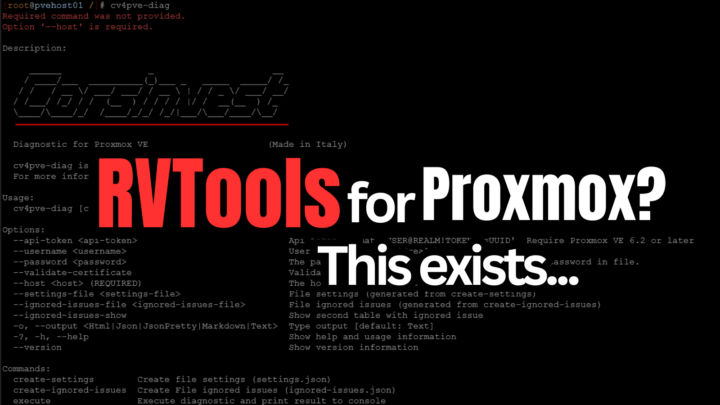
Have you looked for an RVTools for Proxmox? Check this out.
This Free Tool Feels Like RVTools for Proxmox (And It’s CLI-Based) #proxmox #homelab https://www.virtualizationhowto.com/2026/03/this-free-tool-feels-like-rvtools-for-proxmox-and-its-cli-based/
3
0
Pinned
2d •
Features of Proxmox you may not have heard about
Pretty cool going through the admin guide and what you can find in there. Check out 7 hidden Proxmox features buried in the admin guide Your Home Lab Needs #proxmox #homelab https://www.virtualizationhowto.com/2026/03/7-hidden-proxmox-features-buried-in-the-admin-guide-your-home-lab-needs/
4
0


1d •
OpenClaw Security
Here is a good video on hardening security for OpenClaw. Also it appears that ClawHub has new tool for checking skills for possible malicious code as well you can have Openclaw scan the skills for anything unusual in the skill. https://www.youtube.com/watch?v=YCD2FSvj35I
10h •
Ollama + NVIDIA: safer, faster OpenClaw with NemoClaw and Nemotron 3 Super
https://www.nvidia.com/en-us/ai/nemoclaw/ Ollama and NVIDIA have teamed up to make OpenClaw faster and safer: Nemotron 3 Super is available to run with Ollama – a new open model from NVIDIA that ranks #1 on PinchBench (the benchmark measuring OpenClaw effectiveness), with 5x more throughput than previous models. NemoClaw is now available with built-in Ollama support to provide a safe environment for your OpenClaw assistant with privacy and security guardrails. OPENCLAW WITH NEMOTRON 3 SUPER Start by downloading Ollama: Download Ollama Next, run OpenClaw with Nemotron 3 Super via Ollama's cloud: ollama launch openclaw --model nemotron-3-super:cloud Nemotron 3 Super can be used on Ollama's cloud for free. For challenging tasks, Ollama's Pro and Max plans enable your OpenClaw assistant to run multiple sub-agents and background tasks at the same time. On machines with 96GB of VRAM or more, Nemotron 3 Super can also be run locally using Ollama. NEMOCLAW: RUN OPENCLAW MORE SAFELY NVIDIA's NemoClaw is an open source stack that installs OpenClaw with added privacy and security controls, including pre-configured support for Ollama. curl -fsSL https://nvidia.com/nemoclaw.sh | bash This will install NemoClaw and run its Installer. Enter 2 to select Ollama when prompted: When prompted for a model, select nemotron-3-super:cloud (or choose another model you may wish to run). Once OpenClaw is running, connect to it: nemoclaw my-assistant connect For more information on NemoClaw, see NVIDIA's documentation. OPENSHELL: A SAFE RUNTIME FOR OTHER AGENTS. NVIDIA's OpenShell is a private runtime for agents and assistants that brings the safety of NemoClaw to other agents such as Claude Code, Codex, OpenCode and more. To get started with OpenShell, first download and install it. Next, create a new sandbox with Ollama: openshell sandbox create --from ollama Finally, run Ollama to launch an agent:
1-30 of 429

skool.com/homelabexplorers
Build, break, and master home labs and the technologies behind them! Dive into self-hosting, Docker, Kubernetes, DevOps, virtualization, and beyond.
Leaderboard (30-day)
1
+14
2

+11
3

+7
4

+5
5

+5
Powered by