
Write something

1d •
What are your Home Lab Defaults?
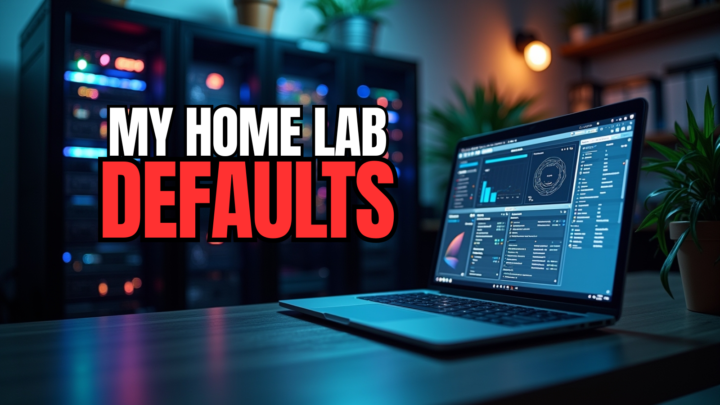
Check out The Home Lab Defaults I Never Skip #homelab #homeserver #defaults https://www.virtualizationhowto.com/2026/07/the-home-lab-defaults-i-never-skip/

11h •
My Homelab Audit: Power & Efficiency Report.
Hello fellow homelabbers, have you ever looked at the costs of your hobby? In this case, I’m referring to energy costs. Managing a homelab is a fantastic retirement hobby for me, but "enterprise-grade" hardware can quickly turn an electricity bill into a ?. Over the past few days, I conducted a thorough energy audit of my entire ecosystem—spanning my servers, networking core, and my dedicated management workstation. Through precise optimization of both my hardware and software, I successfully trimmed the fat, transforming a hungry setup into a highly efficient, automated media and virtualization powerhouse. My Summary When running 24/7, even small power drains add up over 365 days. My fully optimized homelab and network now consume an average of ~257 Watts of continuous power. On an annual basis, this translates to 2,250 kWh. Based on my fixed contract energy rate of €0.28372 per kWh, this results in a highly realistic and well-managed total cost of approximately €638.37 per year (around €53.20 per month). Given that my environment handles massive storage (80TB+), heavy virtualization (Proxmox, Windows 11, Docker), and active management for 5 to 6 hours a day, I am incredibly happy with this efficiency. My System-by-System Breakdown (Realistic Averages) My calculations do not look at theoretical "perfectly idle" numbers. Instead, they reflect my real-world mix of quiet periods, active usage, and automated workflows. 1. My Compute & Storage Core - Aoostar WTR Max NAS (~22W to ~45.5W | Average: ~30W) - Specs: AMD Ryzen 7 8845HS, 80GB ECC DDR5, 1x NVMe SSD, 4x 16TB High-Capacity HDDs. - Role: My primary data vault. - Lenovo ThinkStation P520 - System A (~65W to ~85W | Average: ~77W) - Specs: Intel Xeon W (6-Core/12-Threads), 128GB ECC DDR4, 2x SSDs, 4x 4TB HDDs, NVIDIA Quadro P1000. - Role: My heavy lifter. Runs Proxmox VE, hosting my VM's,LXC's, Homeassistant,Dockers, and my core Plex media streaming architecture. - Lenovo ThinkStation P520 - System B (Average: ~65W)
1
0
2d •
What are the weirdest home lab network problems you have seen?
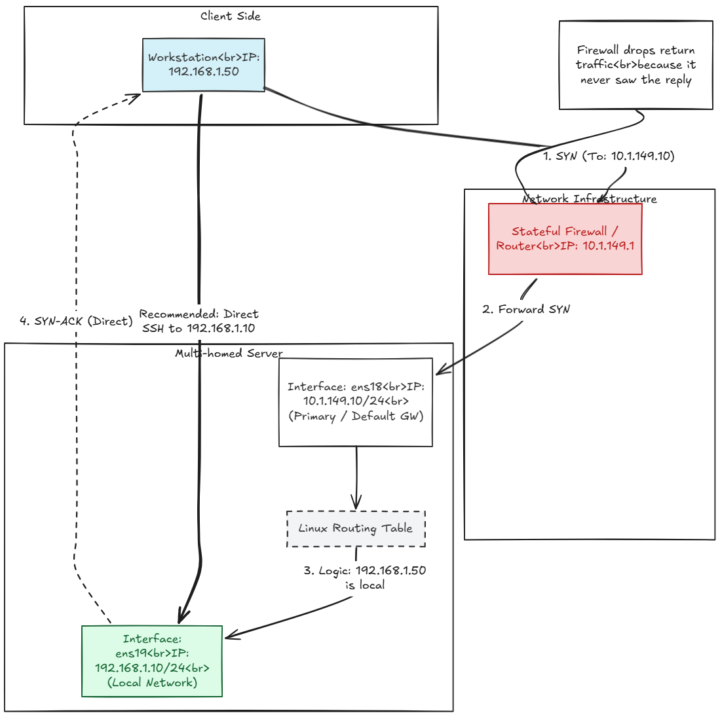
Here are some of mine and the causes :) Check out The Weirdest Home Lab Network Problems I've Actually Run Into https://www.virtualizationhowto.com/2026/07/the-weirdest-home-lab-network-problems-ive-actually-run-into/
3d •
Is your Home Lab becoming Simpler? Smaller, more dense, etc?
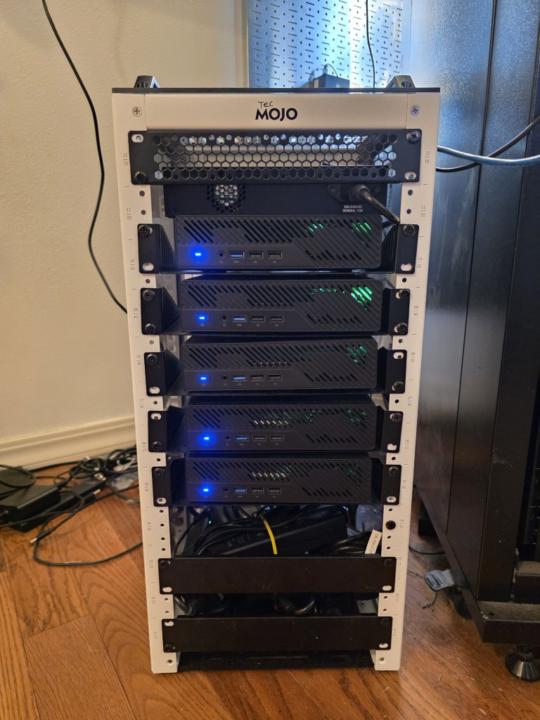
The More I Learn, the Simpler My Home Lab Becomes #homelab #homeserver #learning #learneveryday https://www.virtualizationhowto.com/2026/07/the-more-i-learn-the-simpler-my-home-lab-becomes/
1d •
The Great DNS Delusion: How One IP Saved the Network
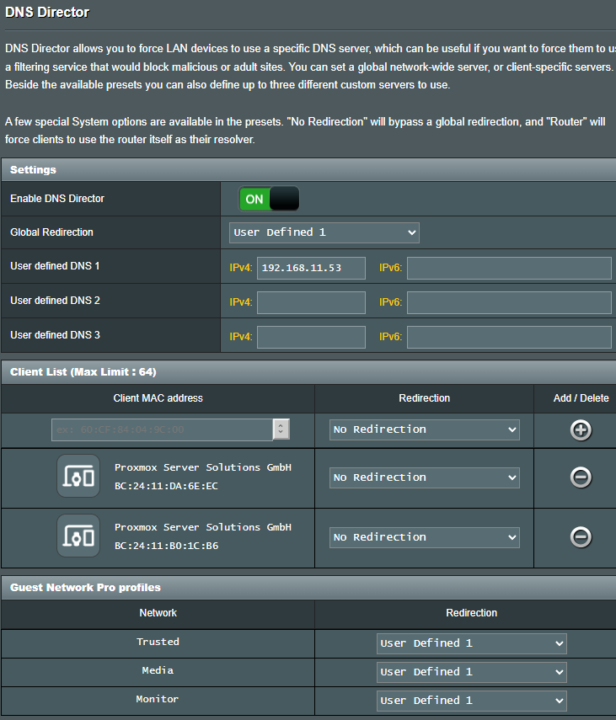
Hello homelabbers, here a add-on (technitium article that i posted here) I wrote this with a smile on my face The Great DNS Delusion: How One IP Saved the Network. This is the tale of a modern home network. A digital kingdom meticulously built around a high-end Asus RT-BE88U Wi-Fi 7 router, a blistering 10GbE QNAP QSW-M804-4C switch, and a beefy Proxmox VE cluster. The proud owner (thats me)segmented everything into four beautiful, functional VLANs: Management (VLAN 1), Trusted (VLAN 21), Media (VLAN 31), and Monitoring (VLAN 41). To provide this masterpiece🤣 with secure, independent, and recursive name resolution, two Technitium DNS servers were deployed in LXC containers across different Proxmox hosts. A flawless setup, right? Until doom struck: a Proxmox node rebooted for a routine update. Suddenly, the entire internet froze for what felt like business days. How is that even possible when there are literally two DNS servers sitting right there in the DHCP scope? The Great Myth of "Primary" and "Secondary" DNS In the IT world, people love to believe in a fairy tale: "If DNS server 1 goes down, my computer will instantly ask DNS server 2." Sadly, reality is a chaotic mess. Operating systems are programmed to be selfish, lazy, and utterly unpredictable. The Windows and iPhone Trap Let’s say your DHCP server hands out two DNS servers to your devices: 192.168.11.51 (DNS-1) and 192.168.11.50 (DNS-2). Here is how they actually behave: The Windows Chaos ("Fastest Wins"): Windows computers often blast their DNS requests to both servers at the same time. Whoever answers first wins the prize. You completely lose control over who handles your traffic. If DNS-1 is busy doing a backup, your traffic randomly yelps for help from DNS-2. The iPhone Freeze ("Timeout Torture"): Apple devices are stubborn. Guess who is calling me........ my wife 😐Ad!!!. An iPhone or Mac will cling to DNS-1 like a security blanket. If DNS-1 drops dead because Proxmox is rebooting, the iPhone pretends DNS-2 doesn't exist. It sends a request, gets ghosted, and waits 2 to 5 seconds for a timeout. Only after that icy silence does it switch to DNS-2. To the user, it feels like the Wi-Fi died or the website crashed.
1
0
1-30 of 380

skool.com/homelabexplorers
Build, break, and master home labs and the technologies behind them! Dive into self-hosting, Docker, Kubernetes, DevOps, virtualization, and beyond.
Leaderboard (30-day)
1
+67
2

+38
3

+12
4

+12
5

+8
Powered by