

Sep 8 •
How many people are in your LinkedIn network that you have not spoken to in a year?
Most people do not know the number. I did not either until I actually looked. Mine was over ten thousand, and about fifteen hundred of those I had never exchanged a single message with. Connected, and then nothing. Here is the thing. When business is slow the instinct is to go find more people. More connections, more content, more outreach to strangers. And the whole time there is a list sitting in your account of people who already said yes to knowing you. So do this today, it is free and it takes about ten minutes. Go to LinkedIn, Settings, Data Privacy, Get a copy of your data. Ask for the full archive. It shows up in your email in a day or so. Open the connections file and look at the number. Then come back and tell me what it was. On 1 October I am running a ninety minute session called The Conversation Engine, where you take that file, run a set of Claude skills on it, and leave having sent ten real messages to people you already know. Not a list you will get to later. Ten messages, sent, before we get off the call. It is built. What I have not settled is where the weight goes, and there are four parts to it. Vote below, whether or not you are coming, because I would rather build it around what this room actually needs. One thing so nobody is surprised later. Twenty people in this group already have that session included in what they already paid for. If you are not one of them it is $99 on its own. I will lay the whole thing out in a couple of days.
Poll
Cast your vote
0
0
Aug 25 •
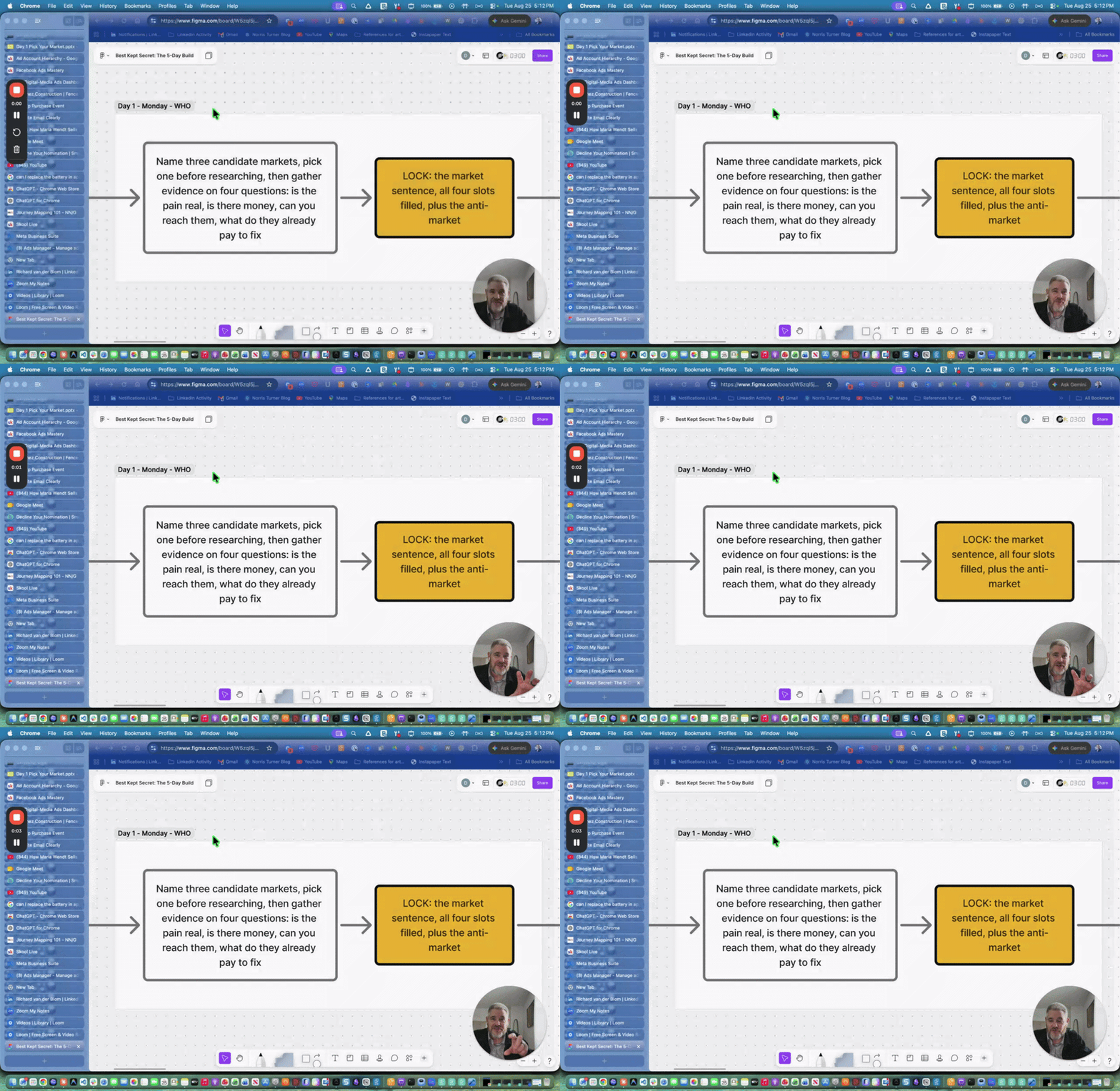
Five Decisions, One Week, Starting Monday Aug 31st
Hey, look, some of you have been in here a while. You've worked through the classroom, saved the posts, run a few of the prompts. And if I asked you right now to tell me in one sentence who you serve and who you have decided not to serve, most of you couldn't do it cleanly. That's not a knock on anybody. It's the most common place to be stuck, and it's the reason more posting hasn't moved your calendar. There's nothing to aim at yet. Next week is built to end that. Monday through Friday, 3:30 PM Mountain, one decision a day. Monday you pick the market and name the anti-market. Tuesday you take the words your buyers actually use in public and retire the ones you've been using instead. Wednesday you list every reason someone says no and remove them one at a time until there's an entry offer people can walk into. Thursday you get it down to one sentence and put it live. Friday you cut everything you're not going to keep doing and build the one weekly loop that runs in under an hour. The difference between this and the material sitting in the classroom is that you leave with the maps built rather than assigned. We do the work in the room. Note: if you're a current D3 Digital Media Marketing client, or you bought into a Best Kept Secret session at any point before this one, you're already enrolled. Nothing to buy. Just show up Monday at 3:30 Mountain. One logistics note for everybody. You'll need a paid Claude account to work along, so get that sorted before Monday if you don't have one. For everyone else, registration closes Sunday at 5 PM Mountain, and Platinum is capped at 10 seats. If you've been waiting for the right week to actually make these decisions instead of reading about them, this is it.
1
0
Jun 29 •
July 23rd, Best Kept Secret Session
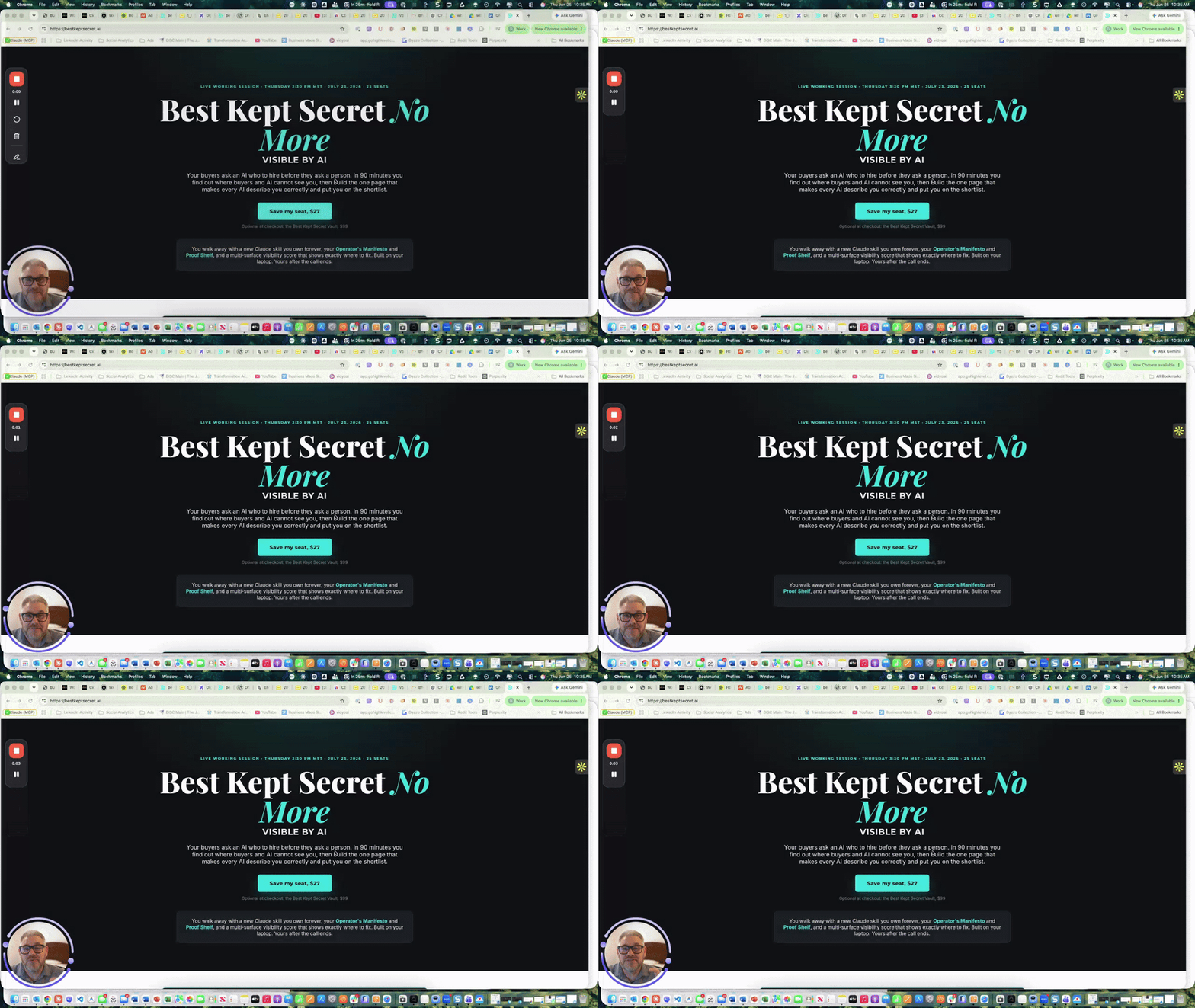
Hey, so I wanted to get this posted ahead of our next Best Kept Secret No More workshop. The first session was a huge hit, and this next one carries right on from it. The focus this time is Visibility. If you watch the short video below you'll hear more from me on it, but here's the short version. We're covering two things. The first is the Operator's Manifesto. The second is the Proof Shelf, which is how you build a body of proof that keeps showing people you're someone they actually want to work with. If you're the best kept secret in your industry, this is one of the ways you work your way out of it, and we'll use AI to help you do it. Building your brand, building your ICP, and now building your visibility, piece by piece. When you sign up you don't just get this session. You also get the full replay of the very first workshop, all the Claude skills, and everything you need to keep going on your AI journey for your business. We've put the registration all in one place at bestkeptsecret.ai, so it's easy to find. When: July 23rd at 3:30 Where: bestkeptsecret.ai A quick note for anyone who was in the first Best Kept Secret No More workshop. We've got you. You don't have to enroll again. You're already set for this next session. On seats. We're taking 25 total, 10 are already taken, so there are 15 left. Once we hit 25 this page flips back to a waitlist page, and it'll keep cycling like that through the rest of the year. So if you're thinking about it, I wouldn't wait. If you miss this one, the next opening is session 3, or 4, or whenever a seat comes open after that. Note: for anyone registered in the first session your invite is coming for this one as well to hold the date and the zoom links there after. You do not need to register or pay again. I look forward to seeing you in the workshop. Don
1
0
Jun 24 •
The Inbound Sweet Spot: AI Drafts, You Send
Hey, look, thanks to everyone who jumped on yesterday. We covered a lot of ground, so here's the recap for anyone who missed it or wants to skip to a particular spot in the replay. It all came back to one question: how do you take a cold connection and move them somewhere warmer, without burning yourself out or getting yourself banned? Three doors to warm up a cold connection. You've basically got three: - An assessment or lead magnet - A podcast or webinar - A direct conversation - Skip the ebooks and the long PDF articles. Nobody downloads them and they don't move anybody. And if you build an assessment, two rules: it has to capture their email into your CRM, and it has to give them a real result at the end. Otherwise you've just made them fill out a form. The one person who shows up. Somebody told me they get 100 webinar signups and one person, sometimes zero, actually shows. Here's the thing: - If one person shows up, give that one person everything. They came for a real reason. - Build the relationship right there. - Everybody who watches the replay sees they'd have gotten that same attention. That's not a wasted hour. Use the podcast to qualify, not to sell. You're not pitching, you're getting them to an answer: - Build your qualifying questions right into the interview. - Wendy's add: take the four or five objections you hear over and over, turn each into a 10 to 15 minute episode, and run it as a private, subscribable podcast as your lead magnet. That converts. Microsites beat the giant website. I think the day of the thousand-page site is short-lived: - Build small, focused pages that each do one job. - We run tons of them inside our CRM. - AI only speeds this up. AI-augmented, not full autopilot. People can tell when a bot is writing them, and full autopilot erodes trust fast. The sweet spot: - AI drafts the response, you review and hit send. - Be personal about it. "I'm using AI so I can get back to you faster, and I read 100% of these" lands better than a third-person bot saying you're busy. - The MIT and Harvard data backs this up: respond inside five minutes and the connection holds. Let people wait and it falls off.
0
0

Jun 23 •
Live at 5 EST today, AI-Augmented vs. AI-Driven Engagement
If you've been using automation to handle your DMs, comments, or outreach — or you're thinking about it — this one is for you. I'm walking through a full presentation today covering exactly where AI belongs in your engagement workflow, and where it will get your account banned, your messages ignored, and your brand trust torched. Here's what we'll cover: 🔍 Why full automation is backfiring — LinkedIn detection is up 340% since 2023. Major tools were banned outright in 2025. Buyers can smell a bot, and they walk. ⚡ The 5-Minute Rule — MIT and Harvard research shows that responding within 5 minutes makes you 100x more likely to connect. The augmented approach is the only way to be fast and human. 🛠 The exact system inside CxNector (GHL) — how to use Conversation AI in Suggestive (draft-only) mode so AI does the prep work and you do the relationship. 📈 The data — AI-augmented reps generate 41% more revenue with 18% fewer activities. Quality over quantity, every time. This is the WAVES Engagement Pillar in action. Bring your questions. 👉 Join us live today — 3 PM MT / 5 PM ET https://www.skool.com/live/gVksZDVQqhR
1
0
1-14 of 14

skool.com/content-conversion-system-9386
Stop being the best-kept secret in your industry. The free WAVES system that turns content into pipeline for founder-led B2B companies.
Powered by