Activity
Mon
Wed
Fri
Sun
Nov
Dec
Jan
Feb
Mar
Apr
May
Jun
Jul
Aug
Sep
Oct
What is this?
Less
More
Aging with Clarity
1.6k
Free
Client Growth Lab
196
Free
Business Gurus Inner Circle
333
Free
AI Laugh Lab
191
Free
Booth Boss
90
Free
ChatGPT Users
12.8k
Free
AI for LinkedIn - evyAI.com
1.9k
$4/m
LinkedIn For Breakfast
6.6k
Free
BB
Bookkeeper Business Secrets
3.4k
Free
399 contributions to AI for LinkedIn - evyAI.com

Feb 10 •
AI automated activity
Hey everyone, I wasn’t planning on being on LinkedIn much but now I don’t have to worry about that because I’ve been put in jail. They said there was possible automation activity or something along those lines. I guess I’ll just have to take a longer walk on the beach…😉 @Joe Apfelbaum @Rick Kloete @Barbara Harrington @everyone

1 like • Feb 10
Sad to see this. I've been suspended twice in the last two weeks, @Jane Lehman

Feb 6 •
✨ Join Our Friday Posting Party, Today, 11 am ET, February 6, 2026 ✨
Looking to grow your network and boost your LinkedIn visibility? Join us every Friday at 11 AM Eastern | 10 AM Central for our LinkedIn Posting Party! Zoom link: https://us02web.zoom.us/j/86496908047?pwd=YdcqEYahueFUWdGa1q9Aadrxa2GwEE.1 Be ready with your 15 second Elevator Pitch! Or can you do it in 9 words? This is a casual, friendly space where you can: ✅ Meet other professionals who want to grow their presence ✅ Post your content and support others ✅ Engage authentically with meaningful comments ✅ Build real connections — not just likes It’s not about algorithms - it’s about conversations, community, and showing up for each other. Whether you’re a seasoned LinkedIn pro or just starting to share your voice, you’re welcome to join us. Bring your post, your positive energy, and your willingness to engage! Let’s lift each other up and make LinkedIn a little more human. And…. 📝 𝗛𝗼𝘄 𝘁𝗼 𝗣𝗮𝗿𝘁𝗶𝗰𝗶𝗽𝗮𝘁𝗲: - 👍 𝗟𝗜𝗞𝗘 this post as soon as you see it - 💬 Share your LinkedIn Post in the comments for review - ❤️ 𝗟𝗜𝗞𝗘 every comment you engage with - ✂️ Remove UTM tracking links (delete anything after ? in your links) - 🔄 No new post? Share a previous one - IMPORTANT RESOURCES: POST URL CLEANER: Use this tool to help you clean up the URL so you post a clean url without UTMs https://evyai.com/url-cleaner/ BULK LINK OPENER Bulk Link Opener 4: https://strategy.evyai.com/bulklinkopener4 We added keyboard shortcuts to it! ITS COOL. We’d love to see you there. Zoom link: https://us02web.zoom.us/j/86496908047?pwd=YdcqEYahueFUWdGa1q9Aadrxa2GwEE.1

3 likes • Feb 6
@Latha Kumar TGIF!
1 like • Feb 6
@LinLi Wang TGIF!

🔥
Jan 26 •
Second Posting Party of 2026 (Post your Links Below) 1.26.2026
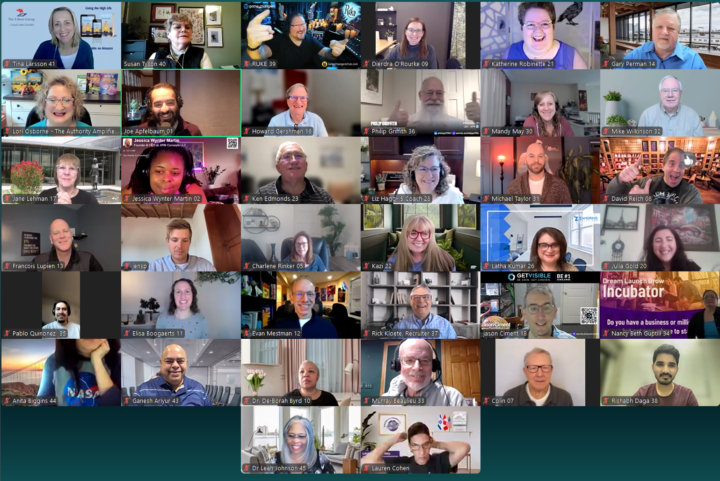
We are having our second posting party of 2026 today at 10am EST.. It will be hosted on www.highenergyzoom.com this is a special event we host 25 times a year and our goal is to get to know each other on a zoom call so we can engage more on each others content. Its so important to be part of a meaningful community of people who can support each other regularly and connect with each other in a meaningful way. If you can make it, please join us and share your link in the comments. Bring a friend with you if you are able to so they can benefit.. Imagine having a list of 100 people that you will invite to posting parties in 2026.. even if none of them come you still have invited 100 people and added value to their life. Think about that from that perspective. A few resources we love ot share about how these parties work. Resource 1: When you post a link, make sure its a clean link. We like to share FEED URLS instead of long urls that have UTMs on them. You can clean your link with our Link Cleaner https://evyai.com/url-cleaner/ Resource 2: Use the evyAI Idea generator to help you come up with ideas for what to post about. If you dont have an idea, just add a keyword and BOOM 4 ideas appear https://app.evyai.com/idea-generator Once you have your idea, please post a post on Linkedin and share it below so we can comment on your post and give you max exposure. Resource 3: To keep track of all your links, we have something called the BULK LINK OPENER 4, that allows you to quickly paste in all the links and open them in an organized way. You can even use the keyboard shortcut ALT + W to open each one and when you are done commenting try CTRL + W and it will close that window and repeat.. seee how fast it goes. https://strategy.evyai.com/bulklinkopener4 Resource 4: We offer daily office hours for those that need some tech support on how to use Linkedin or how to use evyAI to create content, images, ideas, save profiles, have a workflow on Linkedin and get clients. Join us at 12pm est and 7pm est daily where we uncover how to leverage Linkedin together with the help of evyAI. https://strategy.evyai.com/officehours
3 likes • Jan 26
@Aman Merchant Happy Monday!
1 like • Jan 27
@Sheri Mills thank you!
🔥
Jan 14 •
Are you available on Feb 18th 2-6pm EST? 1000 people are coming.
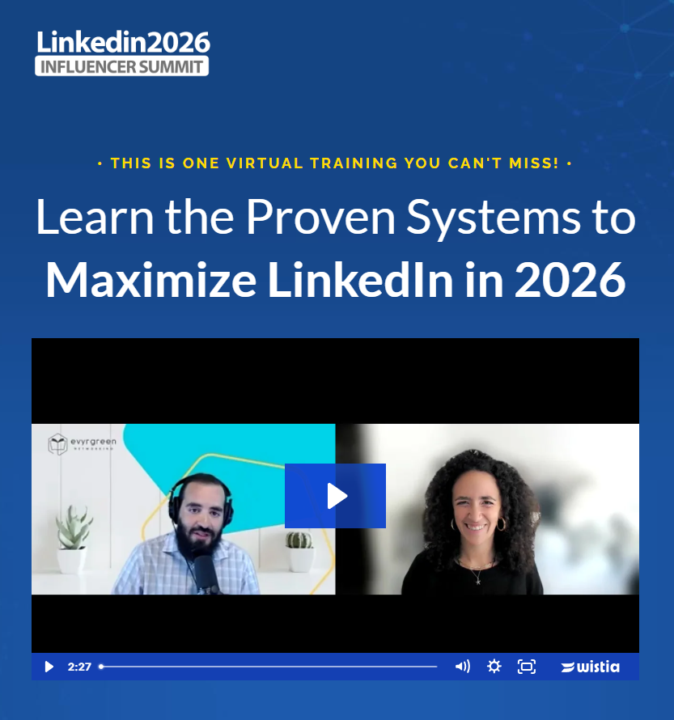
Please let me know if you are available for the Linkedin Influencer Summit, its our biggest virtual event of the year. Its a great place to find information about how to leverage Linkedin in 2026. Registration is now open at www.influencersummit2026.com Here is my thought.. Why dont we get together to see how you can maximize the value you get from the summit but also how to leverage it to get CLIENTS FOR YOURSELF... Remember I teach, GREETING< FEEDING< MEETING< You can use this event as an excuse to get people on the phone to tell them what its about and invite them to it.. It's a HIGH VALUE EVENT that is available FOR FREE... Would love to have you use this as a great event to help you book more conversations with your ideal client. Check out the amazing speakers we have lined up for the event and tell me if you want to be involved in the promotion meetings that will help you be able to really leverage this event for our whole community. This is going to be our BIGGEST event we ever head and we are very excited about it. Do you want to be in our promotion team to benefit from the strategies we are using to leverage the before, during and after strategy for this Linkedin influencer summit?
3 likes • Jan 27
Let's go!
Jan 23 •
✨ Join Our Friday Posting Party, Today, 11 am ET, January 23, 2026 ✨
Looking to grow your network and boost your LinkedIn visibility? Join us every Friday at 11 AM Eastern | 10 AM Central for our LinkedIn Posting Party! Zoom link: https://us02web.zoom.us/j/86496908047?pwd=YdcqEYahueFUWdGa1q9Aadrxa2GwEE.1 Be ready with your 15 second Elevator Pitch! Or can you do it in 9 words? This is a casual, friendly space where you can: ✅ Meet other professionals who want to grow their presence ✅ Post your content and support others ✅ Engage authentically with meaningful comments ✅ Build real connections — not just likes It’s not about algorithms - it’s about conversations, community, and showing up for each other. Whether you’re a seasoned LinkedIn pro or just starting to share your voice, you’re welcome to join us. Bring your post, your positive energy, and your willingness to engage! Let’s lift each other up and make LinkedIn a little more human. And…. 📝 𝗛𝗼𝘄 𝘁𝗼 𝗣𝗮𝗿𝘁𝗶𝗰𝗶𝗽𝗮𝘁𝗲: - 👍 𝗟𝗜𝗞𝗘 this post as soon as you see it - 💬 Share your LinkedIn Post in the comments for review - ❤️ 𝗟𝗜𝗞𝗘 every comment you engage with - ✂️ Remove UTM tracking links (delete anything after ? in your links) - 🔄 No new post? Share a previous one - IMPORTANT RESOURCES: POST URL CLEANER: Use this tool to help you clean up the URL so you post a clean url without UTMs https://evyai.com/url-cleaner/ BULK LINK OPENER Bulk Link Opener 4: https://strategy.evyai.com/bulklinkopener4 We added keyboard shortcuts to it! ITS COOL. We’d love to see you there. Zoom link: https://us02web.zoom.us/j/86496908047?pwd=YdcqEYahueFUWdGa1q9Aadrxa2GwEE.1

0 likes • Jan 23
@Darren Cherry TGIF!
1 like • Jan 23
@Sameer Dhawan I responded to the first one!
1-10 of 399

@tom-wells-6084
Chief Connector at Wells Virtual Bookkeeping, LLC / We bring the financial clarity to your business, so you can make great strategic decisions.
Active 4d ago
Joined Apr 10, 2024
Tonganoxie, KS
Powered by