Activity
Mon
Wed
Fri
Sun
Oct
Nov
Dec
Jan
Feb
Mar
Apr
May
Jun
Jul
Aug
Sep
What is this?
Less
More
Home Lab Explorers
1.6k members • Free
55 contributions to Home Lab Explorers

16d •
Ever had regrets about your Proxmox home lab config?
Check out 7 Proxmox Decisions That Are Painful to Change Later #proxmox #homelab #homeserver #learneveryday https://www.virtualizationhowto.com/2026/09/7-proxmox-decisions-that-are-painful-to-change-later/


0 likes • 15d
The only regret I have is when I setup the second ProxMox instance was I didn't investigate Ceph enough to do full HA when crap hits the fan. But with PBS, I can think about doing that differently if/when I get newer hardware.
Jul 29 •
What home lab organization tips do you put into practice to find things?
Check out How I Organize My Entire Home Lab So I Can Actually Find Anything #homelab #homelabtips https://www.virtualizationhowto.com/2026/07/how-i-organize-my-entire-home-lab-so-i-can-actually-find-anything/

4 likes • Jul 29
phpIPAM for hunting IP addresses, host names and setting permissions to access my LAN, and Pulse to keep an eye on everything, including showing me where my docker containers are. Anything else is provided info from phpIPAM. DHCP is regenerated, DNS is not (I've been busy with other things, and it's not been a priority). Single pane of glass to define the network, another pane to monitor the machines. I'm still working on building out Semaphore to provision individual machines. I need to take a walk along the path Neflix walks, and introduce some Chaos Monkeys.
Jul 20 •
Have you connected AI to your Cloudflare account in the home lab?
Check this out to 10x your security analysis and other tasks in the home lab. I Connected AI to Cloudflare and It Changed How I Manage My Home Lab #homelab #mcpserver #aihomelab #cloudflare https://www.virtualizationhowto.com/2026/07/i-connected-ai-to-cloudflare-and-it-changed-how-i-manage-my-home-lab

0 likes • Jul 20
I mean... when an AI tells me that a Python array is built a certain way, but, gives me invalid examples, why would I trust AI with an infrastructure that would not know how to touch multiple systems? I've been getting used to the idea, but I'm still paranoid every time I hit ENTER on a prompt to Codex, waiting for that first "sudo rm -rf /" to hit.
Jul 13 •
New Free Tool to Back up Docker Volumes in the Home lab
This Free Backup Tool Just Added Docker Volume Backups #containers #docker #homelab #homeserver https://www.virtualizationhowto.com/2026/07/this-free-backup-tool-just-added-docker-volume-backups/

1 like • Jul 14
I'm seeing more and more of these toolings going the route of "http://downloadsomething.com/install.sh | bash", then asking for your sudo creds (Which I already don't like completely), then the script going ham on your machine. That has me genuinely scared, and off putting. If that site were to get compromised, and that "installer" script did something black-hat, you're pretty much boned as an end user. I know, I know, easy enough to read code if you want to know what it's doing, sure, but, THIS isn't something that's versioned. So, if the script changes via black-hat methods, how many people would even notice something is wrong? I am very much an "install by package" admin. Something that is versioned, something that is traceable. That said, even at the end of the day, you're trusting someone, white, grey, or black-hat intentioned, with their code on your system. Of all installation methods, this style of install is very much one of those processes that makes the hair at the back of my neck stand up....
Jul 8 •
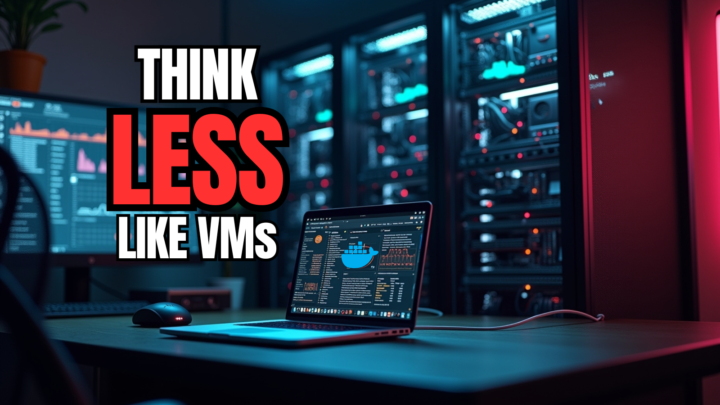
Don't treat your home lab containers like VMs. Why?
Why I Stopped Treating Docker Containers Like Tiny Virtual Machines #docker #containers #homelab https://www.virtualizationhowto.com/2026/07/why-i-stopped-treating-docker-containers-like-tiny-virtual-machines/
0 likes • Jul 9
So question then.... I can appreciate using Github/etc to manage the configuration of your containers, how it's defined, how it's built, and all that. But what about the data? How do YOU get something like an IPAM database, or, DHCP/DNS configurations migrated after a complete catastrophic failure? I don't know if you're holding skool or virtualhowto on your own machines, but if you did, how would you get all that content recovered? For me, I'm using Docker in a "weird" but still functional way. How I've got things wired up, it's simpler for an upgrade in-place. On a dedicated VM that I hold one application type on (DHCP/DNS/IPAM/specific web server/whatever), if I want to spin up a test machine, or, a new version of that machine, I can just make the new docker compose file with the required parameters, and via script, copy the actual volumes from one directory to another WITHIN that VM (Depending on the type of machine, with taking the original docker container down for the data-copy, then bring it back up), then spin up the copied version to test and validate its upgrade is going to work.
1-10 of 55
Active 15d ago
Joined May 19, 2025
Powered by