Activity
Mon
Wed
Fri
Sun
Jan
Feb
Mar
Apr
May
Jun
Jul
Aug
Sep
Oct
Nov
Dec
What is this?
Less
More
Owned by Shaun
🌟 As seen on Amazon Prime, BBC. Learn to Meet, Attract & Keep Women. Get Your Girlfriend ❤️ faster! While Building a Life to Attract 🚺 Naturally
Learn to Meet, Attract & Keep Beautiful Women, Get Your Girlfriend ❤️ faster! Incl. ROUTINES MASTERCLASS. 🌟 As seen on Amazon Prime, BBC
Memberships
The AI Advantage
66.2k members • Free
Executive Health Lab
147 members • Free
Bitcoin
1.3k members • Free
Top Chess Community
18.7k members • $5
𝙂𝙊𝙊𝙎𝙄𝙁𝙔 🍓🐛🦋🌈⭐️🩷
8.8k members • Free
Synthesizer
33.3k members • Free
GREAT Community Leaders
238 members • Free
LION Mentality
312 members • Free
Skooly
50 members • $1/month
5 contributions to Skooly

May 22 •
Chrome Extension Install Guide
Hi All, In this video, I show you how to install our chrome extensions. In this one, I only talk about "Hello Dear", but the same process applies to the @ Tagger, skool wizard, or the gif url extractor. More to come! Links: Skool Scam Defender Skool @ Tagger -Joe


⭐
🔥
1 like • Jul 13
again the other one too - or perhaps just the way Chrome is wording it makes it sound like it has access to everything.... ??
⭐
🔥
0 likes • Jul 14
@Joe DeFilippo thanks
⭐
🔥
Jun 29 •
How can I get the tools - when my email is not the same as google account email?
hey admin team - I'm having trouble accessing any of the tools I started with a chrome extensions. No idea which email I sent in, have many. And my email on this platform is also different. Phone my email on the Google signed in platform. how do i get started here? thanks
Jun 1 •
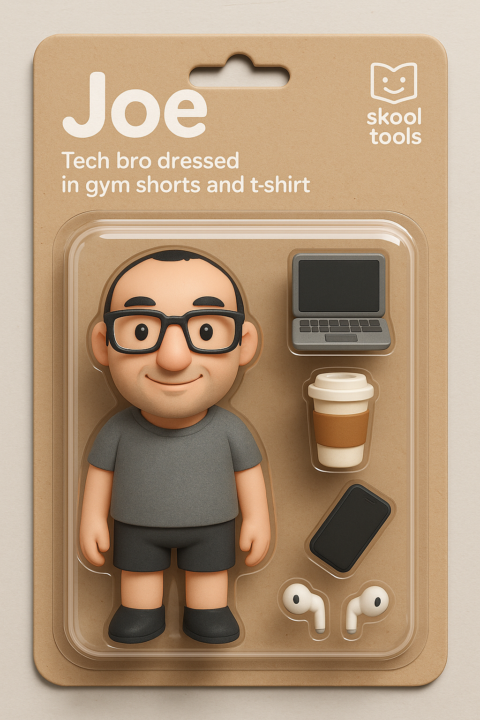
Level 3 Bonus!!!
I'll create you a personalized action figure image like these ones attached when you hit level 3
⭐
🔥
1 like • Jun 13
Noooo - I only joined for this! #joking 😉
⭐
🔥
1 like • Jun 13
@Joe DeFilippo thanks Joe
May 30 •
Welcome to Skool Tools!
Let's get started right away, yeah? 1) Create an account on skoolbus.io if you want to enable About Page scanning for your groups. This will track changes to your About Page over time and take snapshots for future reference. It can also alert you to problems like broken links and mentions of dates that are in the past (spellcheck coming soon, too). See more about the feature here. 2) Once that's done, DM me your Gmail address so I can grant you access to all our chrome extensions! You can find the links to download in the classroom tab under The Toolshed or just click here. If you try to click a link and it says it can't be found or you don't have access it just means you haven't been set up yet, so hang tight! 3) Opt in or opt out of data use policies. Fill out the Google form here. 4) Watch a feature overview of all the tools you have access to here. 5) Have a look around the classroom, consider joining the 30-day challenge, introduce yourself if you want, post, collaborate, build, and have fun!
⭐
🔥
2 likes • Jun 13
will get started on this. Monday - looks great!
1-5 of 5

⭐
🔥
@shaunmichael
🏆 x2 Skool Games Winner,
⭐️ of Amazon Prime 🎥: "Attract Any Woman Anywhere" Help 🚹 Find ❤️
⚜️ Master Coach,
1/2 Million Taught,
200+ Bootcamps
Online now
Joined Jun 13, 2025
ENTJ
UK-USA-EU